Category: Featured

  • How To Divide Content As Per The Content Marketing Funnel?

    How To Divide Content As Per The Content Marketing Funnel?

    Ask yourself a question. What is the main motive for practicing SEO strategies? The easy answer: getting people to buy your product. Whether you’ve noticed it or not, all content is created keeping the buyer’s journey in mind. And what’s the way to keep track of the buyer’s journey with your brand? By using a content marketing funnel.

    The key to generating leads is creating content while keeping the content marketing funnel in mind. Don’t worry, this is way simpler than it sounds. The marketing funnel is simply a model created for marketers to track buyer journeys on websites. The funnel helps turn leads into loyal customers, and achieve remarkable sales.

    In this article, you will learn what the content marketing funnel is, what its stages are, and how to create content for targeting users in each stage of the funnel to transform them into full-time buyers. So what are you waiting for? Read along!

    What is a Content Marketing Funnel?

    The Content Marketing Funnel is a model that helps marketers visualize how content creation influences the path a potential customer might take from the moment they find out about your brand, till the moment they decide to purchase your product. A Content Marketing Funnel typically has 3 stages.

    The 3 Stages of an Effective Content Marketing Funnel

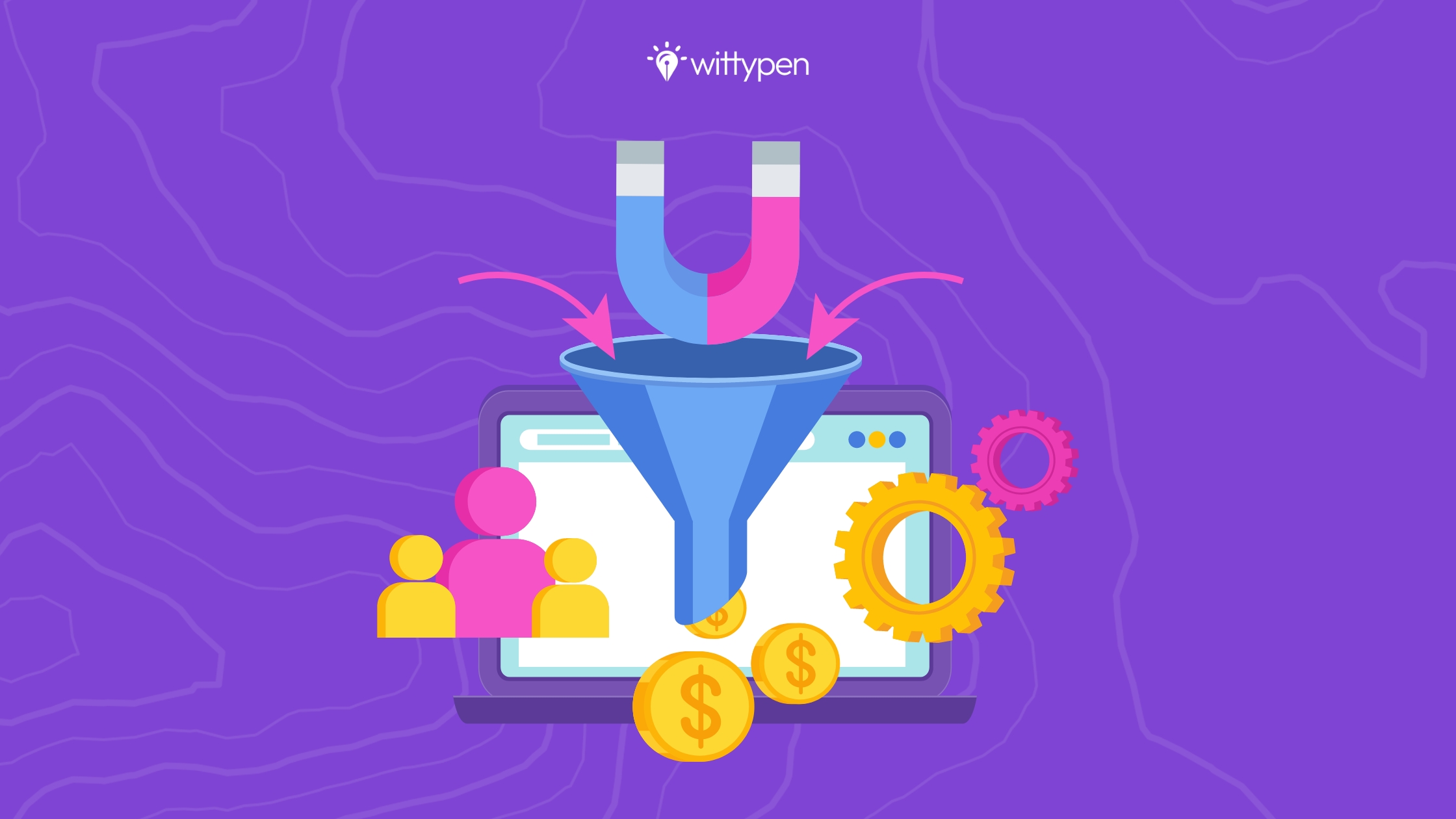
    Take a good look at this image of a content marketing funnel and analyze its shape. As you can see, the funnel keeps getting narrower as you go down. 

    The design conveys the following message: the audience interacting with your brand is at its highest at the top and keeps reducing as you reach the bottom. The ones at the top are the farthest, and the ones at the bottom are the closest to buying your product.

    What we’ll learn in this article is how through content creation, you can maximize the number of leads making it to the bottom of the funnel, and eventually increase your overall sales.

    The Content Marketing Funnel typically contains three stages –

    • Top of the Funnel (TOFU)
    • Middle of the Funnel (MOFU)
    • Bottom of the Funnel (BOFU)

    Let’s have a closer look at each stage of the funnel, and synonymously, each stage of the buyer’s journey:

    1. Top of the Funnel (TOFU):

    The Top of the Funnel (TOFU) stage is also known as the awareness stage. It’s theoretically the beginning of the funnel and the beginning of your buyer’s journey with your brand. 

    The leads are at their highest in this stage, and they are most probably looking for answers to their various questions. Your job as a marketer would be to create content that educates your target audience about any query they have. 

    TOFU content doesn’t focus on promoting your product or brand directly, but it is still important to gently make the users aware of their benefits. Progress can be tracked by paying attention to site traffic, engagement in social media, and the number of subscriptions you’re getting.

    Top of the Funnel content marketing is done by creating informative content in the form of blogs, social media posts, and ebooks among others.

    2. Middle of the Funnel (MOFU):

    The Middle of the Funnel (MOFU) stage is also known as the consideration stage. As you go down the funnel, it gets narrower, and so do the users paying attention to your brand. 

    The people who weren’t interested in purchasing your product have now removed themselves from consideration. Therefore, you need to focus on being considerate towards the ones who have stayed and are willing to learn more.

    To get this done, you need to provide in-depth information regarding your brand and product. Be direct in conveying why your brand is a good choice to buy from. Progress can be tracked by analyzing conversion rates and tracking the leads.

    Middle of the Funnel content marketing is mainly concerned with creating detailed content about providing solutions for your target audience’s pain points. The motive is to gain the trust of potential customers in your brand.

    3. Bottom of the Funnel (BOFU):

    The Bottom of the Funnel (BOFU) stage is also known as the decision stage. At this point, the number of people staying with your brand is at its lowest and they’re on the brink of making the decision of being a customer for your brand.

    This is the stage where your buyer’s journey is nearing an end and you’re close to making a sale. Therefore, you need to write product-specific content that conveys clearly what your product is and how it works. You also need to give good reasons why your product is better than your competitors and why the buyer should choose it over others. 

    Bottom of the Funnel content marketing is mainly concerned with product specifications, details, and key features of the brand rather than providing education and in-depth information around the products and pain points.

    Content Ideas for Each Stage of the Marketing Funnel

    Before going into the content types, it is important to decide what the goal of your company is. B2B companies require far more convincing than B2C customers to reach the decision stage. Furthermore, having a clear understanding of your buyer persona will be way more profitable for your brand in the long run as you’ll be able to customize your content in an appealing way for them.

    After working on these strategies, jump right into learning what content to create at what stage to attract customers:

    Wittypen SEO content writing services

    In the Awareness Stage:

    There’s no assurance that the audience in the awareness stage will buy from your company, but if they find your content useful enough, there are chances that they’ll travel down to the Middle of the Funnel. Therefore, it is important to create informative and helpful content to answer every query your future customers could have.

    Here are some content formats you can try for creating Top of The Funnel content:

    1. Blog Posts:

    Blogs are the most common and profitable way to create content for the Top of the Funnel. They’re perfect to give solutions and target your customer’s pain points in a detailed manner. If you write and format your blog well enough for Google to read, you will also be able to rank it on the SERP.

    2. Social Media Posts:

    Using Social Media platforms like LinkedIn, Instagram, Twitter, and YouTube for content creation will open the door for a new audience. With new user-targeted algorithms, it is also possible for your content to reach interested buyers. However, unlike blog posts, you’ll need to present content in a shorter space.

    3. Infographics and Checklists:

    Well-made infographics are appealing to the eyes of the reader and have way more shareable value than blog posts. More shares will result in a growing audience base, and a better chance to find buyers for your product.

    On some occasions, people only want to know exactly what they need to do to solve their problem instead of going into details about the topic. This is where a checklist will come in handy.

    Example: An infographic providing information about refugees.

    information about refugees

    4. Ebooks and Whitepapers:

    Ebooks are useful to dive deeper into the complexities of a topic. They are also perfect for targeting your customer’s pain points.

    Whitepapers like Ebooks, are good for diving into the in-depth analysis of a topic. They are informative and downloadable documents issued by a company to highlight solutions.

    Example: Ebooks offered by Search Engine Journal after subscribing to their newsletter.
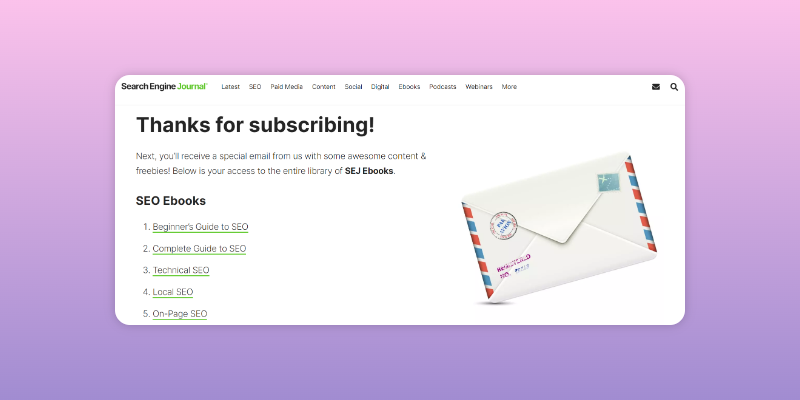
    Ebooks example from SearchEngine Journal

    5. How-To Videos:

    Creating informational videos with a “How-To” in their title is one of the best and most popular ways to educate potential buyers. To make the video creation process even more accessible, you can use a free online video editor tool to edit your videos. This way, you can enhance your content, add special effects, and fine-tune your message without expensive software or professional editing skills.

    Example: A “How-To” video on YouTube teaching How to Tie a Tie.

    Video on How-To Guide

    6. Podcasts:

    Podcasts are audio formats of content creation that have become extremely popular today. Podcasts are usually released in installments which makes it easier for your company to gain subscribers for exclusive content.

    7. Quizzes:

    The best way to engage your audience with your website is to make fun and interactive quizzes. The key to making exceptional quiz content is releasing them regularly and making them catchy enough for potential buyers to keep returning to your website to play more.

    Example: A Buzzfeed quiz titled “Which Dessert Perfectly Matches Your Personality?”.
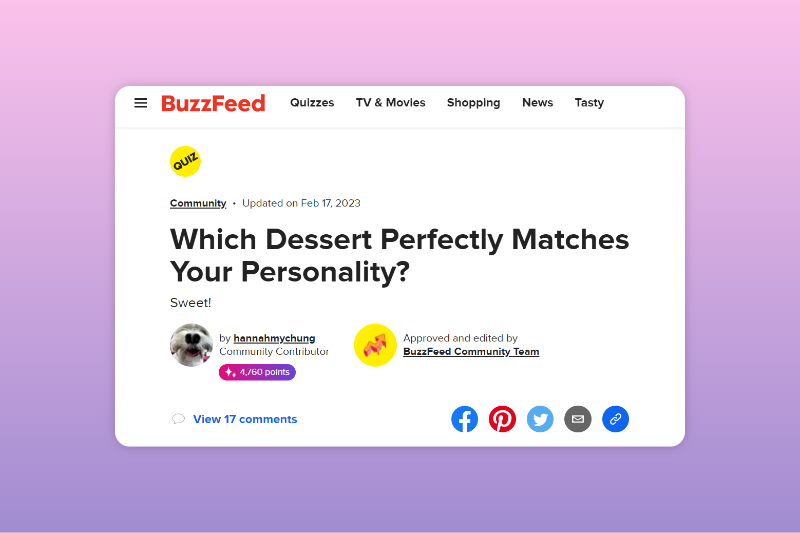
    Buzzfeed quiz title

    8. Comprehensive Guides:

    A comprehensive guide is a content format that includes the A-Z of a topic. The title usually starts with “A Guide To _____” and it’s a very common method of content creation for the Top of the Funnel. Guides are great for addressing the pain points of your target audience.

    9. Tools and Kits:

    Using tools and kits like templates and calculation tools provides the user with quick help and also accommodates a hassle-free experience. Adding tools and kits to your website adds a personalized touch, which is impressive and attractive for the potential buyer. 

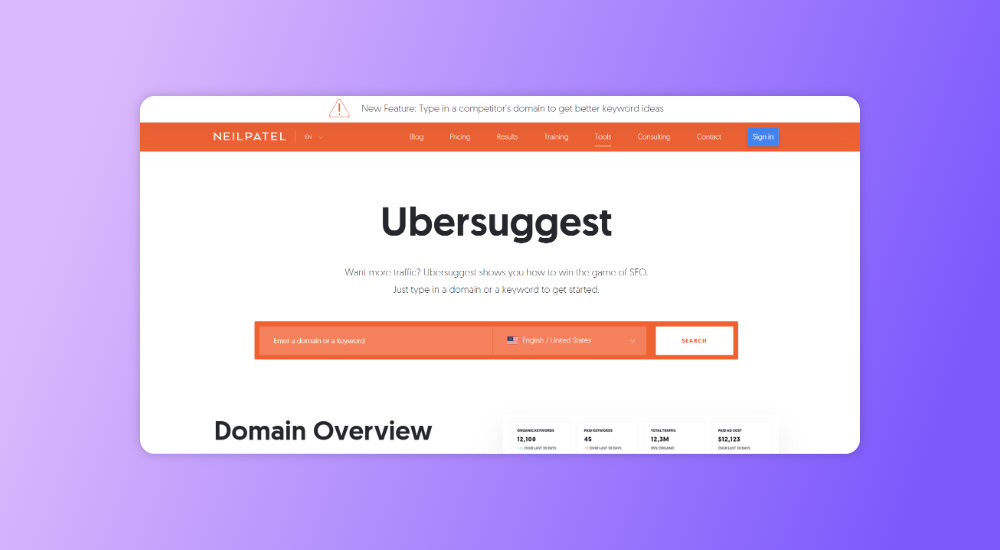
    Example: A keyword research tool called “Ubersuggest” on Neil Patel’s website.
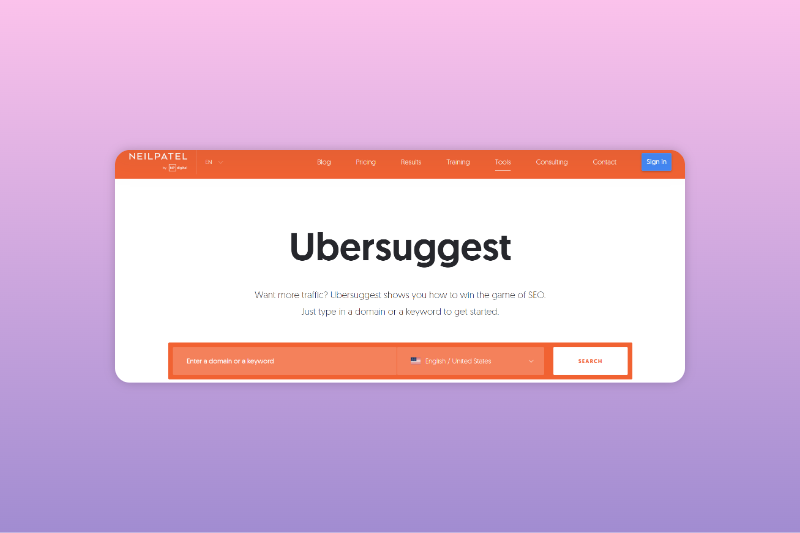
    Keyword Research Tool

    In the Consideration Stage:

    The content released in the consideration stage should focus on building a relationship with future customers and gaining their trust towards the brand. If people have traveled down to the middle of the funnel, it means that on some level, they are already impressed with your brand and product. The buyer’s journey will now focus on performing research to negotiate whether they should give your product a chance or not.

    Help in nudging your future customers to the bottom of the funnel by creating the following types of content:

    1. How-To Guides:

    “How-To” guides gain immense popularity because of their informational content and simple-to-read structure. They’re widely used by every content marketer to create attractive articles and drive traffic.

    Example: A guide titled “How to Write an Essay“.

    How to Write an Essay

    2. Product Overviews:

    If the potential buyers have reached the Middle of the Funnel, chances are that they are impressed by your brand. Make sure to provide a clear, concise, and useful description of your product. Avoid making it over the top while highlighting the key features and benefits in a gentle way. Product overviews can be used for both MOFU and BOFU content. 

    3. Case Studies:

    A case study works great in educating future customers about how your product has worked for existing customers in wonderful ways. They also convey “real-world examples” that exceedingly help in adding a “relatable” value to your content. Case studies help in building brand confidence and can be used for both MOFU and BOFU stages.

    Example: A case study by GatherContent titled “How the University of Edinburgh uses GatherContent to maintain content in their degree finder”.
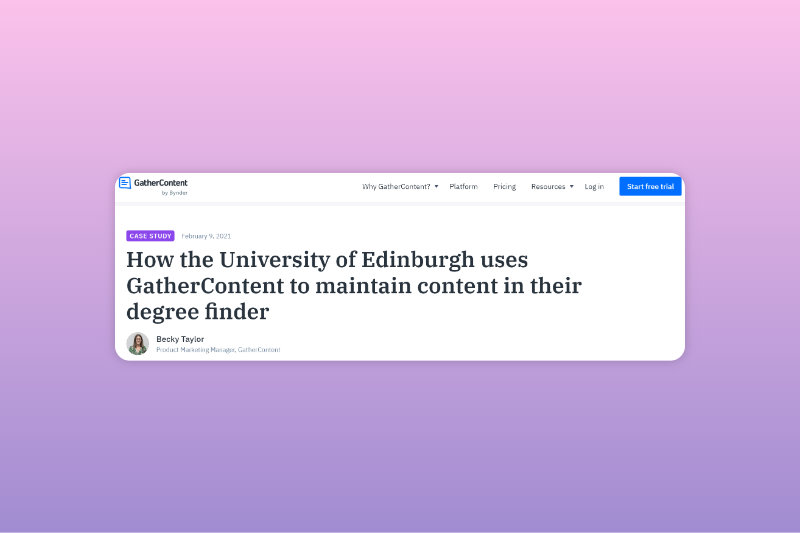
    Case Study Example

    4. Landing Pages:

    A landing page is a standalone web page of a website where a user “lands” after clicking on a link that showcases your website. Landing pages are usually designed with a single goal in mind and are a “Call to Action” for a company’s marketing campaign. Creating one will be helpful for your company to get people from the top or middle of the funnel to the bottom fairly quickly.

    5. Webinars:

    Attending webinars held by companies provide users with all the information on how to solve an issue. Hosting webinars also creates space for an on-the-spot FAQ round to clear any doubts users may have regarding the discussion topic. Webinars are a great and cost-effective video marketing tool.

    6. Comparison Guides:

    Drafting comparison guides between your product and your competitor’s product will make research for the user easier and also instill a feeling of confidence and trust regarding your brand and product. Comparison guides are a valid content type for both the MOFU and BOFU stages of the funnel.

    7. Email Marketing:

    Email Marketing in the form of newsletters is another great way to create Middle of the Funnel content. A newsletter will periodically remind potential customers about the existence and goodness of your product, and keep compelling them to make a purchase. You can get them to sign up for newsletters by creating landing pages.
    Wittypen's Content Writing Services

    In the Conversion Stage:

    If you’ve managed to make a potential buyer travel down to the Bottom of the Funnel, BRAVO! You’re doing very well. All you have to do now is give the last push to turn them into a customer. The buyer’s journey is now nearing the end, so work on giving them definite reasons that your product is good enough for their needs. 

    Drive the users to say ‘yes’ to your product by creating the following Bottom of the Funnel content:

    1. Customer Reviews:

    One thing we all do before making a purchase online is read the reviews. 92% of B2B buyers are more inclined towards making a purchase after reading a positive customer review. It is important to highlight the 5-star reviews. If you’ve gotten any negative reviews, highlight how you worked towards making the user experience better.

    2. Success Stories:

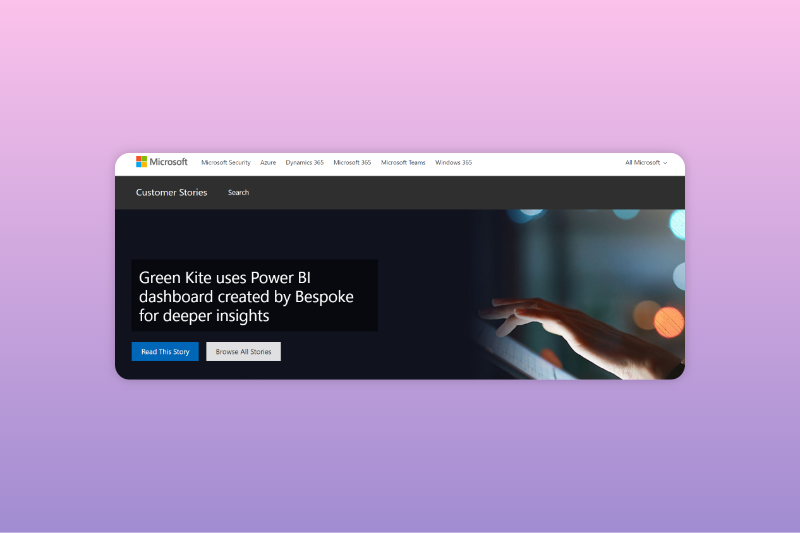
    9 out of 10 people say that they’ll buy a product only after reading through customer stories. That’s quite a high number, and hence it’s important to give users access to hundreds of customer success stories in order to influence their decision-making.

    Example: A web page dedicated to customer stories by Microsoft.
    Web Page For Customers Stories

    3. Freemium:

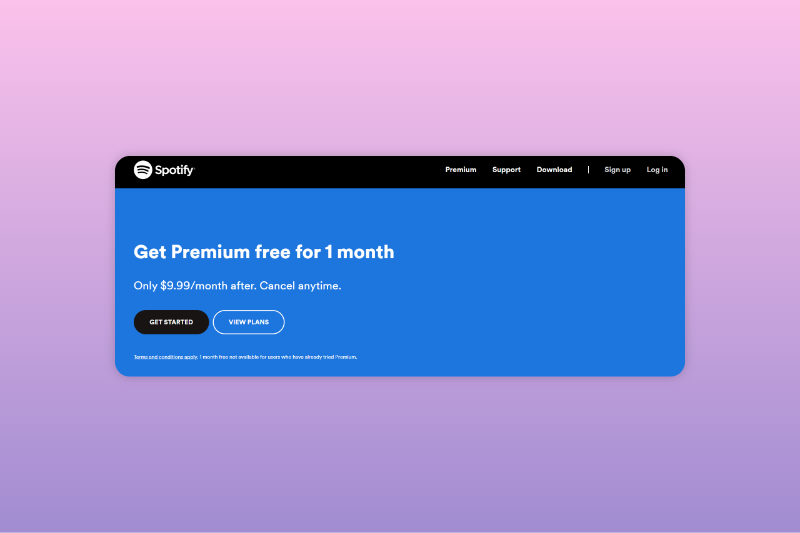
    Having to sit through ads on music streaming platforms after you’ve had a taste of that sweet-sweet ad-free premium is something none of us can go back to. Offering a free trial of your premium product to users gives them a better experience and also a good reason to stay. 

    Example: Spotify offers a free Premium for 1 month before charging $9.99/month.
    Spotify offers 1 month premium plan

    4. Live Demos:

    Live Demos of the working of your product give the potential buyers a clear idea of the uses and benefits of your product, while also eliminating any doubts they might have about it. Live Demos are also cost-effective for your company, making them a great choice to interact with the audience.

    Example: Zendesk offers a Live Demo for their platform Zendesk Sunshine on YouTube.

    Zendesk Sunshine live demo

    5. Events:

    Organizing or participating in events gives your company a chance to directly interact with customers and have a live to-and-fro about the benefits of your product. Getting a stall in a big event (like Flea Markets or TechCrunch) gives you easy access to a large interested customer base.

    6. Pricing Pages:

    Don’t shy away from openly communicating your pricing or ask people to contact you if they want to know the price of your product. Pricing pages help the user make a quick decision about whether your product is within their budget. 

    7. Consultation Offers:

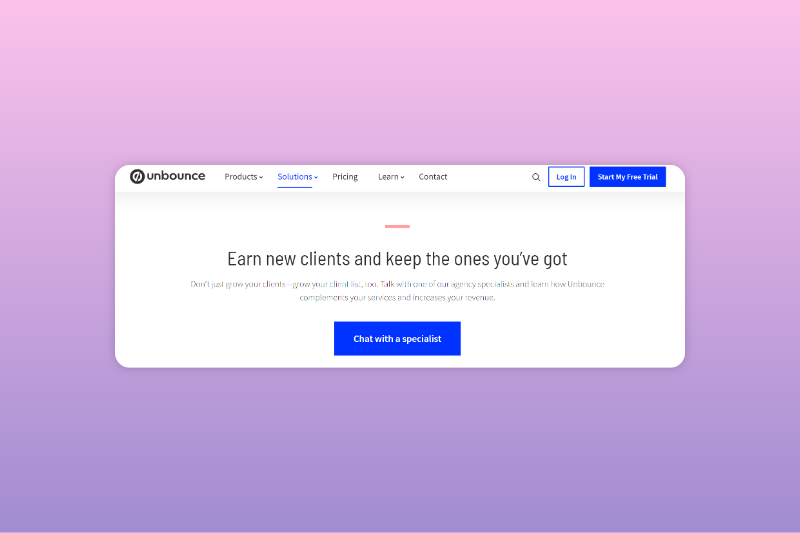
    Offering a quick consultation provides a significant push for a lower cost. Make the consultation experience of the future buyer one to remember. Focus on highlighting the goodness of your brand and product, while also helping them with the minor doubts they have.

    Example: Unbounce offers a free consultation with a specialist to educate users about their services.
    Free Consultation Example

    8. Coupons:

    I personally get a dopamine surge whenever I hear the word “coupons”. Coupons attract customers with the idea of saving money by making a purchase. Offering coupons like “Get 10% off on your first purchase!” or “Get 15% off by referring our brand to your friend!” are appealing to act on, and have a high distributable value.

    Before you leave, the Key to Success is → Tracking Your Progress

    The strategy for using a content marketing funnel is pretty simple- bring the leads from the Top of the Funnel to the Bottom of the Funnel. Here’s how you can track your progress as a marketer:

    1. Try Different Formats:

    If you’re confused about what kind of content you need to create at a specific stage in your business, try creating the same content in different formats. 

    Choose a topic → Create a blog, host a webinar, and hold a live demo on it → Analyze your results → Form a respective strategy.

    2. Work On Retaining Your Customers:

    Retaining customers is just as important as bagging them. Make sure that the experience you provide is good enough for them to not look for other options. Email marketing is a good way to go to for communicating with existing customers about any new product updates or company announcements.

    3. Understand Your Audience:

    Put yourself in your customers’ shoes. In order to create relatable content for your audience, you need to understand them first. Analyze your buyer persona and create content that targets their pain points. Compare the before and after of your sales after applying this strategy.

    4. Keep Refreshing Your Content:

    Keep a close check on your existing content and its performance, while also looking for ways to refresh and improve your old content. In this fast growing time of content marketing and SEO, staying ahead of the curve is important.

    5. Constant Communication:

    Having conversations consistently with your existing customers is the key to figuring out what’s working about your product and what’s not. Ask for reviews and suggestions to improve the quality of your product. Also, talk to your sales and marketing teams to gain knowledge about the issues they’re facing and to find out more about the pain points of your customer base.

    Final Thoughts

    Using the content marketing funnel for content creation would be a great way for you to track your content’s performance. Once again, the main strategy to follow is: bring the leads from the Top of the Funnel to the Bottom of the Funnel. Once you’ve got the users at the top, charm them with the variety of content you’re providing and try to bring them to the bottom to make them a customer.

    If you’re struggling with any form of content creation, try working with companies like Wittypen that offer content writing services for good prices, and make sure to provide every customer with a good experience.
    Website Content Writing Services

    FAQs

    1. What is a Content Marketing Funnel?

    The Content Marketing Funnel is a model that helps marketers visualize how content creation influences the path a potential customer might take from the moment they find out about your brand, till the moment they decide to purchase your product. 

    2. What are the stages of a Content Marketing Funnel?

    A Content Marketing Funnel typically has three stages. They are:

    • The Top of the Funnel (TOFU), also known as the awareness stage.
    • The Middle of the Funnel (MOFU), also known as the consideration stage.
    • The Bottom of the Funnel (BOFU), also known as the decision stage.

    3. What are the Content Types in Each Stage of the Marketing Funnel? 

    The content type in each stage of the content marketing funnel varies according to the strategy needed to attract buyers at that particular stage. Some examples of content types during each stage of the marketing funnel are

    1. Top of the Funnel stage (TOFU): 
    • Blog and Social Media posts
    • Infographics and Checklists
    • Ebooks and Whitepapers
    • Podcasts
    1. Middle of the Funnel stage (MOFU):
    • How-To guides
    • Case studies
    • Product overviews
    • Email marketing
    1. Bottom of the Funnel Stage (BOFU):
    • Customer reviews
    • Free trials
    • Pricing pages
    • Consultation offers

    4. What is the relationship between content creation and the marketing funnel?

    The relationship between content creation and marketing funnel is based on the idea that different forms of content attract audiences towards your brand in different ways. For example, a blog post addressing a pain point might help the user’s problem but not really compel them to buy from you. On the other hand, providing a free trial might convince a user to buy your product.

    5. How can market research experts effectively use content to drive customer acquisition and retention?

    Market research experts can use content creation in the form of informational blogs, webinars, and consultation offers to attract users to their products and brand value. When marketers have bagged new customers, they can retain them by offering exclusive content, giving an in-depth analysis for every query, and insider content.

    6. What is the key element of a successful content marketing strategy for the marketing funnel?

    The key element of a successful content marketing strategy for creating content according to the marketing funnel is looking for ways to bring the leads at the top of the funnel to the bottom of the funnel. Some ways to do that are:

    • Creating awareness-based content for the Top of the Funnel stage.
    • Content creation that makes people consider your product in the middle of the funnel stage.
    • Making product-based content at the bottom of the funnel stage.
    • Email marketing for retaining existing customers.

    7. How can market research experts stay ahead of the curve in terms of content creation & marketing funnel trends?

    Market research experts can stay ahead of the curve by creating a marketing strategy using the content marketing funnel. Tracking the content marketing funnel will help experts with targeting specific customers on their website, turning them from researchers to loyal customers of their product, and seeing remarkable sales.
  • Semantic SEO: Maximize Your Website’s Rank With These Techniques

    Semantic SEO: Maximize Your Website’s Rank With These Techniques

    Are you tired of playing the keyword-guessing game when it comes to SEO?

    Look no further than semantic SEO. This approach shifts the focus from cramming keywords into your content to creating meaningful, relevant content that answers the questions and addresses the intent of your target audience.

    By understanding the relationships and connections between different words and phrases, search engines can better understand the context and meaning behind your website content, leading to higher visibility and more qualified traffic.

    So, if you want to stay ahead of the competition and provide a better user experience for your audience, let’s explore the power of semantics in SEO and see how it can take your online presence to new heights.

    Understanding Semantics in SEO

    Semantics in SEO refers to the study of the meaning of words and phrases in the context of search engine optimization.

    This includes understanding how search engines interpret the content on a website and how to use language and structure to improve a website’s visibility in search engine results.

    By understanding semantics in SEO, you can improve your website’s ability to rank well in search engine results and ultimately drive more traffic.

    How Semantics Impact Search Rankings

    1. Relevance: Semantics plays a crucial role in determining the relevance of a webpage to a user’s query. Search engines use natural language processing (NLP) to understand the meaning of the content on your webpage and match it with the user’s query. Websites that use relevant keywords and provide useful information will rank higher on search engine result pages (SERPs).
      • Quality Content: Semantics helps search engines like Google understand the quality of the content on a webpage. Websites with well-written, informative, and in-depth content organized in a logical structure will be considered to have better quality content and will be ranked higher on SERPs.
    2. Latent Semantic Indexing: Search engines use Latent Semantic Indexing (LSI) to understand the relationships between words and phrases on a webpage. LSI helps search engines understand the meaning of a webpage by looking at the words used in the content and the context in which they are used.
    3. User Intent: Search engines also leverage semantics to understand the user’s intent behind a query. Websites that provide content tailored to the user’s intent will be considered more relevant and thus ranked higher in search results. By analyzing the user intent, you can optimize the content and structure to best match the user’s needs.

    Examples of Semantic Keywords and Phrases

    Semantically related keywords and phrases are groups of words that are related in meaning to a main keyword or phrase. They’re often used to provide additional context and information about the main keyword or phrase.

    For example, if the main phrase is “organic food,” semantically related phrases could include “natural food,” “non-GMO food,” “pesticide-free food,” “locally sourced food,” “sustainable farming,” and so on.

    Some other examples of semantically related keywords are:

    • “running shoes” and “athletic shoes”
    • “organic produce” and “natural food”
    • “marathon training” and “long-distance running”
    • “leaky faucet” and “plumbing repair”
    • “smoothie recipe” and “healthy breakfast”
    • “business plan” and “startup strategy”

    Here are some examples of semantic phrases:

    • “running shoes” and “best athletic shoes for running”
    • “organic produce” and “non-GMO fresh fruits and vegetables”
    • “marathon training” and “long-distance running preparation”
    • “leaky faucet” and “DIY faucet repair guide”
    • “smoothie recipe” and “smoothie ideas for a healthy lifestyle”
    • “business plan” and “strategies for a successful startup”

    You’re bound to wonder, has Google always been that semantic?

    Definitely not. It had its own evolution—let’s learn about that in the next section. 

    Semantic SEO and Google Updates

    Over the years, Google updates have focused on understanding the meaning behind a user’s query and providing more relevant results.

    With each update, Google’s ability to understand natural language, context, and user intent has become more advanced. Hence, there’s no better time than now to leverage semantic SEO to rank better on SERPs.

    Take a look at the evolution of semantics in SEO with these key Google updates:

    1. Hummingbird: In 2013, Google released the Hummingbird update, which was designed to better understand the meaning behind a user’s query rather than just matching keywords.
    2. RankBrain: In 2015, Google launched the RankBrain update. Thanks to machine learning technology, RankBrain improved how Google handled queries with natural language and long-tail keywords.
    3. BERT: In 2019, Google released the BERT update. It helped Google understand more complex queries and thus provide more relevant results.
    4. Passage-based indexing: In 2020, Google started to roll out passage-based indexing, a feature that allows Google to understand and index specific parts of a webpage instead of just the whole page. With this feature, Google can understand the relevance of specific sections of a webpage to a user’s query and return that passage to SERPs.

    Now that you understand how semantic SEO has evolved over the years and how it impacts search rankings, it’s time to introduce you to key strategies. 

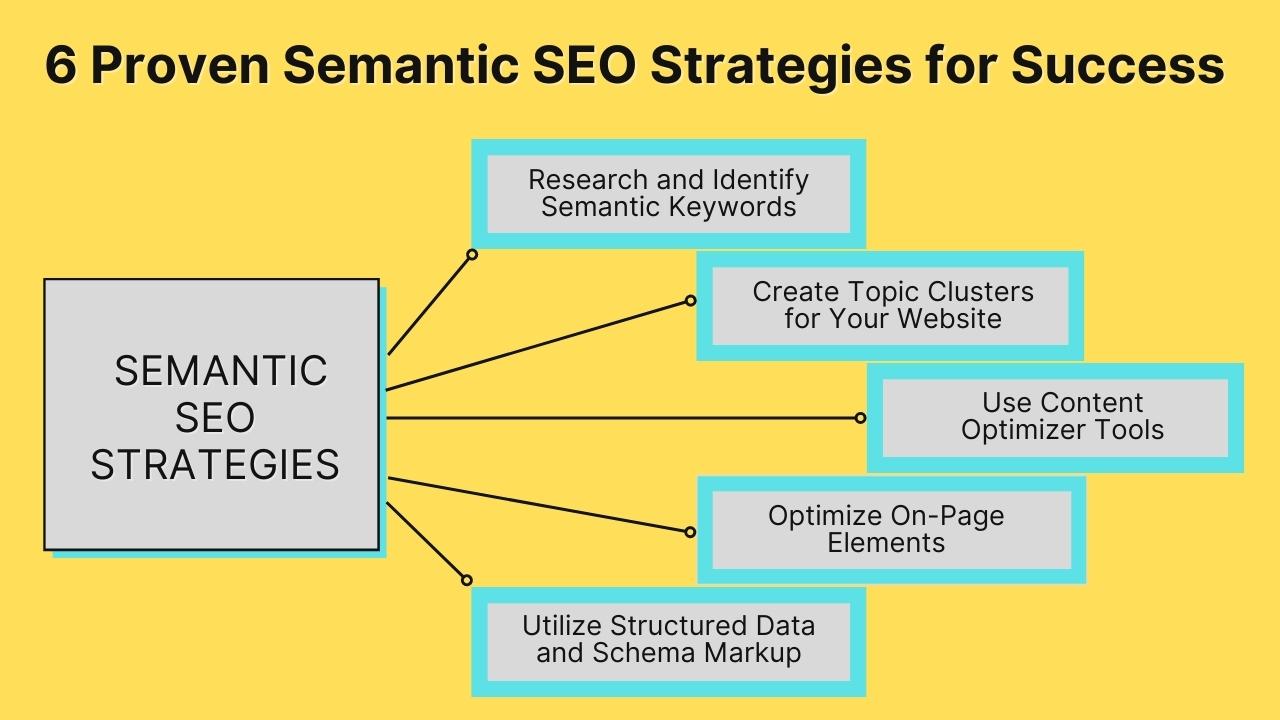
    6 Proven Semantic SEO Strategies for Success

    If you want to stay ahead of the competition and give your website the best chance to rank highly in search results, implementing semantic SEO strategies is a must.

    Listed below are six such strategies:

    1. Research and Identify Semantic Keywords

    There are several ways to conduct semantic keyword research:

    • Use keyword research tools: You can use keyword research tools, such as Google Keyword Planner, SEMrush, Ahrefs, etc. These tools can provide data such as search volume, competition, and cost-per-click (CPC), which can help you prioritize which keywords to target.
    • Analyze your competitors: Assess the content and keywords your competitors are using to identify opportunities for your own content.
    • Check related searches: Use the “Searches related to” section at the bottom of the SERP to find other semantic keywords.
    • Use LSI keywords: You can find LSI terms using tools such as LSIGraph, SEMrush, and Ahrefs.
    • Look into the questions: Identify the questions that people are asking that are related to your main keyword. Use these questions as keywords to optimize your content. Tools like AnswerThePublic are designed for this purpose.

    It’s important to find the right semantically related keywords that align with the intent of your target audience and incorporate them into your content organically.

    2. Create Topic Clusters for Your Website

    Image Source

    Topic clusters are groups of related content that all center around a specific main topic.

    These clusters typically include one main piece of content, known as the “pillar” page, which provides an overview of the main topic, and several additional pieces of content, known as “cluster” pages, that dive deeper into subtopics related to the main topic.

    The pillar page and the cluster pages are all linked together, with the pillar page linking to the cluster pages and the cluster pages linking back to the pillar page.

    This creates a web of interconnected content that helps search engines understand the relationship between the different pages and thus improves your site’s semantic SEO signals.

    Additionally, it makes the website structure more user-friendly, easy to navigate, and improves the user experience.

    3. Use Content Optimizer Tools

    First things first, what is content optimization?

    It’s the process of improving the quality and relevance of the content on a website to make it more appealing to both users and search engines. This can include things like:

    • Researching and incorporating relevant keywords
    • Improving the content’s readability 
    • Enhancing the user experience through the use of images, videos, and other multimedia
    • Optimizing meta tags and other on-page elements
    • Creating high-quality and unique content that provides value to the audience
    • Optimizing the website’s structure, URLs, and hierarchy
    • Ensuring the website’s speed is optimal and mobile-friendly

    Many different tools are available to help you optimize content.

    Some popular examples include:

    • Google Analytics: This is a free tool used to track website traffic and analyze user behavior. It can help you identify which pages are most popular and which pages might need to be optimized.
    • Yoast SEO: This is a WordPress plugin that can help optimize website content for search engines. It provides an analysis of the content and suggests ways to improve it, such as by incorporating keywords and enhancing readability.
    • Moz: This is a paid tool that can be used for keyword research, link building, and competitor analysis. 

    4. Optimize On-Page Elements

    On-page optimization is a key element of semantic SEO, as it helps search engines understand the context of your content.

    Some common on-page SEO techniques include:

    • Keyword research: Identifying the keywords that people are searching for in relation to your content and using them strategically in your website’s metadata (title tags, meta descriptions), content, and URLs.
    • Title tags and meta descriptions: Creating compelling title tags and meta descriptions that accurately reflect the content of your webpage and include keywords.
    • Header tags (H1, H2, H3): Using header tags to organize your content and make it easy for search engines to understand the structure of your webpage.
    • Content optimization: Creating high-quality, informative, and engaging content that satisfies the user’s intent and includes keywords organically.
    • Internal linking: Linking to other relevant pages within your website to help search engines understand the hierarchy and structure of your site.
    • Image optimization: Optimizing images by using descriptive file names and alt tags and compressing them to improve page loading speed.
    • URL structure: Creating clear and concise URLs that include keywords and are easy to understand.
    • Sitemap: Submitting a sitemap to search engines to make it easier for them to crawl and understand your website’s structure.
    • Structured data: Using structured data to provide additional information about your website to search engines, such as product details, business information, and reviews.
    • Mobile optimization: Optimizing your website for mobile devices to ensure that it loads quickly and is easy to navigate.

    5. Utilize Structured Data and Schema Markup

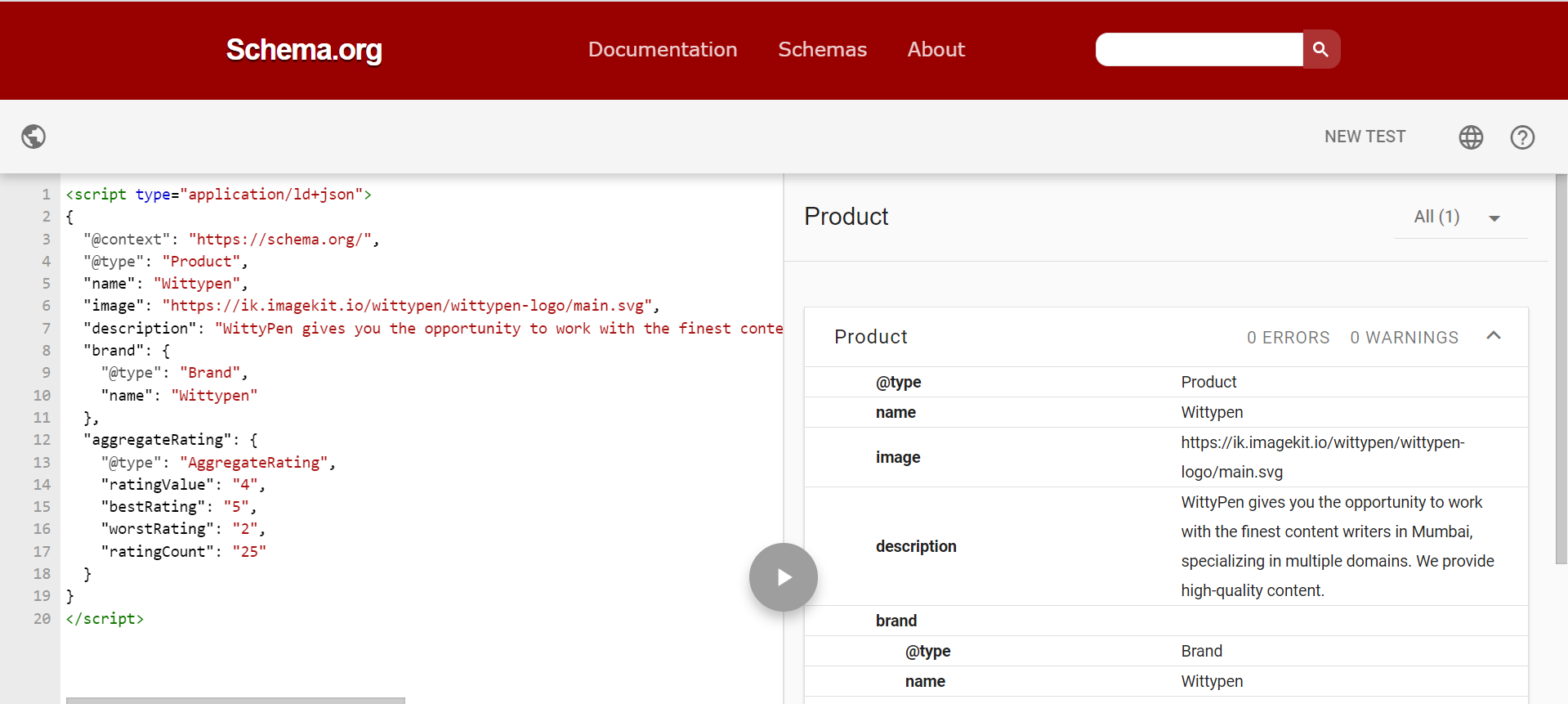
    Schema markup, also known as structured data, is a way to annotate your website’s HTML code to help search engines better understand the content on your pages.

    By providing additional information about the types of data on your pages, such as reviews, events, or products, you can help search engines more accurately understand the content of your website, which can help improve its visibility in search results.

    There are several types of schema markup, including:

    • Microdata: A format for embedding structured data within HTML documents.
    • RDFa: A format for embedding structured data within HTML and XHTML documents.
    • JSON-LD: A lightweight format for embedding structured data within JavaScript code.
    • Microformats: A set of simple, open standards for marking up HTML to indicate the meaning of specific elements.
    • Open Graph: A protocol for embedding structured data within the head section of a webpage, primarily used for social media sharing.
    • Twitter Cards: A protocol for embedding structured data within the head section of a webpage, specifically for tweets.

    Each of these types of schema markup serves a different purpose and is used by different search engines and platforms. It’s important to choose the right type of schema markup for your website based on your goals and the platforms you want to optimize for.

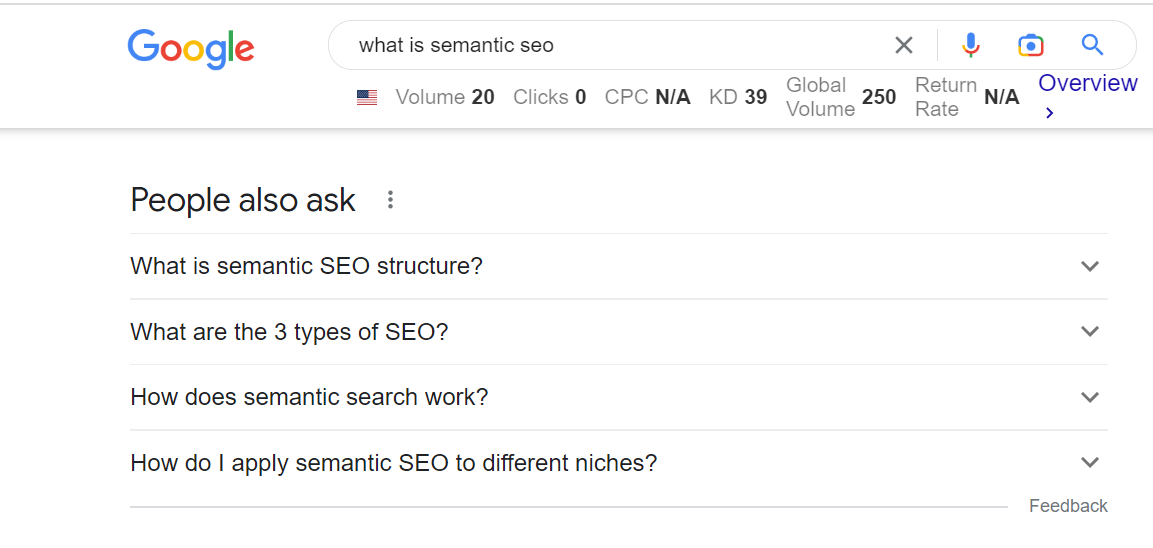
    6. Respond to ‘People Also Ask’ Questions

    Google now shows the “People Also Ask” box for 48.4% of search queries, as reported in a recent study conducted on 2.5 million search queries.

    Incorporating People Also Ask (PAA) questions into your content can help improve semantic signals for your website. You can do so by:

    • Researching PAA questions relevant to your topic and including answers to those questions in your content. This will signal to search engines that your content is relevant and informative for those specific questions.
    • Using the PAA questions as inspiration for creating new content pieces. For example, if a PAA question is not directly answered in your article or blog post, you could create a new piece that specifically addresses that question.
    • Using the language and phrases from the PAA questions in your content as semantic keywords.

    Sematic SEO Tips for Optimizing Your Website

    Now that you’re familiar with semantic SEO strategies, here are some tips to support them:

    1. Create High-Quality, Relevant Content

    Here are a few reasons why creating high-quality, relevant content is crucial for semantic SEO:

    • High-quality content is more likely to be shared and linked to by other websites, which can help increase the authority and trustworthiness of your website.
    • Relevant content is more likely to be found by search engines as it’s more likely to match the intent behind a user’s query. 
    • Google’s algorithm uses metrics such as click-through rate (CTR) and dwell time to understand user engagement on web pages. High-quality content can improve these metrics, which can help boost your search rankings.

    2. Use Long-Tail Keywords and Natural Language

    For effective semantic SEO, use long-tail keywords and natural language because:

    • Long-tail keywords are both less competitive and more specific compared to short-tail keywords. They’re also more likely to match the intent behind a user’s query, which can help increase the relevance and visibility of your content in search results.
    • Long-tail keywords can help you rank for a variety of related search queries, which can increase the visibility of your content and drive more traffic to your website.
    • Using natural language in your content helps you improve the readability of your content and make it more user-friendly. This can help increase your site’s user engagement, which can positively impact your search rankings.

    3. Incorporate LSI Keywords and Synonyms

    LSI keywords and synonyms can help you avoid keyword stuffing, as you can use different terms to express the same concept, which can help you avoid penalization from search engines.

    Moreover, LSI keywords and synonyms can help you rank for various related search queries, increasing your content’s visibility. 

    Here are a few examples of LSI keywords for the main keyword, “dog food”:

    • Canine nutrition
    • Dry dog food
    • Wet dog food
    • Grain-free dog food
    • Premium dog food
    • Natural dog food
    • Homemade dog food
    • Dog food brands
    • Dog food ingredients
    • Dog food recalls
    • Dog food allergies
    • Dog food storage

    These LSI keywords help provide additional context and information related to the main keyword and can be used in content and meta tags to improve SEO content.

    It’s important to note that LSI keywords are not always used just to improve SEO; they’re also used in NLP tasks and text classification.

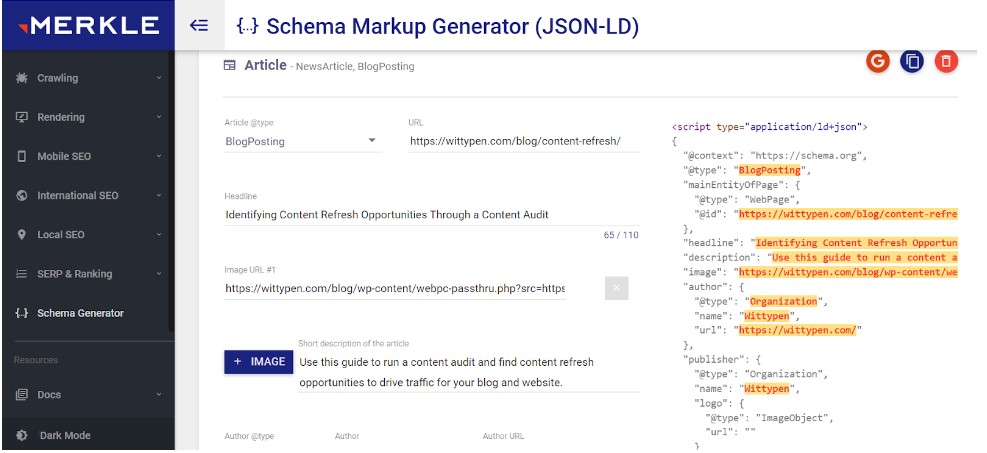
    4. Create Schema Using ChatGPT and Online Schema Generator

    Did you know you can generate schemas using an online schema generator and ChatGPT?

    • An online schema generator is a tool that allows users to create a schema through a web-based interface. You can export the generated schema in a format that can be used to build the actual database.
    • ChatGPT is a large language model developed by OpenAI. It’s based on the GPT (Generative Pre-trained Transformer) architecture, which uses deep learning techniques to generate human-like text.

    Apart from these tips, it’s crucial that you’re aware of the common semantic SEO mistakes to avoid, discussed next.

    Common Mistakes to Avoid in Semantic SEO

    Semantics is an important part of any SEO strategy, but it can be tricky to get right. Here are some common mistakes to avoid to ensure your SEO efforts are successful –

    1. Overstuffing Keywords

    Keyword stuffing can do more harm than good and get you penalized by search engines. Doing so can not only hurt your search engine rankings but also make your content difficult to read and put off potential readers. 

    2. Neglecting User Experience and Relevance

    It’s easy to overlook user experience and relevance when it comes to semantic SEO, but doing so can be a costly mistake. Neglecting these two can lead to poor website performance and decreased visibility in search engine rankings.

    3. Ignoring the Importance of Structured Data

    If you’re not using structured data, you’re missing out on one of the most powerful tools in the semantic SEO arsenal.

    Structured data is essential for providing search engines with the information they need to understand your content and ensure your website is visible to the right people.

    Conclusion

    Semantic SEO is a great way of optimizing your website’s content to make it more easily understood by search engines. Using the right words and phrases and organizing your content in a way that helps search engines understand the meaning and context of your pages can reap you rich dividends.

    For one, it can help your website rank higher in search results, making it more likely that people will find your site when searching for information related to your business or industry.

    So, get going—implement the tips mentioned in this guide and regularly monitor your website’s performance to improve your website’s semantic SEO signals and help it rank higher on SERPs. Good luck!

    FAQs

    1. What is semantic SEO?

    Semantic SEO is a relatively new field of SEO that focuses on the meaning of search queries rather than the traditional keyword-based approach. 

    2. What is semantic search used for?

    Search engines are constantly improving their algorithms to provide users with the most relevant results. A major part of this is semantic search, which takes into account the meaning of words and phrases to better understand the user’s intent.

    3. Which is the most powerful SEO tool?

    There’s no one-size-fits-all answer to this question, as the most powerful SEO tool will vary depending on your specific needs and goals. Some say it’s Google’s Keyword Planner, while others swear by Moz’s Keyword Explorer.

    4. How does semantic search work?

    Semantic search looks beyond the literal meaning of words to find the underlying concepts they represent. It takes into account factors such as the relationships between words, synonyms, and the context in which the words are used.

    5. How do I apply semantic SEO to different niches?

    Semantic SEO can be applied to any niche, no matter how specific it may be. By researching the right keywords, analyzing the competition, and optimizing your content to be as relevant as possible, you can boost semantic SEO signals.

  • Identifying Content Refresh Opportunities Through a Content Audit

    Identifying Content Refresh Opportunities Through a Content Audit

    As a business, content marketing helps you generate awareness, gain credibility, and build trust by educating the audience about your products, services, or the industry.

    But to succeed in content marketing, your business needs to adopt a solid content marketing approach that’s relevant to your core target audience. Not only that, you need to consistently update and improve your content to stay relevant.

    But most businesses publish and forget; we are here to remind you 🙂

    A content audit is a great way to identify content refresh opportunities for your brand. This guide will help you understand what a content audit is and provide a step-by-step primer on how to conduct a content audit to help you be prepared and ace your content marketing.

    What is a Content Audit?

    A content audit is a systematic review of all the content on your website or blog. It involves analyzing, cataloging, and evaluating the effectiveness and relevance of each piece of content.

    The goal of auditing content is to identify opportunities to improve the quality and effectiveness of your website’s content, as well as to locate and remove any content that is outdated, irrelevant, or redundant.

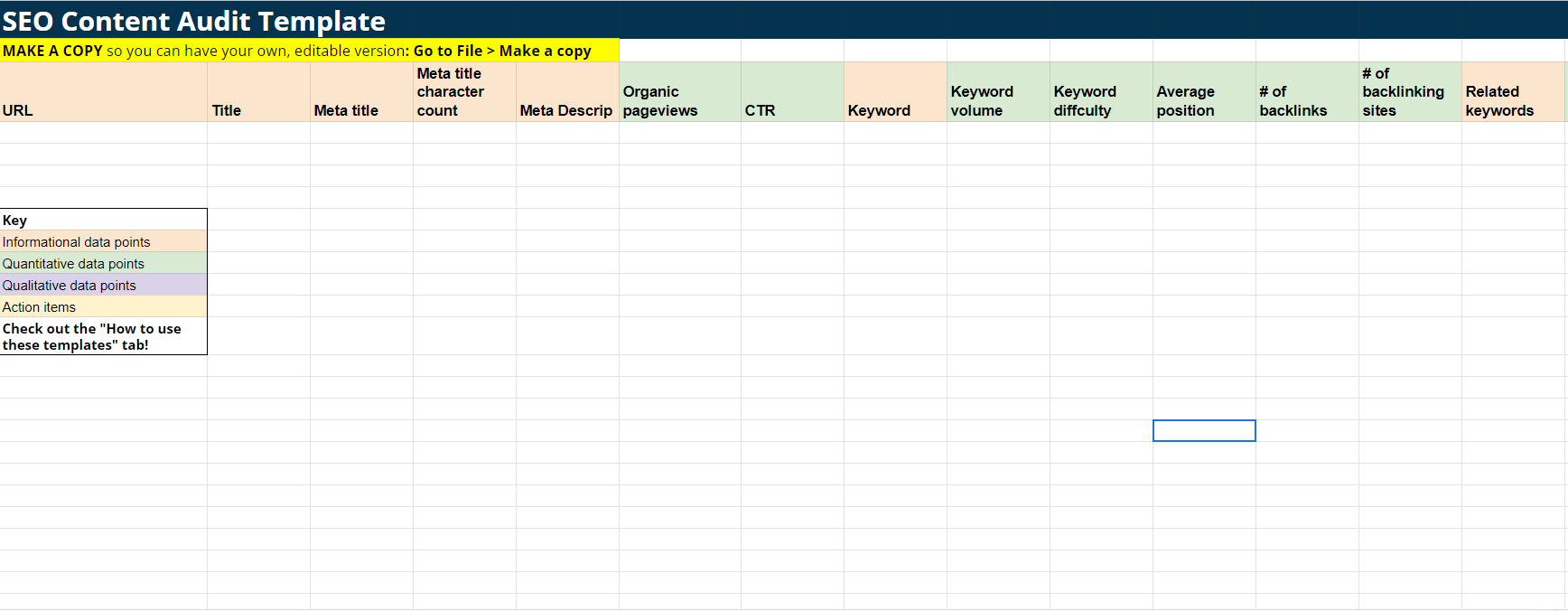
    One of the most common ways to do an audit is by gathering all the information around your content in an excel sheet. Your content audit sheet should have the following columns:

    1. URL
    2. Title
    3. Meta title
    4. Meta title character count
    5. Meta Descrip
    6. Organic pageviews
    7. CTR
    8. Keyword
    9. Keyword volume
    10. Keyword difficulty
    11. Average position
    12. # of backlinks
    13. # of backlinking sites
    14. Related keywords
    15. Word count
    16. Time on page
    17. Bounce rate

    Wordstream created a free SEO Audit template which you can access here; simply make a copy to use it further.

    content audit template

    The results of a content audit can be used to inform content strategy and planning, identify gaps in your content offerings, and prioritize content creation and updates.

    Benefits of Content Audits

    There are several benefits to conducting a website content audit:

    1. It can improve the user experience: A content audit can help identify and eliminate content that is outdated, irrelevant, or confusing, improving the overall user experience on your website.
    2. Optimize for search engines: By analyzing the keywords and metadata of each piece of content, an audit can identify opportunities to optimize your content for search engines and improve your website’s visibility in search results.
    3. Increase engagement: Auditing content can help identify what is performing well and highlight opportunities to create similar content that may drive more traffic and engagement.
    4. Streamline content creation: A site content audit can isolate gaps in your content offerings and inform the creation of new content that addresses these gaps.
    5. Save time and resources: By identifying and removing outdated or irrelevant content, you can streamline the content creation process, saving time and resources.
    6. Identify content that may be harmful: A content audit can also flag content that may be harmful or offensive, allowing for its removal or updation to ensure a positive user experience.

    Overall, a content audit can improve the quality and efficacy of your website’s content, leading to increased traffic, engagement, and conversions.

    5 Metrics to Evaluate for Content Auditing

    Metrics provide valuable insights into how well your content is performing and pinpoint what needs to be improved. Some of the key metrics that should be part of your SEO content audit goals include:

    1. Conversion Rate: This metric measures the percentage of website visitors who take the desired action, such as making a purchase or filling out a form. A high conversion rate is a good sign that your content is effectively communicating the value of the products/services offered and is convincing visitors to take action.
    2. Traffic Sources: This deduces the traffic sources to your website, such as search engines, social media platforms, and referral websites. Understanding the sources of traffic can help you discern which content is attracting the most visitors and where to focus efforts to attract more traffic.
    3. Time Spent on Webpages and Bounce Rate: These metrics measure how long visitors stay on your website and whether they leave after viewing just one page. A longer time spent on web pages and a low bounce rate indicate that the content is engaging and relevant, encouraging visitors to stay and explore further.
    4. Unique Visitors: This metric measures the number of unique individuals who visit your website. A high number of unique visitors suggests that your content attracts a diverse audience and may be widely shared and linked.
    5. Backlinks: This measures the number of external websites linking to your website. A high number of backlinks is a good sign that your content is valuable and useful, as other websites are willing to link to it as a resource for their own visitors.

    These metrics can help identify strengths and weaknesses in your website’s content and guide efforts to improve its performance and effectiveness.

    How to Run a Content Audit For Content Refresh

    Content Refresh Audit is slightly different from any usual content audit. As a part of your content refresh process, your aim is to find content pieces that need an update and have further potential to rank. It usually includes updating content for recent data points, and facts, adding more information based on recent trends, optimising for keywords, etc.

    Here is a step-by-step guide on how to perform a content refresh audit:

    1. Defining Your Goal

    • Usually, a content refresh audit is for your blog, so start by creating a list of all the content pieces published so far. If you have hundreds of them, you can break down the process in smaller chunks in year-wise breaks.

    2. Collecting Content Metrics

    • Once you’ve defined your goals, it’s time to start collecting the information for your content audit. This includes crucial information like title, URL, type of content, date published, author, topic or theme, target audience, keywords, and metadata.
    • Tools like Google Analytics, Screaming Frog, or ahrefs can drastically reduce your efforts when collecting data points.

    3. Segregating Your Content

    • After you have your content ready for auditing, you need to categorize it on a spreadsheet to ensure that it’s correctly categorized based on the parameters.
    • For instance, if you’re auditing content for your blog posts, make sure you pull information about the date of publication, the author, the content type, and metadata, and also look at the metrics like performance, website visits, leads generated, bounce rates, etc.
    • Metrics are crucial as they help you evaluate the content requirements based on which content performs best with your target audience.
    Wittypen-Blog-Banners-01

    4. Finding Content Refresh Opportunities

    • Based on the content audit results, identify opportunities to improve the quality and effectiveness of the content.
    • You should consider updating a blog if your content is:
      • Older than a six months to a year
      • has moved down in search rankings
      • stuck between 4th -10th ranking on search
      • the information and facts seem outdated
      • the approach or suggestion is no longer relevant
    • If the content is moving up, ranking in top 3, and driving traffic, it’s recommended to not make any changes.

    Website Content Audit Checklist

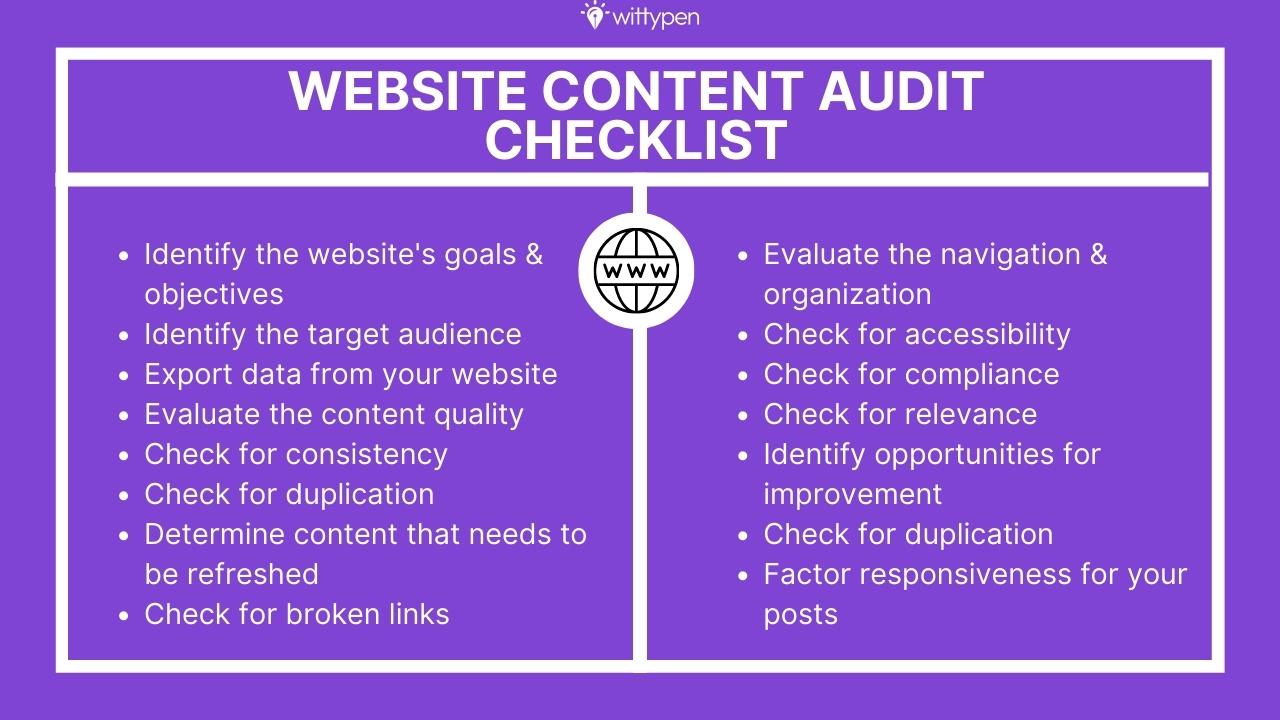
    Here’s our website content audit checklist that can be used to evaluate the performance and effectiveness of your content:

    1. Identify the website’s goals and objectives: What is the purpose of your website, and what do you want it to achieve?
    2. Identify the target audience: Who is the website intended for, and what are their needs and interests?
    3. Export data from your website: Is the content on your website correctly segregated and presented to the audience? How can this data be clubbed effectively?
    4. Evaluate the content quality: Is the content well-written, informative, and relevant to the target audience?
    5. Check for consistency: Is the content consistent in tone, style, and formatting?
    6. Check for duplication: Is the same content used multiple times on your website or elsewhere online?
    7. Check for broken links: Are any links on your website aren’t working or leading to errors?
    8. Evaluate the navigation and organization: Is the content easy to find and navigate? Is it organized in a logical and user-friendly way?
    9. Check for accessibility: Is the content accessible to users with disabilities or visual impairments who might use screen readers?
    10. Check for compliance: Does the content comply with relevant laws, regulations, or guidelines?
    11. Check for relevance: Is the content relevant to your audience in current or future scenarios? If the content is dated, is there a way to optimize or update it?
    12. Identify opportunities for improvement: Are there any areas where the content could be improved or updated to meet the goals and objectives of your website?
    13. Determine content that needs to be refreshed, retained, or removed: This step is crucial; it can help you focus on content types that matter while ensuring that outdated/low-performing content is removed from your website, reducing the impact on your website’s overall performance.
    14. Factor responsiveness for your posts: Responsiveness is crucial, especially if you’re using a content-focused strategy for generating new leads or as a way to maximize conversion rates. To understand responsiveness, look into how many CTA button clicks, form fills, or other actions a particular blog or content is getting. 

    Which are the Best Content Audit Tools?

    Some of the top website content audit tools widely used by content marketers today are as follows:

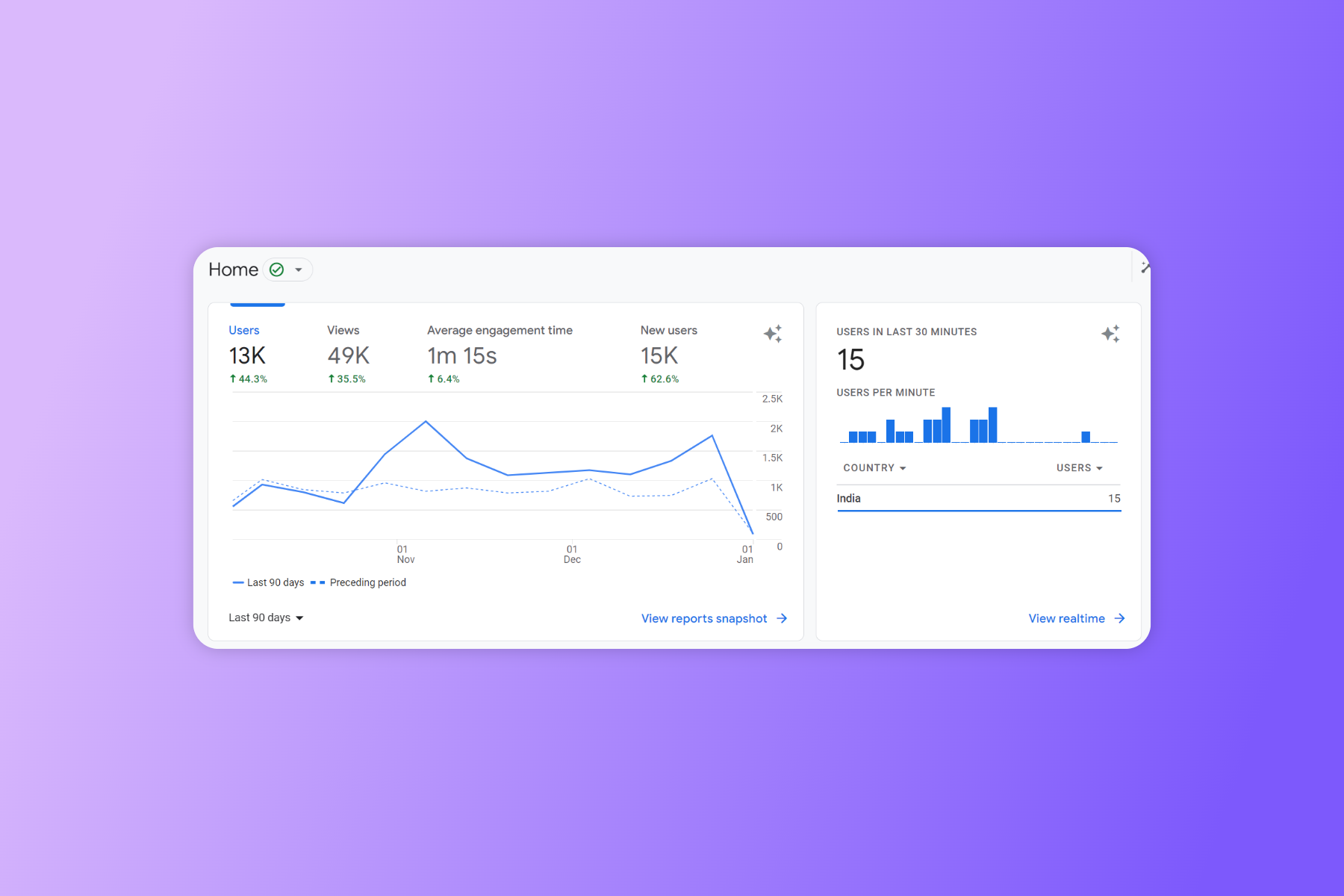
    1. Google Analytics

    Google Analytics provides detailed traffic and engagement data for individual pages on your website. It provides insights on website visitors, traffic sources, page views, and other details crucial for an SEO or website content audit.

    • Provides website traffic data and analytics
    • Offers insights into user behavior and demographics
    • Allows you to track and measure the effectiveness of your marketing campaigns
    • Provides data on conversions and e-commerce performance

    Pricing: Free

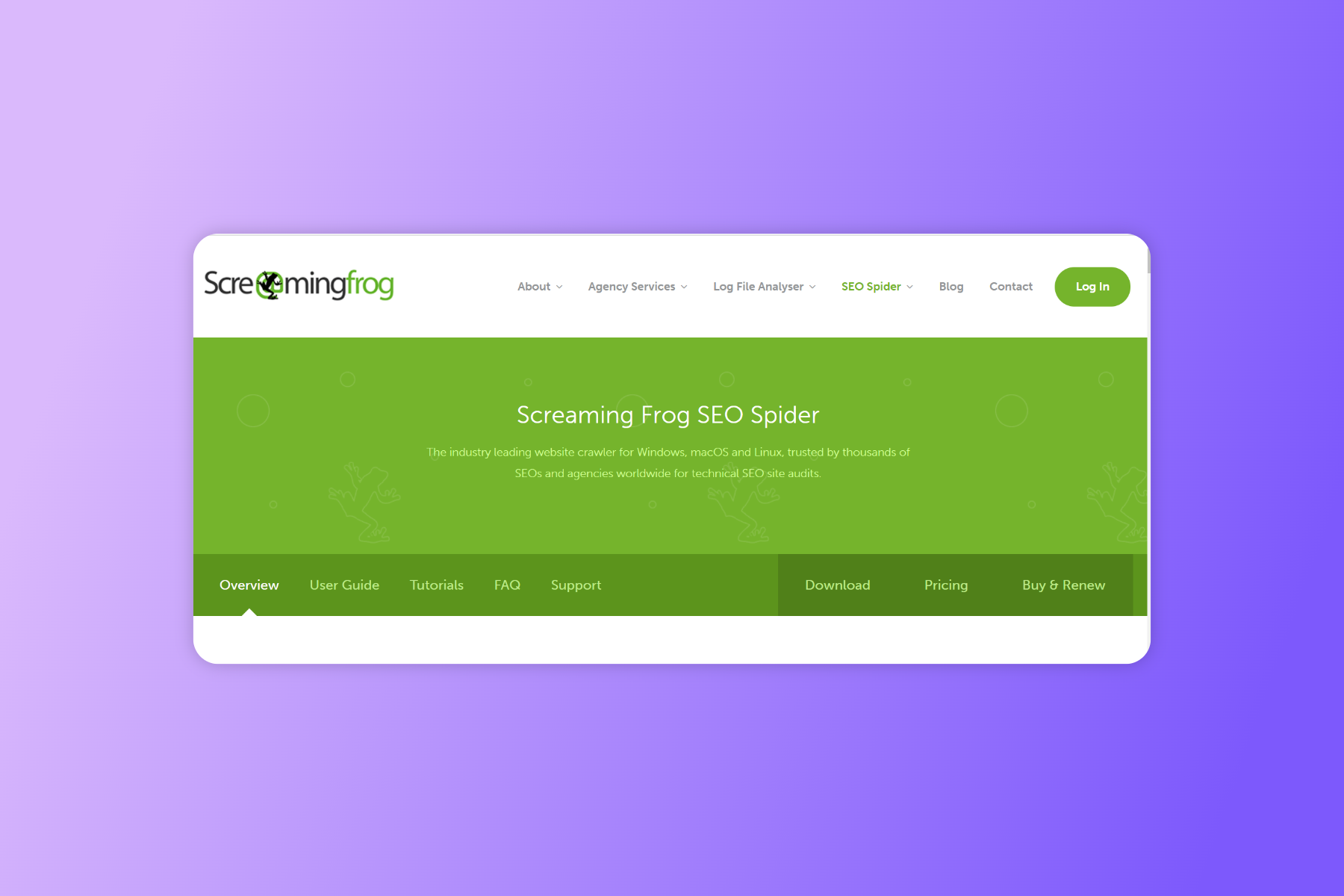
    2. Screaming Frog

    Screaming Frog crawls websites and generates a list of all the pages, along with various technical SEO data points. It helps understand how your content is getting traffic or developing actions on your page.

    • Crawls websites to identify and report on technical SEO issues
    • Analyzes URLs, metadata, and other on-page elements
    • Generates sitemaps and XML feeds
    • Allows you to bulk edit and analyze data for multiple websites

    Pricing: Free; Paid License starts at $209 per year

    3. Semrush

    Semrush offers a range of SEO and content marketing features, including the ability to conduct a content audit.

    • Provides keyword research and analysis
    • Offers insights into the performance of your website and your competitors’ websites in search results
    • Allows you to track your rankings and measure the effectiveness of your SEO campaigns
    • Provides data on paid search advertising and display advertising

    Pricing: The Pro version starts at $119.95 monthly; the Business version is priced at $449.95 monthly

    4. Deep Crawl

    Deep Crawl (Lumar) is a tool that allows users to conduct a comprehensive content audit of their websites.

    • Crawls websites to identify and report on technical SEO issues
    • Analyzes URLs, metadata, and other on-page elements
    • Allows you to bulk edit and analyze data for multiple websites
    • Provides data on the structure and organization of a website, including internal linking and redirects

    Pricing: Free; Paid pricing available on request

    5. SEOptimer

    SEOptimer is a free tool that analyzes your website’s SEO and provides a report with recommendations for improvement. It includes a content audit feature that allows you to identify pages with low traffic or engagement and pages with duplicate/thin content.

    • Offers on-page SEO analysis and optimization recommendations
    • Provides keyword research and analysis
    • Allows you to track your rankings and measure the effectiveness of your SEO campaigns
    • Offers insights into the performance of your website and your competitors’ websites in search results

    Pricing: Starts at $19 monthly for the DIY version; White Labelled version starts at $29 monthly

    6. Woorank

    Woorank provides a range of SEO and content marketing features, including a content audit tool. It allows you to analyze the content on your website and identify opportunities to optimize for search engines and improve user experience.

    • Provides website analysis and optimization recommendations
    • Offers insights into the performance of your website and your competitors’ websites in search results
    • Allows you to track your rankings and measure the effectiveness of your SEO campaigns
    • Provides data on paid search advertising and display advertising

    Pricing: Pro Version is available at $79.99 per month; Premium at $199.99 per month

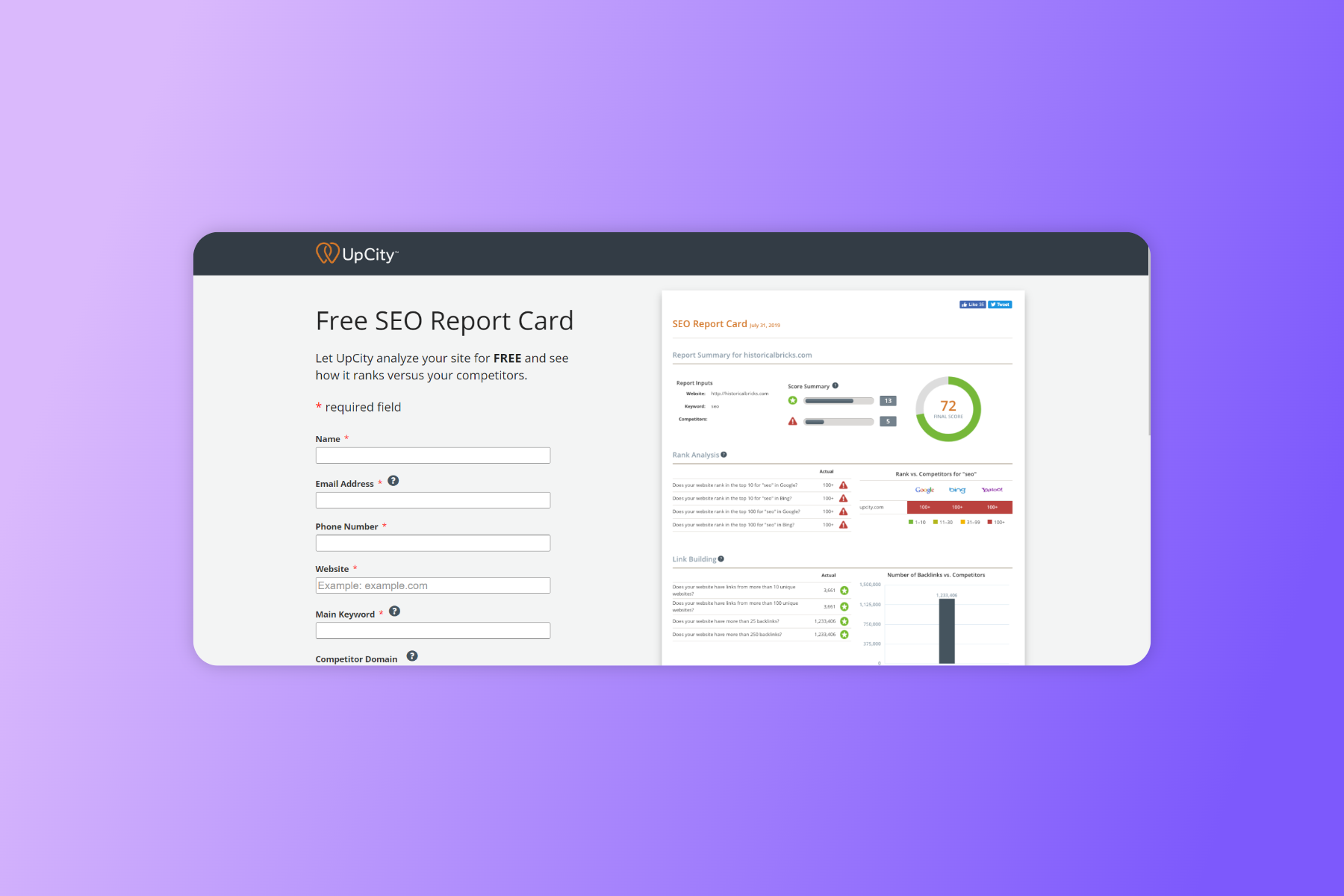
    7. SEO Report Card

    SEO Report Card analyzes your website’s SEO and provides a report with recommendations for improvement. It includes a content audit feature that allows you to identify pages with low traffic or engagement and pages with duplicate or thin content.

    • Offers website analysis and optimization recommendations
    • Provides keyword research and analysis
    • Allows you to track your rankings and measure the effectiveness of your SEO campaigns
    • Offers insights into the performance of your website and your competitors’ websites in search results

    Pricing: Free

    8. Ahrefs

    Ahrefs offers a range of SEO and content marketing features, including the ability to conduct a content audit. The site has free keyword research and analyzers, which you can use for basic auditing purposes, while the paid version will be ideal for a full-fledged content audit.

    • Provides keyword research and analytics
    • Offers insights into the performance of your website and your competitors’ websites in search results
    • Allows you to track your rankings and measure the effectiveness of your SEO campaigns
    • Provides data on backlinks and referring domains

    Pricing: Lite – $99 per month; Standard – $199 per month; Advanced – $399 per month; Enterprise – $999 per month

    Ultimately, the best content audit tool will depend on your specific needs, goals, available resources, and budget.

    For example, some businesses may prefer a more comprehensive tool that offers a range of features. In contrast, others may be able to use a simpler tool like Excel or Google Sheets to track the necessary data.

    Conclusion

    Auditing content is not just crucial for your content marketing strategy; it’s also important for your overall business performance. Since content forms the basis of how customers will perceive your business, products, or services, content auditing is crucial to ensure you always put across the right brand message.

    Looking to create high-quality content or want a seasoned expert to help you with your content audit and strategies for the future? Wittypen has an outstanding network of professional writers and a highly-qualified team that ensures your content is SEO-optimized, error-free, and plagiarism-free. 

    FAQs

    1. What is a content audit?

    A content audit is a systematic review of all the content on a website or a particular website section. It involves analyzing, cataloging, and evaluating the effectiveness and relevance of each piece of content.

    2. How to perform a content audit?

    For auditing content on your website or overall marketing channels, define the scope of the audit, create a list of all pages, evaluate the content, analyze traffic and engagement data, identify opportunities for improvement, create a report, and implement changes as needed.

    3. What are content audit best practices?

    Some best practices for conducting a content audit include defining the scope of the audit, gathering data on traffic and engagement, evaluating the quality and relevance of the content, identifying opportunities for improvement, and creating a report with specific recommendations.

    It’s also important to regularly review and update the content to ensure it remains accurate and relevant.

    4. Why is a content audit useful?

    A content audit is useful because it helps identify opportunities to improve the quality and effectiveness of a website’s content, optimize for search engines, increase engagement, and streamline the content creation process. It can also help identify and remove outdated or irrelevant content, saving time and resources.

    5. What should be the first step in the auditing process?

    The first step in the content audit process should be defining the scope of the audit, which involves deciding which pages or sections of the website to include. This will help ensure that the audit is focused and efficient and that the results are relevant and actionable.

  • Top 10 Content Writing and Marketing Courses With Certifications

    Top 10 Content Writing and Marketing Courses With Certifications

    In today’s age, knowing how to write and market content that reaches the right audience is a skill that’s in high demand. Many industries are even offering content marketing training to employees to polish their skills.

    In a similar vein, freelance writing courses foster skills like planning, research, marketing, problem-solving, time management, adaptability, critical thinking, and more, making you stand out from the crowd.

    Great writing skills are celebrated regardless of the industry you’re working in. Consider this a sign to enroll yourself in content writing and marketing programs (especially if some areas of your writing skills need a little shaping). 

    10 Best Content Writing and Marketing Courses To Boost Your Career 

    To make content writing and marketing a viable source of income, you need a good content writing certification along with the right skills. Being a certified content writer will pave the way to securing high-paying clients. Let’s take a close look at the best content writing and marketing courses that can boost your career. 

    1. How To Write Blog Posts That Get 500,000 Views

    To secure high-paying clients, you must acquire content writing skills that will have a high volume and conversion rate. The “How To Write Blog Posts That Get 500,000 Views” course by Dominic Kent discusses all it takes to create content that generates a great reach. You’ll also learn how to create content that educates and provides value to the reader.

    Every little step of content writing and marketing is thoroughly discussed in the course, along with promotional strategies to gather more views. Here are the key features that make this course worth investing in:

    • An in-depth discussion about SEO optimization
    • Unique promotional strategies for content

    Duration: 4h 7min

    Prices: $99

    Platform: domkent.gumroad.com

    Run by: Dominic Kent

    2. How to Write Thought Leadership Content 

    Regarded as one of the most difficult kinds of content writing formats, thought leadership content is all about proposing fresh, original ideas and implementing them. This kind of content educates readers with its thought-provoking takes; therefore, writers must have deep knowledge and insights into the topics they write about.

    In the process of learning how to write thought leadership content, you’ll acquire the skill of devising great ideas and becoming more articulate. These writing and critical thinking skills will provide endless opportunities to prosper in your career.

    Here are the key features of “How to Write Though Leadership Content” by Ryan Law:

    • Discusses the four important frameworks which one needs to use to consistently brainstorm engaging and unique article ideas.
    • Trains you to form a shared language in order to think, talk about, and build unique thought leadership content.
    • Trains you to write content you’ll be remembered for and increases your credibility and persuasiveness.

    Duration: 41 Lessons

    Prices: $99

    Platform: ryanlaw.podia.com

    Run by: Ryan Law

    3. Grow and Convert Content Marketing Course 

    To excel in B2B business content, one also needs knowledge of solid content strategies along with content writing skills.

    The “Grow and Convert Content Marketing Course” is here to fill all those gaps in your learning and make you an established content strategist. Outrank all your competitors by taking this course created by Benji and Devesh.

    Here are the key features of this course:

    • On signing up, you get lifetime access to all the course contents.
    • Live group coaching from the creators of the course via Zoom.
    • Get personalized feedback regularly on your work and clear all your doubts.
    • Get in touch with other talented founders, marketers, and consultants to advance your career.
    • Gather in-depth knowledge regarding SEO and keywords.

    Duration: 5 Modules

    Prices: $699

    Platform: growandconvert.com

    Run by: Benji and Devesh 

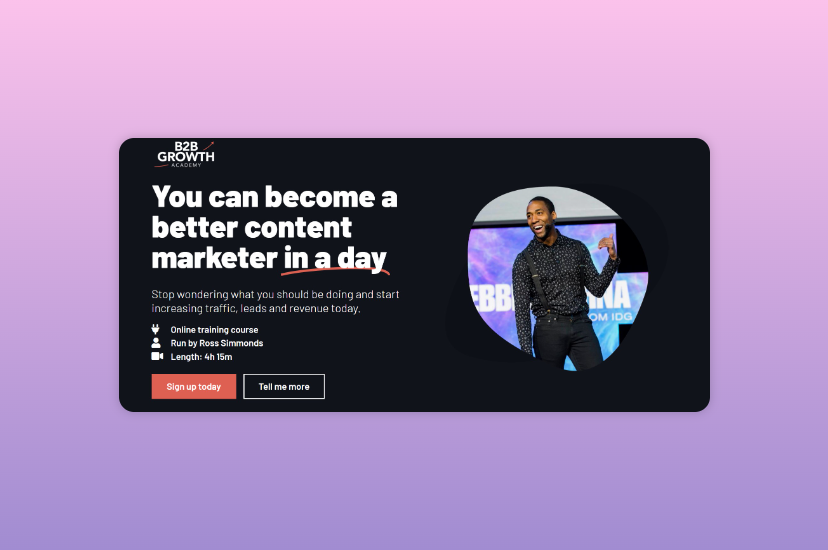
    4. B2B Growth Academy

    To get an edge in the most competitive industries across the world, you must focus on leveling up your B2B content marketing skills.

    Enrolling in this course will help you understand customers on a deeper level, which will later be helpful for creating the right content for them. That’s not all; you’ll also get to learn more about customer-driven insights and generate leads and traffic consistently. Give this course a fair shot to learn about top marketing tactics that help you get a better ROI.

    Here are the key features of “B2B Growth Academy” by Ross Simmonds:

    • 4 hours of interactive video lessons 
    • 5 modules for training
    • 8 bonus resources along with worksheets, templates, and swipe files
    • Exclusive interview sessions with top marketers from platforms like Aira, Hubspot, etc. 

    Duration: 4h 15m

    Platform: foundationinc.co

    Prices: $597

    Run By: Ross Simmonds

    5. Doing Content Right

    In a world where thousands of other people are also trying to create successful blogs, it can be hard to stand out.

    Consider investing in “Doing Content Right” to find answers to everything stopping you from living up to your full potential. This is an eBook you can download in PDF, ePUB, and MOBI formats to find pre-recorded lessons in content designing. That’s not all; this course will help you find your niche and teach you how to seamlessly distribute the content you’ve created across all social channels.

    Here are the top features of “Doing Content Right” that stand out the most:

    • In-depth discussions about SEO include busting the common myths and case studies for better understanding.
    • A 270-page eBook that can be downloaded in PDF, EPUB, and MOBI formats.
    • 22 printable exercises to test your knowledge
    • A quiz comprising 25 questions
    • Recorded video lessons for easy learning
    • Bonus podcast section

    Platform: doingcontentright.com

    Prices: $150

    Run By: Steph Smith

    6. Henry Harvin Creative Writing Course

    Ranked #1 in India by The Statesman, the “Henry Harvin Creative Writing Course” is a great pick if you want to excel in composing drama, poetry, fiction, etc. This course is very popular among aspiring writers for various reasons – the learning experience learners get on this platform is unmatched.

    Here are the key features of this course that make it so impactful:

    • Trainees get 100% practical training in this course.
    • Guaranteed internships, job support, brush-up sessions each month, and live projects are included.
    • Offers a Moodle app for easy and comfortable learning

    Duration: 24 hours

    Platform: henryharvin.com

    Price: $152.87

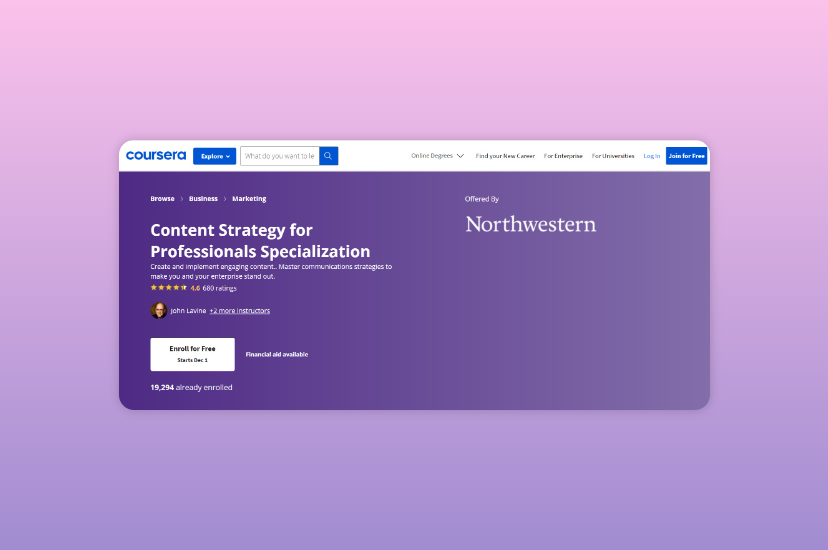
    7. Content Strategy for Professionals Specialization

    Learn the best practices from academic experts across various industries in the world with the “Content Strategy for Professionals Specialization” course. This course will teach you how to expand your content’s reach and create engaging content as a beginner. Moreover, you will acquire the skill of strategic storytelling, which will be of great use in your career.

    Here are the key features of this course that make it worth taking:

    • Subtitles are available in English, French, Portuguese, Italian, German, Spanish, Vietnamese, Arabic, and Russian
    • Ideal for beginners
    • Flexible schedules which allow learners to set and maintain deadlines
    • Learners are provided with an e-certificate at the end of the course

    Duration: 4 months

    Price: FREE

    Platform: coursera.org

    Run by: John Lavine, Candy Lee, and Randy Hlavac

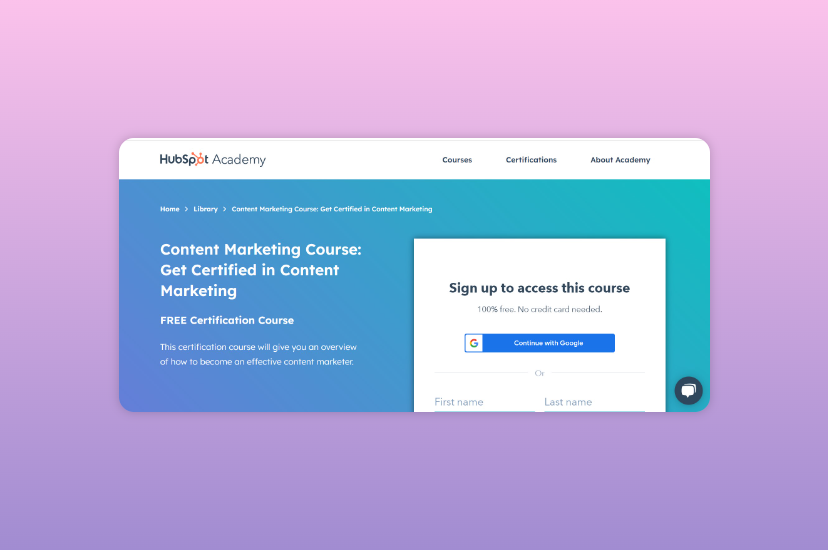
    8. Content Marketing Course: Get Certified in Content Marketing

    Content creators and marketing/inbound professionals know the importance of understanding the framework for content creation and how hard it can be to excel without in-depth knowledge.

    If you’re still not well-versed in these areas, take the “Content Marketing Course: Get Certified in Content Marketing” offered by Hubspot Academy and get content marketing certificates to kickstart your career. Create content with a purpose that will receive attention from both audiences and search engines.

    Here are the key features of this course that stand out:

    • 54 video lessons that discuss details relevant to both beginners and advanced learners.
    • 11 quizzes for self-assessment
    • Also available in three languages: French, Spanish, and German

    Duration: 7h 24min

    Platform: Hubspot Academy

    Prices: FREE

    9. Advanced Content Marketing

    You need to strengthen your basics before you become part of the industry. To help learners start from the roots and become advanced content writers, the ideal course option is “Advanced Content Marketing.”

    Here are the top features that make this course a must for beginners in the field:

    • Free certificate on completion of the course
    • 90 days of access
    • Self-paced video lessons

    Duration: 14 hours

    Platform: simplilearn.com

    Prices: FREE

    Also Read: 25+ Trending Topic Ideas for Content Writing to Rank #1 on SERPs

    10. A Grammar Refresher

    Even though it has been often stated that there’s more to content writing than perfect grammar and vocabulary skills, you must begin your journey as a writer with prompt knowledge about the same.

    Needless to say, perfecting grammar and vocabulary is a must. To improve in this area, enroll yourself in the “Grammar Refresher” course offered by Grammar Lion.

    Here are the key features of this course that will help polish your storytelling and writing abilities:

    • Over 100 lessons that simplify complex English grammar rules
    • 23 quizzes that allow learners to assess themselves and understand which areas need improvement
    • Practice sheets that make skill-building an enjoyable task
    • One-to-one instructor support
    • Invaluable English grammar resources in PDF form

    Platform: grammar-lion.com 

    Prices: $67

    Conclusion 

    Content is King in almost all kinds of industries today, which makes knowing how to market products and services online a must. Taking a course on writing might seem like a waste of time, but these content writing and marketing courses do so much more than just polish your skills.

    With these freelance writing courses, you get the opportunity to fill in the gaps in your understanding of content writing and marketing. You get in-depth knowledge about SEO, writing for target audiences, and much more. That’s not all; you also get to learn about different writing styles to live up to the expectations of all kinds of clients. Enroll in these online content writing and marketing training courses and build the career of your dreams. Good luck! 

    FAQs

    1. How can I improve content writing for content marketing? 

    A content writing course can improve your writing process to make it more conducive for content marketing. You’ll learn all about how to keep your audiences hooked throughout your content pieces with head-turning headlines and how to include all the information you’ve gleaned on topics you’re required to write about. 

    2. Does taking online content writing and marketing courses really help? 

    Indeed it does! By taking up online content writing and marketing courses, you get to make the most of your free time to polish your skills. Content writing and marketing online courses are also great for teaching you everything from the basics to the advanced stuff. In the long run, you can augment your income by using these skills. 

    3. For professional content writing which course is the best? 

    Some top professional content writing courses are as follows:

    • How To Write Blog Posts That Get 500,000 Views
    • Grow and Convert Content Marketing Course
    • Doing Content Right
    • Henry Harvin Creative Writing Course

    Read this blog to get a comprehensive overview of the top 10 professional content writing courses!

    4. What is SEO content writing, and how to implement it? 

    SEO content writing refers to the process of designing content to rank on the first page of popular search engines like Google. To achieve the top slot, you have to use relevant keywords and optimize your content so that more users click on it, thereby shooting up your content’s visibility.

    5. Which are the best content writing and marketing course for beginners?

    Some good content writing and marketing courses for beginners include

    • Advanced Content Marketing
    • Content Marketing Course: Get Certified in Content Marketing
    • Content Strategy for Professionals Specialization

    Check out this article to read about the ten best content writing and marketing courses for beginners online!

  • 25+ Content Marketing Tools – Drive Growth For Your Business

    25+ Content Marketing Tools – Drive Growth For Your Business

    Content Marketing

    Sounds like a buzzword, right? Well, it is!

    Content marketing now has actually grown from a buzzword to a staple for marketers worldwide. It is projected to grow with a CAGR of 14.3% in the analysis duration between 2019-2026. But what exactly is content marketing? How do you use content marketing tools to drive growth? And which of these tools should you be using in 2022?

    Everyone wants to be 10x better at content marketing: those who do it, try and read about it. And while there are plenty of tools out there, not many places compile a list that is updated regularly. Whether you’re looking for new ideas, inspiration, or just some content marketing tools to spice up your campaigns, we have a list of 22 tools to help you.

    Content Marketing Tools: The Different Categories

    The main advantage of content marketing is that it can help you create awareness about your brand, establish yourself as an expert, and build trust among customers. Here are a few categories you can dive into for creating, refining, distributing, and analyzing your content to increase business results.

    There’s a lot of content out there, and it’s growing more daily.

    Knowing where to start when looking for new tools or software can be challenging with so much information available. The first step is to define your use case:

    1) Content creation

    These tools help you create original, unique content that you can use in your marketing efforts. They include blogging platforms, video creation tools, and social media management software.

    These software programs make it easier for you to create compelling content for your blog or website. Examples include WordPress, Blogger, and Ghost.

    2) Collaboration

    Collaboration tools make it easier for multiple people to work together on projects from anywhere in the world. These platforms keep everyone on the same page while creating content, so you can produce high-quality work without worrying about what other team members are doing at any given moment.

    They also provide ways for teams to communicate efficiently and effectively, which helps them stay organized and focused on their goals no matter where they are in the world.

    3) Content management 

    Content management platforms (CMS) can help you manage your content — from blog posts to social media updates — in one place. The best CMSs have intuitive layouts and are easy to use, even for beginners. Some even have built-in analytics tools that allow you to track what types of content perform best with your audience.

    Many different types of CMSs available today; some are free while others require a fee. You may consider using one as it will make updating your website easier than using raw HTML code or FTP software.

    4) Content distribution

    These platforms help get your content out there so more people will see and click on it (and hopefully buy something). They include social media networks like Facebook, Twitter, and LinkedIn, email marketing software, and search engine optimization software like Google Analytics or Moz.

    5) Content research

    These tools help you discover what people are talking about, what they like and dislike, and what they find interesting or boring. They will also tell you who your competitors are in terms of how many followers they have on social media platforms like Twitter and Facebook.

    Some tools let you search for specific keywords like “content marketing” or “social media trends,” while others uncover topics based on your interests and expertise. Then some tools do both.

    6) Content promotion

    These are platforms designed to help you promote your existing content online so people will see it in their newsfeeds or search results pages — and hopefully click on it (and maybe even buy something). Examples include paid advertising.

    List Of The Best Content Marketing Tools to Drive Growth

    Content marketing is a great way to drive growth for your business. Driving growth and development is a long-term strategy, not a short-term solution.

    With the right tools, you’ll be able to stay ahead of the game and help you strengthen your content marketing efforts.

    1. Wittypen

    Use it for: Content creation for blogs, whitepapers, and landing pages (not an AI writing tool)

    G2 Rating: 4.8/5

    Cost: Affordable per content pricing (Starts at $15 per content), includes writing, editing, & project management.

    How does it help?

    Content creation is one of the first steps that fuel content marketing growth. While creating content is a challenging task, at Wittypen, we make it easy through our vetted pool of freelance writers. The platform helps you order, edit, do plagiarism checks, and manage your content. Also, you can share content directly with your content teams to collaborate at scale.

    You can create content across channels like blogs, websites, guest posts, ebooks, etc,. without spending time in managing freelance writers. The account managers are skilled at managing projects across SaaS, Fintech, Healthcare, Education, Affiliate marketing, and more.

    Visit Website

    2. Matomo

    Use it for: Content research and optimization/Privacy focused Google Analytics alternative

    G2 Rating: 4.2/5

    Cost: On-premise solution is free while the cloud solution is available for $23/month

    How does it help?

    It enables you to find out what users do on your website: what they click, where they come from, how long they stay, and more.

    Matomo is an open-source analytics platform that you can use to measure your website’s audience, engagement, and behavior. The tool offers various features to help you understand how your target audience interacts with your content, including heatmaps and click tracking.

    It’s an alternative to Google Analytics that focuses on privacy and data ownership. The software allows users to collect data from all devices and platforms, including desktops, mobile phones, and tablets. It lets users view detailed information about their visitors’ behavior, such as visits, page views, and user activity.

    Visit Website

    3. Wix

    Use it for: Content creation, promotion, and management.

    G2 Rating: 4.2/5

    Cost: Starts at $16 for website & $27 for Business plans

    How does it help?

    It has an integrated CMS, so you can create blog posts and pages without learning complicated code or using third-party software.

    Wix is a website builder that enables you to design your ideal website easily. You can create your content, brand, and design all in one place. Wix also has its own set of SEO tools, so your website will be optimized for search engines.

    The content creation tool allows you to create beautiful and engaging content quickly and easily without having any design skills. It is a website builder with robust features that enable you to create beautiful websites without coding knowledge. With Wix, you can create landing pages, blogs, eCommerce sites, and more.

    Visit Website

    4. Asana

    Use it for: Content management and collaboration.

    G2 Rating: 4.3/5

    Cost: The basic plan is free of cost, the premium plan starts from $10.99 & business plan is $24.99.

    How does it help?

    It’s particularly useful for managing content and collaboration because it has great features like task lists, file sharing, time tracking, and more.

    It is a project management tool that helps you organize your content marketing campaigns. Its strength lies in its ability to keep everything in one place and ensure that everyone involved in the campaign is up-to-date on what’s happening. You can assign tasks, comment on them, and add due dates, so no one falls behind.

    A free project-management app allows users to organize their work into different boards based on specific projects or tasks. Asana is excellent for managing projects and tasks. It helps you organize your team, keep track of milestones, and deadlines, and communicate with your team members all in one place.

    Visit Website

    5. EngageBay

    Use it for: Content creation and optimization.

    G2 Rating: 4.6/5

    Cost: The basic package starts from $11.99 and goes up to $79.99 for pro version

    How does it help?

    It’s a great tool for beginners looking to build their audience and grow their brand.

    EngageBay is a one-stop shop for all your SEO needs. It allows you to optimize your site for search engines like Google and Bing, generates traffic from social media sites like Facebook and Twitter, manages your email list, and even tracks the progress of each campaign.

    Hence, you know what’s working and what isn’t. It is a great tool for content marketers because it allows you to create landing pages, manage your email marketing campaigns, and even get social media management all in one place. You can also use their email builder to create beautiful emails that look professional and convert well. Further, they have added sales and support features to help you manage end-to-end customer experience.

    Visit Website

    6. Sendinblue

    Use it for: Content promotion and management.

    G2 Rating: 4.5/5

    Cost: Pricing range starts from $25/month and costs up to $1000/month for enterprise version

    How does it help?

    The tool offers an easy-to-use interface with various features such as email tracking, customer segmentation, bulk emailing, and more.

    SendinBlue is a powerful email marketing tool that helps you send newsletters and emails to your contacts more efficiently than ever. It is a cloud-based email marketing platform that allows you to create and send high-quality emails and autoresponders. It includes a drag-and-drop designer, which makes it easy to design your templates and send campaigns.

    You can have email subscribers on autopilot using this email marketing platform. The platform has built-in CRM features, allowing users to track the performance of their campaigns across multiple platforms. 

    Visit Website

    7. UberSuggest

    Use it for: Content creation, research, and management.

    G2 Rating: 4.2/5

    Cost: The price range starts from $29 for the basic plan and goes up to $99 for enterprise version

    How does it help?

    You can use this tool to find low-competition keywords, which can be used to build backlinks and drive more traffic to your blog.

    Ever wanted to find a keyword that’s not too competitive but still gets high search volume? UberSuggest lets you type in any word or phrase, and it will show you other words that people have searched for in the past month (or search history) on Google.

    It also shows synonyms and related searches to see what others are searching for around your topic. A free online tool lets you generate keyword ideas based on search volume trends over time for any keyword you submit.

    Visit Website

    8. Foleon

    Use it for: Content creation and research.

    G2 Rating: 4.2/5

    Cost: Three packages available; Basic, Plus, and Premium, depending upon your needs, and requirements.

    How does it help?

    The Foleon platform has many features to help you increase engagement with your target audience.

    Foleon is a content creation platform that allows you to create custom landing pages and forms in minutes. Create landing pages in three steps: choose your template, add your copy and images, and publish! You can add pre-built widgets like social media buttons or Google Analytics tracking codes in just one click.

    You can also use it to collaborate with co-workers on content creation efforts. The platform includes templates for different types of content, so you don’t have to start from scratch whenever you want to publish something new on your blog or social channels.

    Visit Website

    9. AnswerThePublic

    Use it for: Content creation, optimization, and research.

    G2 Rating: 4.5/5

    Cost: There are monthly, annual, and expert plans starting from $99 to $199.

    How does it help?

    AnswerThePublic allows users to search for keywords or phrases and find out what average people say about them.

    It is a free tool that lets you search Google Autocomplete to find out what people want to know about your business or industry. AnswerThePublic is a great tool to help you find out what your audience is searching for and what they want to know. It will show you the top questions being asked across the web, allowing you to create content that answers these questions.

    This tool can help you find popular topics and keywords your customers use in their search engines. It has a simple interface and allows you to engage with your audience on different topics.

    Visit Website

    10. BuzzSumo

    Use it for: Content research and creation.

    G2 Rating: 4.5/5

    Cost: First 10 searches are free then the pricing starts from $99 up to $299

    How does it help?

    This is a great tool for content marketers because it will help you determine what type of content your audience is engaging with and how they are engaging with it.

    Find out what topics are most popular on social media, which influencers are talking about, and who shares your competitors’ content. BuzzSumo helps users identify content that has been shared on social media. It allows users to search by term or topic and find out which pieces of content have been shared most frequently.

    BuzzSumo also has a Content Explorer feature, which allows users to see how often specific articles have been shared based on topic or keyword. You can use this tool to find out which articles are performing well on social media, which influencers shared them, and what type of content resonates with your target audience.

    Visit Website

    11. Hootsuite

    Use it for: Content management and promotion.

    G2 Rating: 4.1/5

    Cost: The pricing starts from $49 and goes up to $739 after that you can custom plan depending on your needs.

    How does it help?

    It helps you to schedule and manage your posts across multiple networks.

    Social media marketing software can help you manage multiple profiles and campaigns across different social networks. It is a social media management platform that helps you schedule posts and track performance.

    You can use Hootsuite to schedule your blog posts and other content to be published at specific times on Facebook, Twitter, LinkedIn, and other social media channels. Hootsuite allows you to schedule and publish posts across multiple social media accounts. It also offers analytics, allowing you to measure the effectiveness of each campaign.

    Visit Website

    12. RankIQ

    Use it for: Content creation, research, and optimization.

    G2 Rating: 4.9/5

    Cost: The pricing plan is $ 49/month respectively.

    How does it help?

    The best thing about RankIQ is that it provides you with an in-depth analysis of your content’s performance. This helps you improve your writing skills and optimize your content for better search rankings.

    RankIQ uses artificial intelligence and machine learning to analyze every piece of content you create, from blog posts to videos, infographics and social media posts. It then uses this data to predict how well your next piece of content will rank for any given keyword or phrase.

    So, instead of creating one piece of content and hoping for the best, RankIQ allows you to optimize every piece based on what has worked before. This leads to more traffic, leads and sales — without guessing what Google wants!

    Visit Website

    13. Showpad

    Use it for: Content creation, research, management, and promotion.

    G2 Rating: 4.6/5

    Cost: Three packages available: Essential, Plus, and Ultimate you have to request for pricing.

    How does it help?

    It’s a great way to keep a consistent flow of information out there while building your brand.

    Showpad is a content marketing tool that can help you create, manage and distribute content. It allows you to create landing pages, blog posts, and email campaigns. 

    The analytics dashboard shows you how well your campaigns are performing over time and lets you view data on individual pieces of content published on your website or social media profiles.

    Visit Website

    14.  Grammarly

    Use it for: Content creation and research.

    G2 Rating: 4.6/5

    Cost: The pricing plans are free, premium for $12, and the business plan for $15.

    How does it help?

    It is an online grammar checker that helps you find, correct, and prevent mistakes in your text. It also checks for plagiarism and suggests alternatives to words or phrases that may not be correct in a particular context.

    It is a spellchecker that also works as a writing assistant. It will flag typos, grammatical errors, and even mistakes in punctuation. Improve spelling and grammar in any app or browser. It’s one of the best tools for writers because it catches mistakes that even native speakers often miss — like using “loose” when you mean “lose” or using “their” when you mean “there.”

    It’s useful for content marketers who want to make sure they’re not making any mistakes, but it can also be used to ensure your content doesn’t look like something you copied from somewhere else.

    Visit Website

    15. Ahrefs

    Use it for: Content creation, research, and optimization.

    G2 Rating: 4.6/5

    Cost: The lite plan starts at $99 and goes up to $999 for enterprise plan.

    How does it help?

    Ahrefs is a popular SEO tool that helps you find and track the keywords that your competitors are ranking for. It also allows you to get organic traffic estimates and site audits.

    Ahrefs is a comprehensive suite of SEO tools that you can use to track your website’s performance, find new link opportunities, and research your competitors. It’s one of the most popular tools among content marketers because it provides data on what’s working in your industry, which keywords are trending, and how many backlinks you have to any given page.

    Ahrefs will also give you a complete overview of your competitor’s backlink profile to see where they’re getting their links from and how much they’re paying for them. A search engine optimization (SEO) tool provides information on keywords, organic traffic, and backlinks.

    Visit Website

    16. Adobe Spark

    Use it for: Content creation, optimization, and promotion.

    G2 Rating: 4.5/5

    Cost: There are only two pricing plans available: Free and Premium for $9.99/month

    How does it help?

    It allows you to create stunning visuals for your website, social media or email marketing campaigns.

    An all-in-one platform that makes it easy to create engaging content from scratch or templates. Adobe Spark is a free tool that makes it easy to create images, videos, and animations for social media or anywhere else on the web. This tool is perfect for creating shareable graphics for social media campaigns or other visual marketing strategies such as infographics or video explainer videos.
    The tool allows you to create animated videos, presentations, and infographics in minutes without any design experience. It also offers templates to help you get started quickly. You can add text, images, music, or video clips to create customized pieces of content that fit your brand’s voice and tone.
    Visit Website

    Also Read: Keyword Research and Analysis – The What, Why, and How Answered!

    17. VistaCreate

    Use it for: Content creation, optimization, and promotion.

    G2 Rating: 4.5/5

    Cost: The easy-to-access features are available in two packages, Starter (free of cost) and Pro $10/month.

    How does it help?

    VistaCreate is a visual content marketing platform that helps you create and curate stunning visual content.

    VistaCreate is an online design tool that can create business cards, brochures, posters and more. It is a powerful online design tool that allows you to create interactive content, such as infographics, presentations and slideshows. It’s free to use, with the option of buying a subscription for more features. This makes VistaCreate an excellent choice for small businesses wanting to create high-quality designs without paying the high cost of hiring a designer.

    Ever wanted to create beautiful landing pages for your website? VistaCreate is a simple drag-and-drop tool that lets you build interactive landing pages with just a few clicks. It includes many templates, great for eCommerce businesses, as well as mobile responsive designs.

    Visit Website

    18. Google Search Console

    Use it for: Content research and optimization.

    G2 Rating: 4.6/5

    Cost: This tool is a free option provided by Google.

    How does it help?

    You can see how your site performed in search results, find links to your site and see if there are any issues with pages returning HTTP response codes.

    The Google Search Console is one of the most useful tools for content marketers because it allows you to track your content’s performance on Google search results. It includes several features that will help you optimize your content to rank higher in search results. It is the place where web admins go for information about how Google sees their website.

    The dashboard shows you how well your site ranks for specific keywords and highlights any problems with your site’s appearance in search results. You can also use it to submit site changes to Google and monitor their progress over time. You can use this tool to submit your site to Google, track its performance, and check its indexing status.

    Visit Website

    19. Typeform

    Use it for: Content research, distribution, and management.

    G2 Rating: 4.5/5

    Cost: Three plans available Basic at $25/month, Plus at $50/month, and Business at $83/month

    How does it help?

    It is a survey tool that allows you to create beautiful and engaging surveys, analyze the data and share it with your team.

    Creating engaging online forms that generate leads, collect feedback, or sell products makes it easy. Typeform makes it easy to create beautiful, interactive forms that can be used on any device. Their platform simplifies collecting information from your customers without sacrificing design or functionality.

    It is an excellent tool for creating surveys and other types of forms. It’s easy to use, looks great, and works on mobile devices. The tool has multiple integrations, meaning you can create custom triggers that automatically send responses from your form into any other app you want (like Google Sheets).

    Visit Website

    20. Notion

    Use it for: Content management and collaboration.

    G2 Rating: 4.6/5

    Cost: The pricing plans are: Personal (free), Personal Pro $4/month, Team $8/month, and Enterprise.

    How does it help?

    A great tool for marketers who want to brainstorm new content ideas or share them with their team.

    It is a powerful, flexible tool for creating and editing content. It allows you to create beautiful infographics, presentations, blog posts, and more. Notion is a powerful all-in-one workspace that allows users to create, collaborate and organize ideas all in one place. It’s useful for projects of all sizes, from organizing a meeting agenda to creating a presentation deck.

    The platform also includes an intuitive drag-and-drop interface that allows non-designers to create beautiful presentations quickly and easily. It enables teams to collaborate on documents, spreadsheets, and presentations simultaneously. It has a built-in task manager that allows you to assign tasks to team members and track them in real time.

    Visit Website

    21. Loom

    Use it for: Content creation, distribution, and promotion.

    G2 Rating: 4.7/5

    Cost: The three plans available are: Starter (free), Business $8/month, and Enterprise.

    How does it help?

    Loom makes it easy to create professional-looking videos without any experience or fancy equipment.

    Loom is a simple way to create videos that look like you spent hours editing them. The tool lets you upload images, graphics, and text to create a shareable video on social media. It is a simple way to make videos that help you tell stories and connect with your audience. It is a video marketing tool that helps you create and distribute engaging, branded content. It’s easy to use, and the interface is intuitive.

    The platform tracks your progress and provides analytics so you can track your results. The app offers templates, music, graphics, and more so you can create an engaging video in minutes.

    Visit Website

    22. Frase

    Use it for: Content creation and research.

    G2 Rating: 4.8/5

    Cost: Three pricing plans are available Basic at $14.99/month, Team at $44.99/month, and Enterprise at $114.99/month.

    How does it help?

    Frase is a content marketing tool that helps you write better and faster.

    Frase is an AI writing tool that simplifies content creation. It allows users to create engaging and high-quality blog posts in minutes. This AI tool allows you to write better content in less time by using artificial intelligence technology. You just need to provide some information about your business, and Frase will write engaging and unique blog posts.

    AI writing tools can help you create content faster and with fewer errors. They work by using natural language processing to understand what you’re saying and then write the content accordingly.

    Visit Website

    23. Unsplash

    Use it for: Content creation and promotion.

    G2 Rating: 4.7/5

    Cost: The tool is free and works on a unique feature of submitting and using photos.

    How does it help?

    Unsplash is a collection of high-quality, beautifully curated photos. You can use them for your blog posts, social media, or other content marketing needs.

    Unsplash is a library of free high-resolution photos. You can use the images for your blog posts, website, or social media accounts. Unsplash is a stock photo site that offers free 10 new, high-resolution photos every 10 days. You can use these images for anything you like, including commercial projects if you credit the photographer.

    This is a great resource for bloggers and business owners who need images for their blog posts and website. The best part is that you can use these pictures in your content without worrying about copyright infringement. The images on Unsplash are free to use, and the photographers who uploaded them do not require any attribution.

    Visit Website

    24. Figma

    Use it for: Content creation and distribution.

    G2 Rating: 4.7/5

    Cost: Three pricing plans available are: Free, Professional ($12/month), and Organization ($45/month).

    How does it help?

    It’s collaborative, so multiple people can work on the same project at once — even if they’re located at different locations.

    It is a collaborative interface design tool that allows teams to work together on web or mobile projects from anywhere in the world. Figma is a collaborative design tool that enables teams to create interactive UI designs without coding them from scratch.

    It offers an intuitive interface for wireframing and prototyping, which makes it easy for non-designers to get on board. In addition to helping you create mockups quickly and easily, Figma also allows users to collaborate with other team members on projects from anywhere in the world using its online interface or mobile apps for iOS and Android devices.

    Visit Website

    25. Sparktoro

     Use it for: Content creation and research.

    G2 Rating: 4.6/5

    Cost: Four plans available, Free, Basic, Standard, and Agency starting from $38/month up to $225/month

    How does it help?

    The tool can find out more about your existing customers, potential customers, or competitors.

    SparkToro’s feature offers better insights into your target audience. You can easily find out what they like to read, what they dislike and how they interact with the content. This allows you to create better-targeted content and increase your conversion rates.

    The answer lies in understanding your audience and creating relevant, engaging content for them. This is where audience research comes in. It uses artificial intelligence to analyze your audience and their behavior and develop insights into what they want to read, watch, and listen to. This will help you improve your content marketing efforts by creating relevant, engaging and personalized content for your audience.

    Visit Website

    26. Hemingway

    Use it for: Content creation and optimization.

    G2 Rating: 4.4/5

    Cost: This is an entirely free option for the editing tool.

    How does it help?

    Hemingway helps you write in a more concise way by highlighting words that are hard to read. It also highlights passive voice and sentence structure problems so you can improve your writing.

    It is a simple plugin that helps you write better by highlighting words that are hard to read, adverbs, passive voice, repetition, clichés, and more. Hemingway is a simple, easy-to-use content editor that helps you write clear, concise, and error-free content.

    It’s a great tool if you’re not a professional writer and want to create high-quality content. It helps you write better by highlighting wordy phrases, repetitive words, complex sentences, and grammatical mistakes in different color highlights.

    Visit Website

    Bottom Line

    That was quite an exhaustive list, wasn’t it? But that’s a good thing. We hope developers will find new and intriguing ways to integrate their products with the rest of the content marketing landscape, thereby expanding their audience and lifting the entire industry to another level.

    The possibilities are endless when you stop limiting yourself to one particular product or service. That’s how ultimate growth happens. We believe that at Wittypen too. Our team of experts cover the base with all touchpoints and provide extensive support to scale your content needs seamlessly which makes us the best content writing services company.

    Suggested Reading: B2B Content Marketing Strategy: Step-By-Step Guide

    With so many different tools on the market, deciding which ones are worth your time and money can be challenging. To help you make the best decision for your business, we’ve compiled a list of some of the most popular tools on the market. Some tools can drive inbound traffic, while others can help you organize your content. Whether you’re looking to research competitors or stay in touch with your target audience, there is a tool for you.

    Wittypen-Blog-Banners-01