Category: Featured

  • SEO Writing: 10 Best Practices to Improve Search Engine Rankings

    SEO Writing: 10 Best Practices to Improve Search Engine Rankings

    As a marketer, you aim to write content that ranks high on Google and increase organic traffic. And the way to get there lies in three magic words: Search Engine Optimization (SEO).

    But what is SEO content writing exactly?

    Simply put, it’s the process of writing content to make it visible on the first page of major search engines like Google. High SEO rankings increase your chances of getting free, recurring, and highly relevant traffic to your website. The result is more money in your bank.

    So how do you write content for SEO and get on the coveted first page of Google? Read on to find out!

    The Impact of SEO Writing on Search Engine Rankings

    1. How SEO Writing Improves Search Engine Rankings

    To realize the significance of SEO, you must first understand how Google rankings work. When Google ranks your website, it usually looks for three major things: authority, relevancy, and usefulness to end users.

    This is where SEO content writing assumes importance. It helps improve Google’s opinion of your page by focusing on the following aspects:

    • Researching for target keywords
    • Creating quality content that matches the user’s intent
    • Optimizing headers for easy page crawling

    However, SEO in content writing goes beyond just covering all possible keyword combinations and search terms. It also focuses on creating engaging content that provides valuable information to readers and helps them make the right decision.

    2. The Role of Backlinks in SEO

    Backlinks refer to links from someone else’s site to your website. They’re recommendations from another website to view your content and learn more about a specific topic. Since backlinking happens outside your website, it’s also known as off-page SEO.

    Backlinks improve your rankings because search engines view endorsements from other websites as a sign of authoritativeness and relevancy. The more authoritative your website content, the more Google will favor you.

    Additionally, backlinks enhance your website’s visibility and help you gain more visitors through referral traffic.

    3. Measuring the Success of SEO Writing

    It’s crucial for marketers to continually measure the efficacy of their SEO efforts and make timely adjustments as necessary. After all, it isn’t easy to improve what you can’t measure.

    An SEO writer should track everything, from visibility and rankings to crawl efficiency and backlinks. Defining and tracking your success will help push you to improve and pivot your priorities.

    While you can measure as many KPIs as you like, here are a few you should not miss out on:

    • Revenue, ROI, and conversions
    • Website traffic
    • Rankings on search engines
    • Website health and visibility
    • Crawl efficiency and backlinks

    4. Common Mistakes to Avoid in SEO Writing

    While incorporating the best practices to improve SEO, you cannot overlook common SEO content writing mistakes. Here are some errors SEO professionals make that can hurt their SEO ranking:

    • Writing for search engines instead of readers
    • Writing content without proper research
    • Publishing non-original content
    • Stuffing keywords rather than implementing them naturally in the content
    • Using generic or ineffective anchor texts (instead, opt for a variety of anchor texts)
    • Skipping title tags and meta descriptions
    • Failing to satisfy search intent
    • Not optimizing for mobile

    10 Best Practices for SEO Writing

    Here are some best practices and SEO tips for content writing to rank high on Google in 2023.

    1. Use Keywords Strategically

    Choosing the right keywords can make all the difference in outranking your competitors and rising to the top spot on search engines.

    While search volume is a good metric for deciding the popular keywords, you must ensure they’re highly relevant to your business and industry. Also, it’s not just about what keywords you use but how you use them. The best practice would be to include them organically in the content and refrain from over-stuffing.

    2. Write for Humans and Search Engines

    Focusing entirely on writing content for SEO can make your content too robotic.  Remember, your content won’t appeal to search engines unless it appeals to your audience. So, always keep your user’s interests and motivation in mind and address their challenges and pain points in your writing.

    Good SEO content should resonate with the audience and thoroughly answer their search intent.

    3. Use Header Tags

    Header tags are HTML tags used to introduce the content below them. Think of them as chapter titles in printed books. These tags are good for SEO because they structure your content and make it readable and accessible for users.

    As for search engines, headers provide them with a hierarchy and give a better context of what your content covers.

    4. Optimize Images

    Images with high resolution and larger dimensions considerably impact your page loading speed. For fast page loading and better SEO, compress your images to optimum size using good quality online image compressors.

    Also, consider adding alt texts to images. They provide search engine crawlers with better image context and are a key contributing factor to better rankings.

    5. Create High-Quality Backlinks

    We’ve already discussed the role of backlinks in SEO. However, remember that it’s not the quantity but the quality of backlinks that impress Google.

    Publishing informative content and original research, creating infographics, and guest blogging are some effective ways to build high-quality backlinks organically.

    6. Use Meta Tags

    Every content piece must have a title and meta description. Unique and attractive meta tags entice users to open your page. They also tell search engines what your content is about so they can appropriately display your website on search results.

    The ideal length for a meta title is 70 characters, and for a meta description is 160.

    7. Use Internal Linking

    Linking to related pages or posts on your website helps the audience discover more of your content and trust you to be a credible source of information on your niche.

    From the SEO viewpoint, internal links help pass authority (or PageRank) to important pages on your site. So, include internal links that tie naturally to your content for better SEO.

    8. Use External Linking

    If you add quotes, data, research, or statistics in your post, link them to their source. It suggests that you’ve done your research and can be trusted, thereby increasing your credibility with both the audience and search engines.

    You can also link to reputable and helpful pages (that aren’t your competitors) to offer readers additional information you haven’t covered on your website.

    9 Use Structured Data

    Structured data is a standardized format for providing information and classifying the contents of a page. Adding structured data to your content enables the creation of ‘rich’ search results or snippets that are more engaging to users.

    You can find structured data markup for almost any type of content on Schema.org and use them to enhance your visibility and SEO.

    10. Monitor Your Progress

    Monitoring and tracking your progress is an essential part of SEO-based content writing. It allows you to verify the progress you’re making in your SEO efforts.

    It’s even more important to track when trying a new technique. You can quickly understand what’s working in your favor and what’s not and can take corrective actions for better results.

    CTA

    Top Performing Examples of SEO Content Writing

    A great way of learning how to write an SEO article is by looking at top-performing SEO content and analyzing its success. Here are some excellent examples of SEO writing to learn from.

    1. Easy Readability

    While searching for information on the internet, you often come across web pages that overwhelm you with a sheer volume of information packed in one paragraph. Such web pages are hard to read and often turn visitors away, even when they could satisfy the user queries.

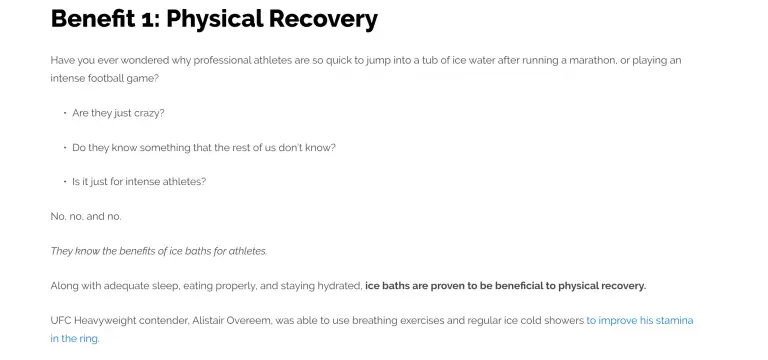
    To attract and retain visitors, you need to present information in a way that is easy to read and digest. A great example of this is Clarity Council’s blog.

    Below is an excerpt below from one of their blogs. Not only is the messaging clear and concise, but also formatted in a way that’s easy to skim. Also, the author has highlighted the focus part, so readers looking for quick answers can easily spot it.
    easy readability

    2. The Right Tone

    Finding the right tone of voice can make all the difference in connecting with your audience. It’ll make your audience feel understood and encourage them to try your product or solution.

    Your tone can be conversational, humorous, friendly, or formal, depending on your audience. However, when dealing with sensitive issues, you must make the extra effort to sound compassionate and empathetic.

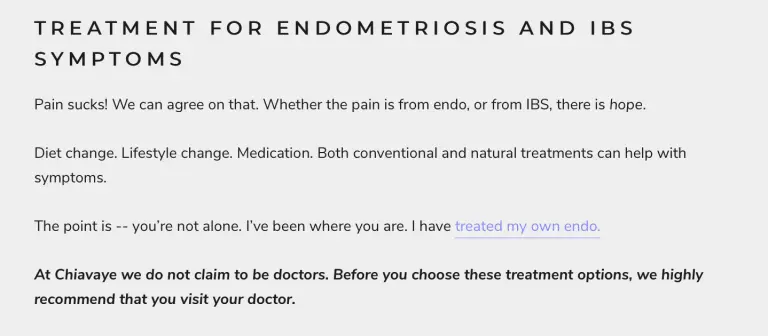
    Here’s a writing sample from Chiavaye, a lubricant created for women with endometriosis. You’ll see that while the writing is conversational and direct, the writer also empathizes with the readers and makes them feel comfortable by stating that they’re not alone.
    Right tone

    3. Catchy Headlines

    The headline gives the first impression of your content to the audience. It should be intriguing enough that the audience would want to click it and read the entire post.

    One effective headline technique is to use numbers in the headlines. A study by Conductor found that headlines with numbers were the most preferred headline types, with 36% preference. They are also likely to generate more social shares and attention.

    If you open the BuzzFeed homepage, you’ll see that most of its headlines are listicles with specific numbers. Now you know one reason why the site gets so many clicks, views, and visitors.

    4. Early Demonstration of Relevancy

    Writing lengthy introductions might work for scoring on your term papers, but they hardly work for SEO purposes. Remember, your goal is to write relevant content so that Google puts you at the top of search results. An effective way to prove relevancy is to target the main keywords early on in the content.

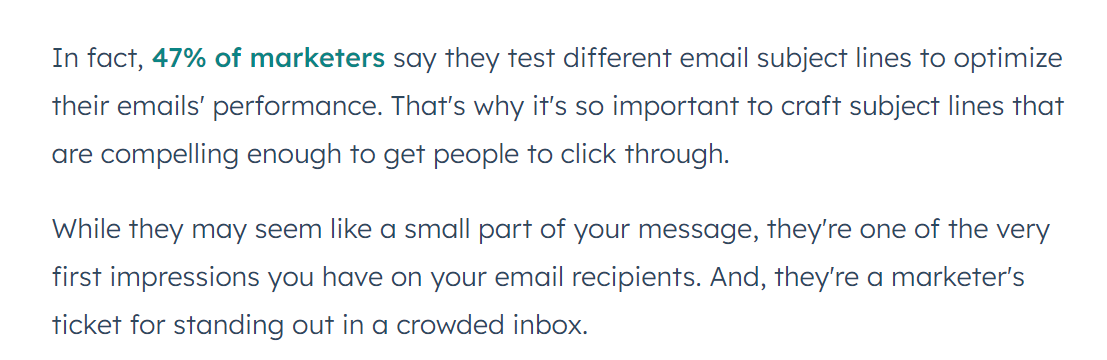
    Here’s a HubSpot article that demonstrates the point. The piece talks about writing email lines, and within the first 50 words, the writer has already targeted the main keyword three times.

    Take the lesson from HubSpot and try increasing the keyword density at the beginning of your next blog to see how it fares for you.
    demonstration of Relevancy

    5. Crisp and Professional

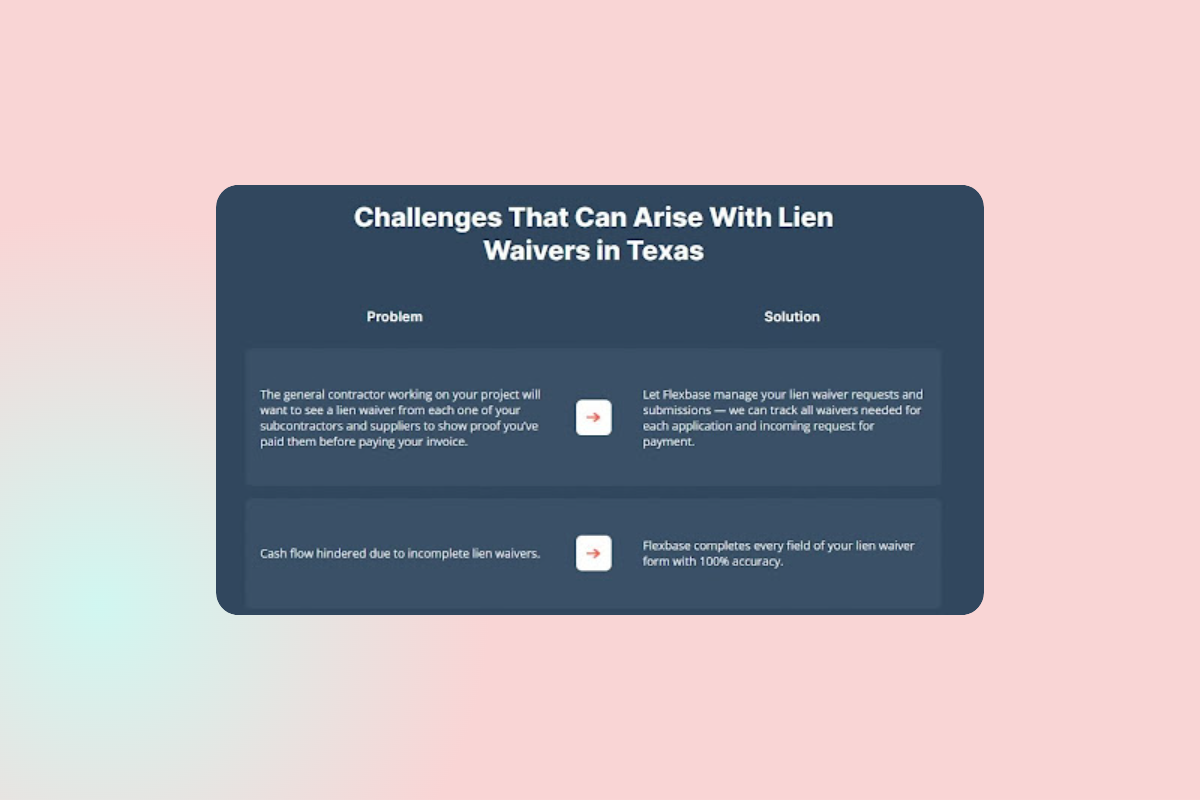
    Writing SEO articles on technical content can often be jargon-heavy, making them difficult to comprehend. Flexbase, an automated payment platform for contractors based in San Francisco, tackles the problems quite diligently.

    Here’s a screenshot from their page talking about Lien Wavers in Texas. Flexbase has presented the supposedly boring content in a way that is easy to read and digest.

    Though the style is formal and the content does contain construction-related jargon, readers will have no problem understanding what Flexbase offers, that too very quickly!
    crisp and professional

    How to Implement SEO Writing for Your Business?

    Now that you’re equipped with all the essential tips about SEO-based content writing, let’s look at how to implement SEO writing for your business.

    1. Creating an SEO Writing Strategy

    Creating a solid SEO strategy is the first step toward winning the SEO game. It helps you organize the content to gain maximum organic traffic from search engines. This way, search engine bots will identify your area of authority and better rank your site.

    Having an SEO strategy is essential to stay on track while creating content. With a strategy in place, you can write SEO articles users search for instead of random articles. Creating a solid SEO strategy should entail the following steps:

    • Making a list of topics
    • Researching keywords based on the topic
    • Building pages for each topic
    • Creating a consistent blogging schedule
    • Creating a link-building plan
    • Staying up-to-date on new SEO practices
    • Monitoring your success

    2. Hiring an SEO Writer or Agency

    The next step is hiring an expert SEO content writer or agency to help you meet your SEO goals.

    Outsourcing is a popular option in SEO blog writing since it helps businesses leverage the expertise of professional writers. But before you start hiring, you need to decide whether you want an in-house writer, a freelancer, or an agency. All options have pros and cons, which you need to gauge before deciding.

    Alternatively, you can choose Wittypen as your content partner. We have a pool of over 1400 talented SEO writers specializing in various domains. Plus, our platform provides management, quality, flexibility, and the ability to scale, to help your brand reach new heights. Sign up today to see how we work!

    CTA

    3. Tips for Working with an SEO Writer

    To make your partnership with the SEO content writer successful and generate awesome content that drives results, follow the tips below:

    • Be clear about the scope of the project. This includes payment terms, deadlines, number of revisions, etc.
    • Provide the writer with essential project information such as the target audience, business information, brand voice, content length, links you want to add, etc.
    • Communicate the specific content creation tasks they are responsible for. Will they do the keyword research, or will you do that from your end? Do they need to supply images as well?
    • Determine the communication process. They could be video-friendly platforms like Google Workspace or instant chat platforms like Slack.
    • Choose collaborative writing platforms like Google Docs for easy edits.
    • Provide feedback.

    Get Started With SEO Writing!

    In the end, SEO content writing boils down to satisfying the searcher’s intent with the best possible answer and presenting it in a manner that’s easily skimmable and digestible.

    Follow the ten best practices mentioned above and climb your way to the top of the SEO ladder! Also, note that search engines’ ranking algorithms change from time to time. Make sure to stay abreast of the latest updates and guidelines.

    FAQs

    1. What is SEO writing, and how does it work?

    SEO writing is following SEO best practices while creating and optimizing content to rank on search engines like Google. While writing articles for SEO, you should not only answer user queries but also present the answer in an attractive and digestible manner.

    2. How do I optimize my website for SEO?

    You can optimize your website for SEO by following these SEO content writing practices:  

    • Use keywords strategically
    • Write for humans and search engines
    • Use header tags
    • Optimize images
    • Create high-quality backlinks
    • Use meta tags
    • Use internal linking
    • Use external linking
    • Use structured data
    • Monitor your progress

    3. How can I improve my website’s search engine ranking?

    You can improve your website’s search engine ranking by creating high-quality content that answers user queries and optimizing them for SEO. If you aren’t an expert in writing SEO articles, you can hire a professional SEO web content writer to do the job.

    4. What are the best practices for SEO writing?

    The best practices for SEO writing include:

    • Structuring the content
    • Using relevant keywords
    • Using header tags and meta tags
    • Backlinking
    • Adding internal and external links
    • Optimizing images

    5. How important is keyword research for SEO ranking?

    Keyword research is an essential part of writing articles for SEO. It helps you find out what users are searching on search engines. You can then create quality content using the keywords to outrank your competitors.

    6. How do I create SEO-friendly content?

    Article writing for SEO is mainly about following the SEO guidelines and best practices. At the same time, you must ensure that you don’t write specifically for search engines but more so for your readers.

    7. How can I track my website’s SEO performance?

    You can track your website’s SEO performance by monitoring key KPIs such as revenue, conversions, website traffic, rankings on search engines, website health, visibility, crawl efficiency, and backlinks.


  • 5 Top SEO Content Writing Best Practices for Higher Rankings 

    5 Top SEO Content Writing Best Practices for Higher Rankings 

    Have you been considering setting up a new website for your business and creating content for it? Chances are, you’re feeling a little flummoxed about how to go about optimizing your content.

    While it might seem a little overwhelming at the very outset, SEO is all about understanding the basics of Google’s algorithm and your user’s needs.

    After all, SEO content writing is the process of creating content in a manner that aims to answer users’ search queries while ranking on the first page of Google’s results page. To that end, this guide will dive into five crucial SEO content writing best practices that you must keep in mind for the best results. 

    Mastering SEO Content Writing Best Practices: 5 Proven Tips (Tired & Tested)

    These five tips can be pivotal to your content ranking higher on Google and increasing your website’s traffic

    1. Understanding Search Engine Algorithms

    Google’s algorithm is always changing and being updated; understanding these changes is key to ranking your content on the first page. It ensures you get maximum visibility, which in turn leads to higher traffic and conversions. 

    If you look back to 2022, Google introduced several updates to its algorithm, all with the intent of ensuring that brands make their content increasingly human-readable and that websites that rank do so on the basis of their ability to meet the user’s search intent.

    Apart from ensuring you cater to the requirements of Google updates, making use of the right keywords is another crucial aspect to think about when considering how to write SEO content writing. 

    The landscape has changed quite a bit recently, with Google recognizing and penalizing content spammed with keywords. Having said that, businesses must use the most lucrative keywords within their niche to stand the highest chances of ranking. 

    For instance, if your website sells auto spare parts, trying to spam your content with keywords about second-hand cars won’t help as Google now heavily emphasizes topical relevance and expertise.

    There are several other factors that Google also considers when ranking your website:

    • The website’s mobile-friendliness. 
    • The use of external links to authoritative websites 
    • Your website’s internal linking structure 
    • On-page optimization—let’s look at this next. 

    2. Optimizing On-Page Elements 

    Optimizing on-page elements is crucial to ensuring your content stands the highest chance of ranking on Google’s first results page. These on-page elements include title tags, meta descriptions, and header tags, among others. 

    The meta title and the meta description are the first elements users see when they’re presented with the results page. When they on your link, your header is the first element users see as the webpage opens up.

    So, these need to be given a great deal of attention as they can mean the difference between a user who clicks on your link and one who chooses to ignore yours for that of a competitor. 

    Ideally, your meta title and description should have an emotive quality or a hook that compels a user to click on your website’s link. Here’s an example of two meta descriptions for the query “What is SEO?” You’ll clearly see which one’s more likely to draw the user’s attention to itself:

    “What is SEO? How can SEO help your website rank higher on Google’s results page? Find the answer to these questions in our detailed guide.”

    “The various updates to Google’s algorithm in 2022 show how the SEO landscape is changing. It’s become ever so important that brands and businesses…”

    As you can see, the first bio answers the user’s query, while the second is vague and most likely automatically chosen by Google due to the lack of a dedicated meta description provided by the business. 

    So, here are a few tips to help you create compelling meta descriptions:

    • Always use active voice
    • Make the tone actionable
    • Include a call to action. For example, “Master the art of writing well-optimized content on your website with these tips…”
    • Make sure to use the primary keyword. 

    3. Creating Quality Content 

    To no one’s surprise, another aspect that businesses must place at the top of their priority list in 2023 when creating SEO content for the web is quality

    The word ‘quality’ in itself can be vague, but it takes into consideration several aspects:

    • Writers must ensure they’re creating content for human beings and not search engines. One way of doing this is by not engaging in keyword stuffing. 
    • Your content must offer a depth of knowledge and not be shallow.

    Google is bound to pay serious attention to websites that offer more value to their users and will rank them higher than those that don’t provide comprehensive answers to users’ queries.

    An effective way of knowing what information to include is to analyze your competitors to see if they’ve missed out on something. 

    Content must be written by experienced writers, as you’re expected to see an increased emphasis on the author’s and website’s authority. A good author bio and links to their social media accounts can also go a long way in building your website’s authority.

    At Wittypen, we ensure the content we deliver to our clients offers the depth readers look for, helping build your brand’s authority further. We capitalize on our large pool of highly experienced writers and match your brand with the most experienced writers in the industry so you receive content that’s well-written, well-optimized and offers immense value. 

    SEO content writing services

    Here’s a glance at how our content creation process works:

    • We get our clients’ content and SEO requirements. 
    • We perform keyword research if needed for SEO content writing and content briefs for our writers. 
    • We outsource your content to the best writers with experience in your niche. 
    • Once the content is drafted, we edit it for language, grammar, and flow and ensure it’s been appropriately optimized before delivering it to our clients. 

    4. Adding Visual Content 

    Visual content in the form of high-quality images and videos will be crucial elements for your website in 2023. However, that’s just the tip of the iceberg.

    Ensure that these visual elements are optimized to not affect your page loading speed while contributing to your page’s ranking.

    Plus, with platforms like TikTok and Instagram being immensely popular, the importance of visual search is on a steady rise as Google works to keep up with these platforms. So, you’ll have to ensure you incorporate high-quality images and video into your content while maintaining its relevance. 

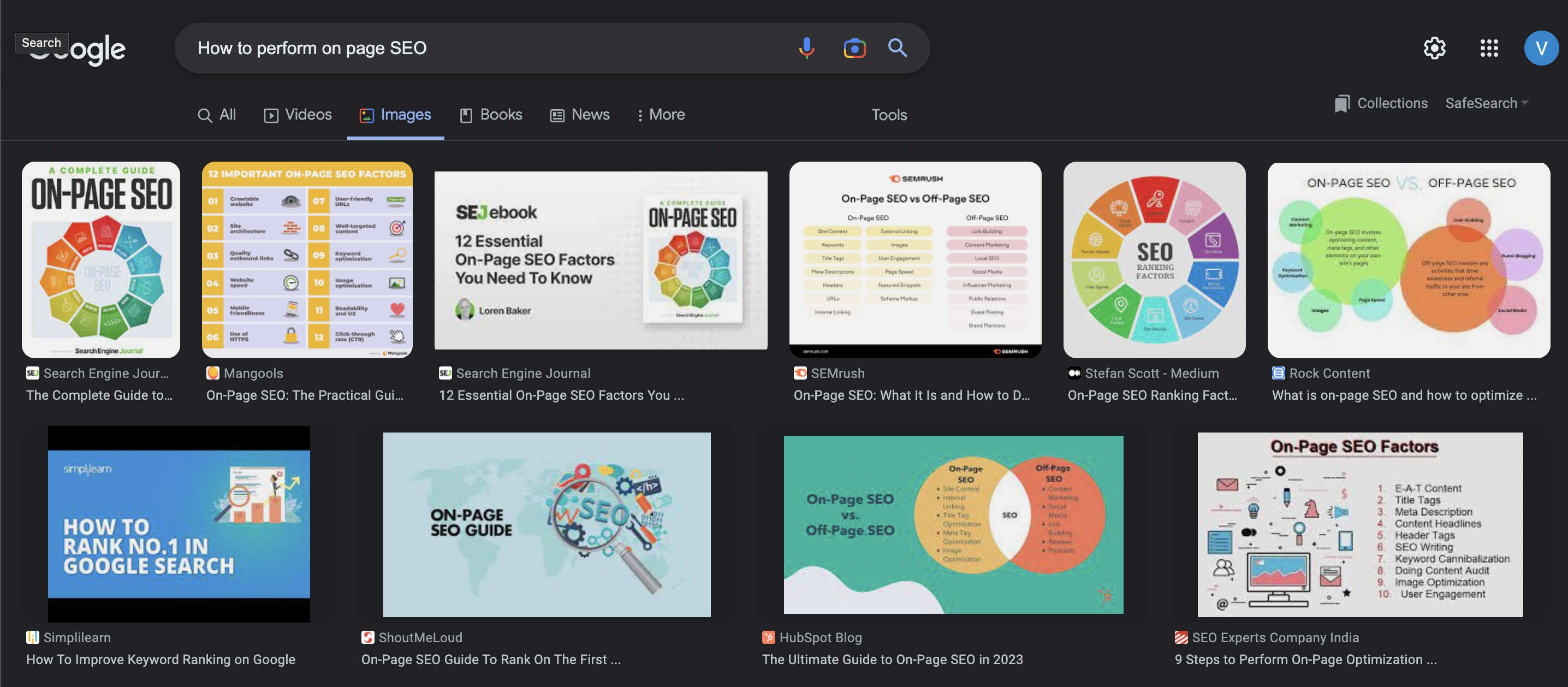
    A good example of how important image SEO is can be seen from this results page:

    All the results here are from websites that have made good use of images while optimizing them to ensure the images themselves rank well. 

    Additionally, using the right descriptive alt tags is crucial to ensure your website’s visual elements are tailored to be accessible to users with disabilities. 

    All these elements make your website more appealing and easier to crawl, significantly helping your search engine rankings. 

    5. Tailoring Your Content for Google’s Featured Snippets 

    Optimizing your content for Google’s Featured Snippets or answer box is among the best ways of ensuring your content ranks right at the top when writing web content for SEO. 

    The simplest way to do this is to draft your content to answer question-like keywords, i.e., how to, what is, etc. Doing so can help Google’s crawlers identify your content as the most valuable solution for the user’s search intent and highlight it in the answer box. 

    While there are several ways to optimize your content for the answer box, here are some key details to keep in mind:

    • Ensure you directly answer the user query with no fluff whatsoever. 
    • Ensure your page has a strong backlink profile. 
    • Make the content readable and easy to understand. 

    Featured snippets can be optimized in different formats, such as lists, tables, paragraphs, and videos. Here are a few examples of the same: 

    featured snippets in listicle format
    google featured snippets
    What is on page SEO

    Taking care of these aspects can go a long way in increasing the traffic on your website, as yours will be the first result a user sees when they search for that specific keyword. 

    On-Page SEO Checklist You Must Consider For SEO Content Writing

    To ensure your content ranks on the first page and give it the best chance of benefitting from increased traffic, here’s a handy on-page SEO checklist you can run through:

    • Keyword Research – Knowing which set of keywords you’re targeting in your content is key to creating the structure of your content in the first place—this includes LSI keywords. You can figure out which keywords to incorporate using a keyword research tool like Ahrefs.
    • Site Speed –Ensure faster loading times by compressing images, deleting unused plugins, and reducing the number of redirects, among other methods. 
    • Update Outdated Content – Consistently creating new content can be challenging. An easy way to make big SEO wins is to freshen up the existing and outdated content on your website.
    • Fixing Title Tags – Since title tags tell Google what your page is about, ensuring that they aren’t missing, duplicate, or longer than 60 characters can go a long way in helping your content rank better. 
    • External Links – Remember to use at least 5-8 external links pointing to authoritative sources. When linking internally, however, use keywords in your anchors. 

    Wrapping Up

    SEO content writing doesn’t have to be rocket science; you just need to take care of several aspects that contribute to your page’s ranking in their own ways.

    The overarching goal must be to tick as many boxes as possible, giving your content a fighting chance of ranking on the first page. Take the process step-by-step—this can help you understand the importance of each element better. 

    No matter what you’re creating—website content, a blog, pillar pages, or thought leadership posts—each of the tips mentioned above can go a long way in improving the quality of your content and improving its rankings. Always remember to aim for quality, and the rest will fall into place. 

    content writing services

    FAQs

    What Is SEO Content Writing and How Does It Differ From Regular Writing?

    The key difference between SEO content writing and regular writing is that the former is written for both the search engine and users by optimizing it for various ranking factors. 

    How Do I Optimize My Content For Search Engines?

    You can optimize your content for search engines by conducting thorough keyword research and using the right ones strategically, making your content deep and authoritative, using high-quality, relevant images, and more. 

    What Are The Most Important On-Page SEO Factors To Consider When Writing?

    The most important on-page tips for SEO content writing are the use of the right keywords, their placement in the content, the overall content quality, titles and title tags, and the use of relevant images. 

    How Can I Make Sure My Content Is Unique And Valuable To Readers?

    Creating unique content for your users depends on lots of planning, competitor analysis, keyword research, and the various aspects of on-page SEO, like optimizing images, meta and title tags, and improving your website’s speed. Most of all, you must ensure your content offers depth and value. 

    How Often Should I Be Updating My Website’s Content For SEO Purposes?

    While several factors influence how often you can update your website, such as the workforce available to do so, you should ideally update your website as often as needed. This could be to improve it, create fresh content, or tailor it to updates in Google’s algorithm. 

    What Are Some Best Practices For Incorporating Keywords Into My Content?

    When using keywords to write SEO-friendly content, you must:

    • Answer long-tail “how to” or “what is” keywords for Featured Snippets
    • Use the right keywords based on search intent
    • Place the keywords in all the right places (title tags, alt tags, headings)
    • Avoid overstuffing keywords in the body. 
  • Why Google Featured Snippets are the Talk of SEO Valley

    Why Google Featured Snippets are the Talk of SEO Valley

    Scaling an online business is hard. Add to that the hurdles brought about by limited resources and a lower domain authority, and the task only gets more uphill.

    But what if we tell you that there’s a way to rank right at the top of the page even when your website isn’t positioned at #1? Yes, we’re talking about the infamous Google Featured Snippets.

    In this simply written guide, we’ll go over their meaning, types, learn why they’re so important for SEO, and how to optimize content to get featured in them.

    What are Google Featured Snippets?

    Featured snippets are short text snippets that appear at the top of Google’s search result page to provide users with quick answers to their questions. They are commonly referred to as “answer boxes”, and are placed at “Position #0” in an SERP.

    Google Featured Snippets increase the credibility of your website, too since a snippet gets featured only after a thorough analysis done by Google.

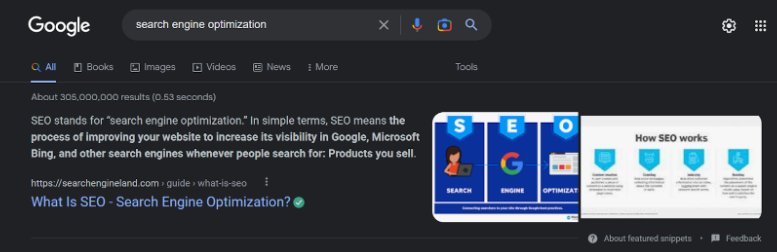
    Example: A featured snippet giving the meaning of “Search Engine Optimization” for the Google search “search engine optimization”.

    Google featured snippet example

    Why Google Featured Snippets will help you in SEO 

    Aiming to rank in Google Featured Snippets is essential for all businesses, no matter what their size or scale of growth is. The benefits of getting featured in snippets are: 

    1. Google featured snippets provide your website with an 8.6% Click-Through-Rate in the SERP.
    2. A voice search on your phone will give answers by reading out loud the featured snippet of the page.
    3. Being featured indicates to users that your content is useful, effective, and well-arranged.
    4. Since snippets increase the number of “no-click searches”, the users that make it to your website have a higher chance of turning into potential customers.

    Classifying the Various Types of Featured Snippets

    Featured Snippets appear majorly in 4 different types, depending on what the user is searching for.

    You can optimize your content in a specific way to get featured for either of these types of snippets. Along with the existing content, snippets may also include an image related to the search query.

    1. Paragraph:

    The paragraph snippet type includes text characters providing a brief description of the searched query. These snippets are 40-50 words in length and are the most common type of featured snippet. 

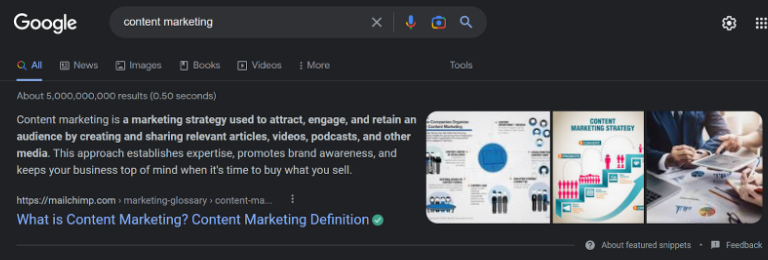
    Example: After searching for “Content Marketing” in the Google search box, a paragraph snippet by “mailchimp.com” comes up.

    example of snippet showing meaning of content marketing

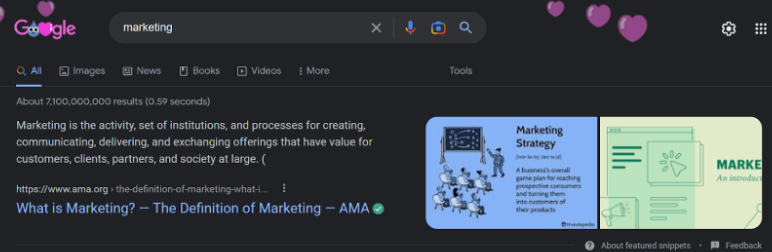
    Paragraph type of featured snippets also appear as definition boxes which provide straightforward definitions for the search query.

    Example: A definition box for “Marketing” from the website “ama.org” pops up while searching for the term “marketing.”

    snippet example

    2. List:

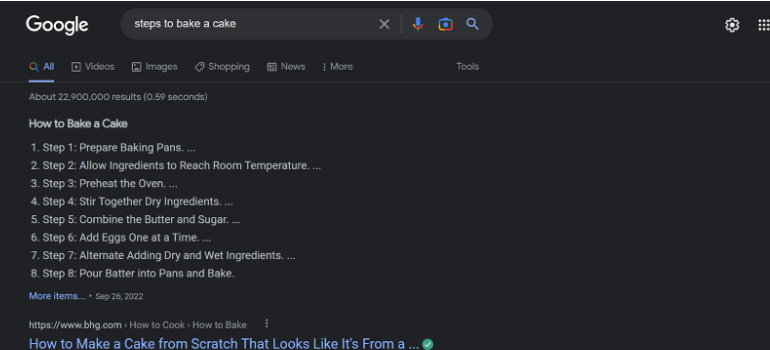
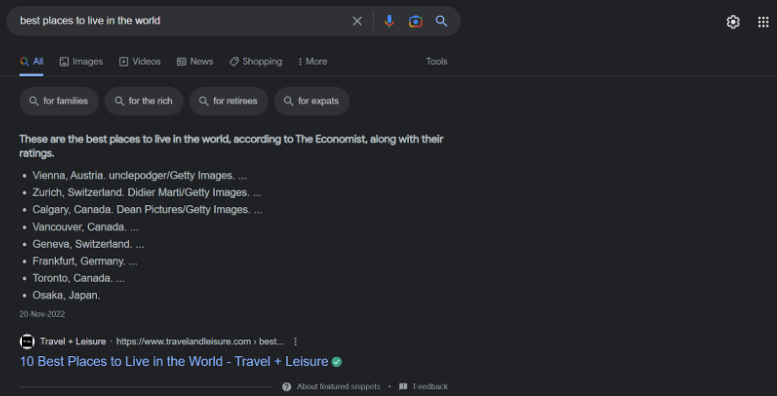
    List type of featured snippets includes text characters arranged in numerical order or in bulleted points. These snippets usually show up for Google searches requiring a set of steps or a ranked/unranked list as answers. List-type snippets can be both an ordered and an unordered list.

    Example: An ordered list snippet from “bhg.com” shows up when searching for “steps to baking a cake.

    google featured snippet example - Steps to bake a cake

    Example: An unordered list-type snippet from “travelandleisure.com” gives search results for the Google search “best places to live in the world.”

    best places to live in the world - google featured snippet example

    3. Table:

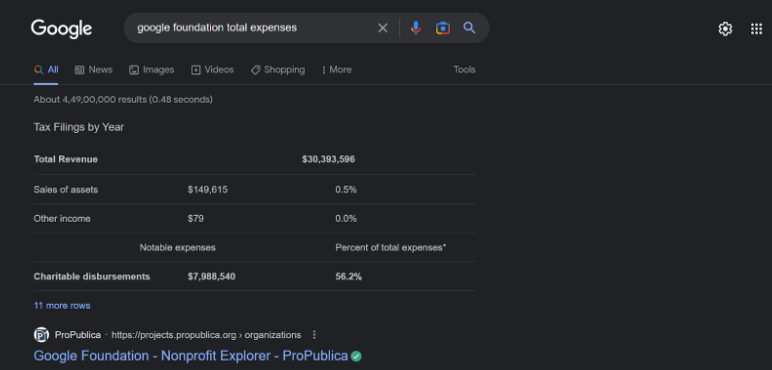
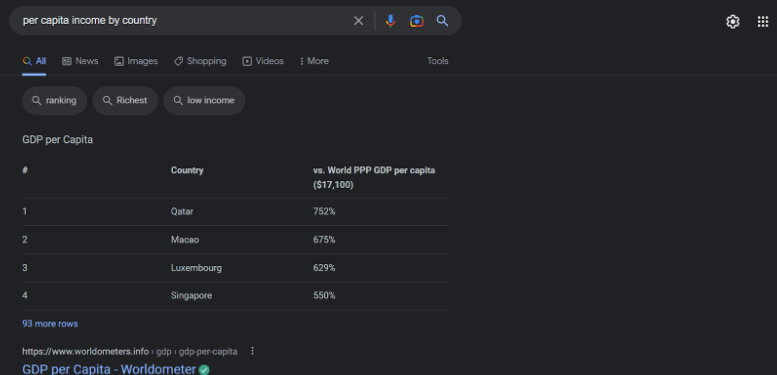
    Table type of featured snippets provide data in columns and rows in the form of a – well, you guessed it, table. They usually show up for a periodic data search query, measurements, or other informational data that can be presented in a tabular form.

    Example: A tabular format of a featured snippet from “projects.propublica.org” shows up for the search result “Google Foundation Total Expenses.”

    4. Video:

    YouTube videos are featured in video-type Google snippets to provide an easy visual answer for the users. They are the least common type of featured snippet, but they’re fairly useful for users. 

    Example: A video snippet of a YouTube video titled “15+ Ways to Style a Jumpsuit” shows up for the Google search “how to style a jumpsuit”.

    What are the Top Strategies for Ranking in Google Featured Snippets?

    Make ranking at Position #0 less time-consuming and more breezy than ever by adopting these simple strategies. With these 12 easy steps, learn how to optimize better for Google’s Featured Snippets:

    1. Keep It Crisp:

    The one thing all featured snippets have in common is- a factual basis. 

    It is important to stay “to the point” in all the content you’re writing. This means avoiding fluff at all costs and keeping your content as simple as possible. Heavy words might overwhelm the reader. 

    Keep the word count of 40-50 words in mind while creating content for snippets.

    2. Focus on Answering Questions:

    This simply means editing your blog writing style a little. 

    Instead of using statements as headings or subheadings, change them to ask a question. For example, instead of writing “Ways to Become a Better Content Writer”, write “What are the Top 10 ways to Improve your Content Writing?”

    You might want to ask more questions in the article and then immediately follow them with a crisp excerpt to increase your chances of getting featured.

    3. Answer all the Related Questions:

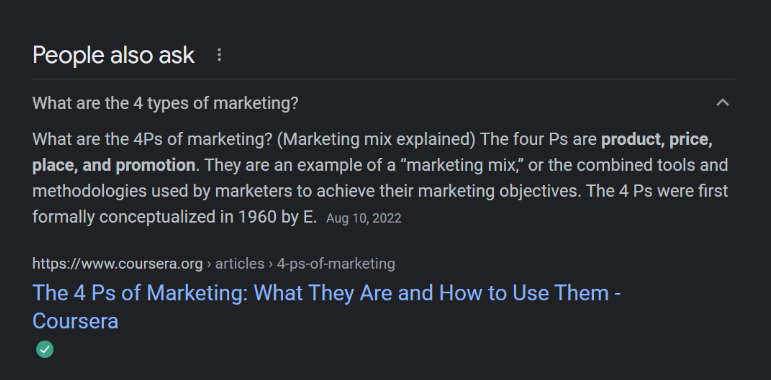
    Have you ever seen those “People Also Ask” boxes in every Google search that include related questions to your query? The key to featuring as a snippet is to answer those questions in your article itself.

    people also ask section

    When you have already earned a spot in Google featured snippets, chances are your snippet will also be featured for other queries. Work towards optimizing the already ranking content to earn a better chance of ranking in other places.

    4. Use High-Quality Images and Videos:

    Paragraph or list featured snippets with eye-catching images are even more attractive than the regular snippets. Google picks an image randomly from your article to showcase on the snippet. Therefore, it is important to use high-quality images to make your snippet look even better.

    Using good-quality videos with appealing thumbnails will also work in your favour. Video marketing can be a good move to target customers who are fond of visual learning.

    5. Add Data in the Form of Tables:

    Adding data in rows and columns in your article will increase the chances of it being featured as a table-type snippet. 

    Google identifies data that is written in a “structured” content better. Structured content is simply content presented in a visualized format to make it easier for readers to go through the data. A table and a list are types of featured snippets that include structured data.

    table format snippet

    Google directly takes the table format from the blog instead of showcasing raw data in the format of a table. Hence, formatting your data in tabular form in HTML by using the <table> </table> tag will help in getting featured.

    6. Be Consistent With Headings:

    If you’re presenting data in the form of a list, be consistent with its heading format and numbering.

    Instead of presenting your data like this:

    • Most Common Fruits in the World:
      • Apple
        • Oranges
      • Banana
        • Mangoes

      Present your data in a systematic way, like this:

      • Most Common Fruits in the World:
      1. Apple
      2. Orange
      3. Banana
      4. Mango

      7. Use Bullet Points:

      Using bullet points will help in “formatting” and “structuring” your data in a way that is easily understandable by Google. Reading data with bullet points is also appealing to the eyes of the user. Keep your bulleted headings short and crisp to keep them within the 40-50 word limit.

      8. Don’t Neglect Long-Tail Keywords:

      Long-tail keywords are the lengthy and specific searches that users make. For example, “content writing” is a keyword, but “What is content writing?” is a long-tail keyword. Featured snippets have a higher chance of occurring during a long-tail keyword search.

      Thus for optimization, include long-tail keywords in the form of questions and statements in your headings, subheadings, and paragraphs consistently.

      9. Improve Your Overall Google Rankings:

      It is not important to have a #1 ranking website to be featured in a Google snippet. However, it is common for the snippet to be featured from the top 10 ranking websites on the SERP. Therefore, optimizing for featured snippets is not enough. You also need to focus on working towards improving your website’s overall ranking for a higher chance of being featured in a snippet.

      10. Be Objective:

      Don’t include your personal opinions while drafting your blog post. As discussed above, Google featured snippets are chosen only when the content is completely fact-based and fluff-free. The addition of personal opinions or brand names might result in Google’s algorithm overlooking your website for featuring snippets.

      11. Formatting is Key:

      Page formatting is the most important factor for Google to easily read the content written on your page. Use <H2> or <H3> tags for main headings and subheadings. Use <p> </p> tag to write your paragraph. Be consistent in this format throughout the length of the blog.

      12. Do your Keyword Research:

      Last but not the least is keyword research. It is the most crucial part of SEO. Thus, there’s no doubt that it is necessary to land a featured snippet too. One way is to manually type different keywords and analyze the search results that come up, but it is smarter to use one of the many available keyword research tools online.

      7 Trusted Research Tools for Google Featured Snippets

      Now that we’ve learned about optimization strategies for getting featured at Position #0 in a SERP, it is a good idea to look for external help too. External help for SEO optimization can be taken from one of the many content marketing tools present online.

      Take a look at these 7 famous tools for quick help:

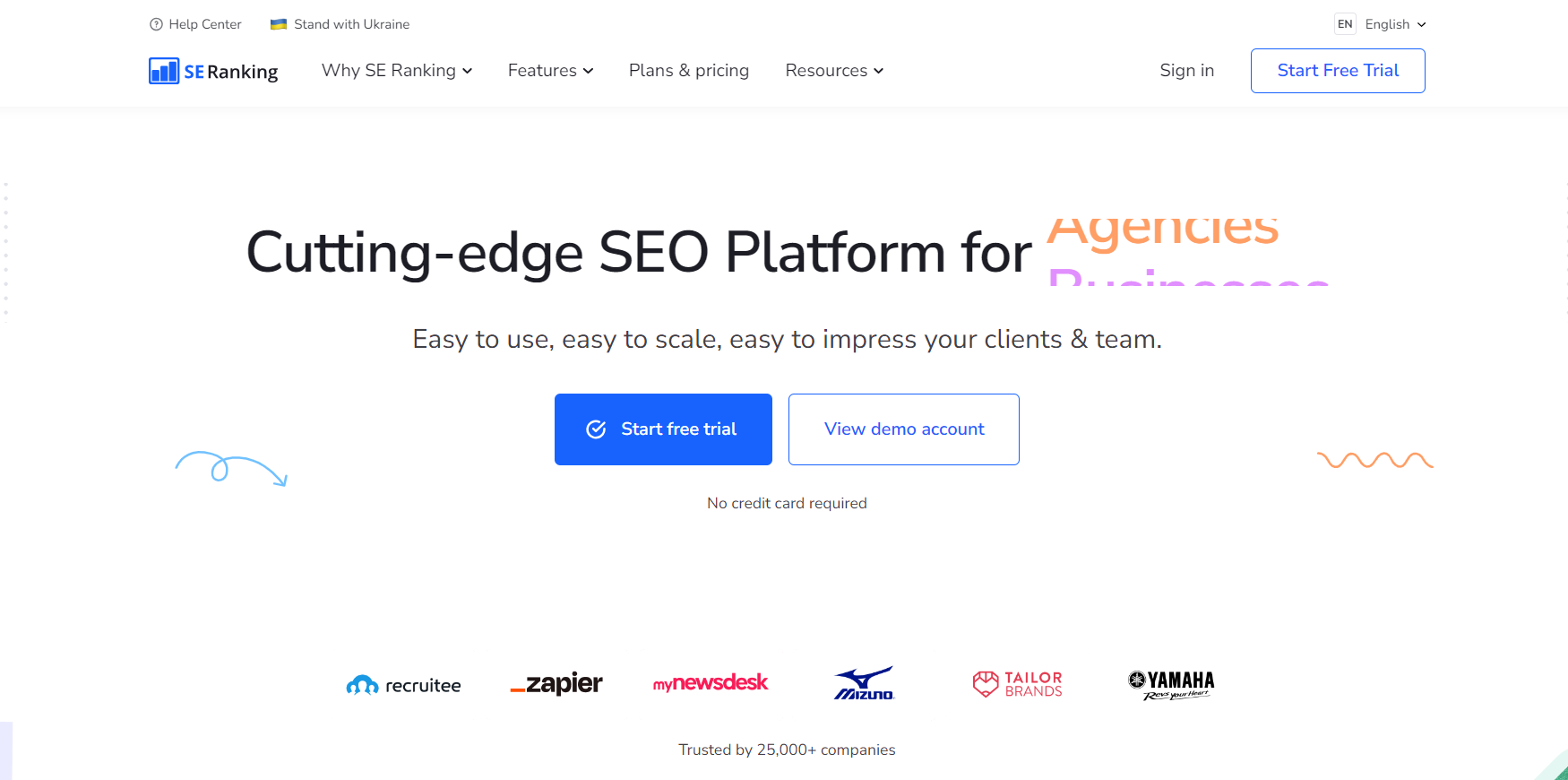
      1. SERanking:

      SERanking

      SERanking is an all-in-one SEO software that helps with keyword research and ranking.

      Key Features:

      • Perform keyword research easily, along with figuring out your page rankings.
      • Check and monitor your site’s backlinks.
      • Keep an eye on your competitor’s progress and marketing strategies.
      • Audit your website with available tools.

      G2 Rating: 4.8

      Pricing Model: 

      SERanking provides three paid packages which range from $31.20/month to $151.20/month.

      Visit Website

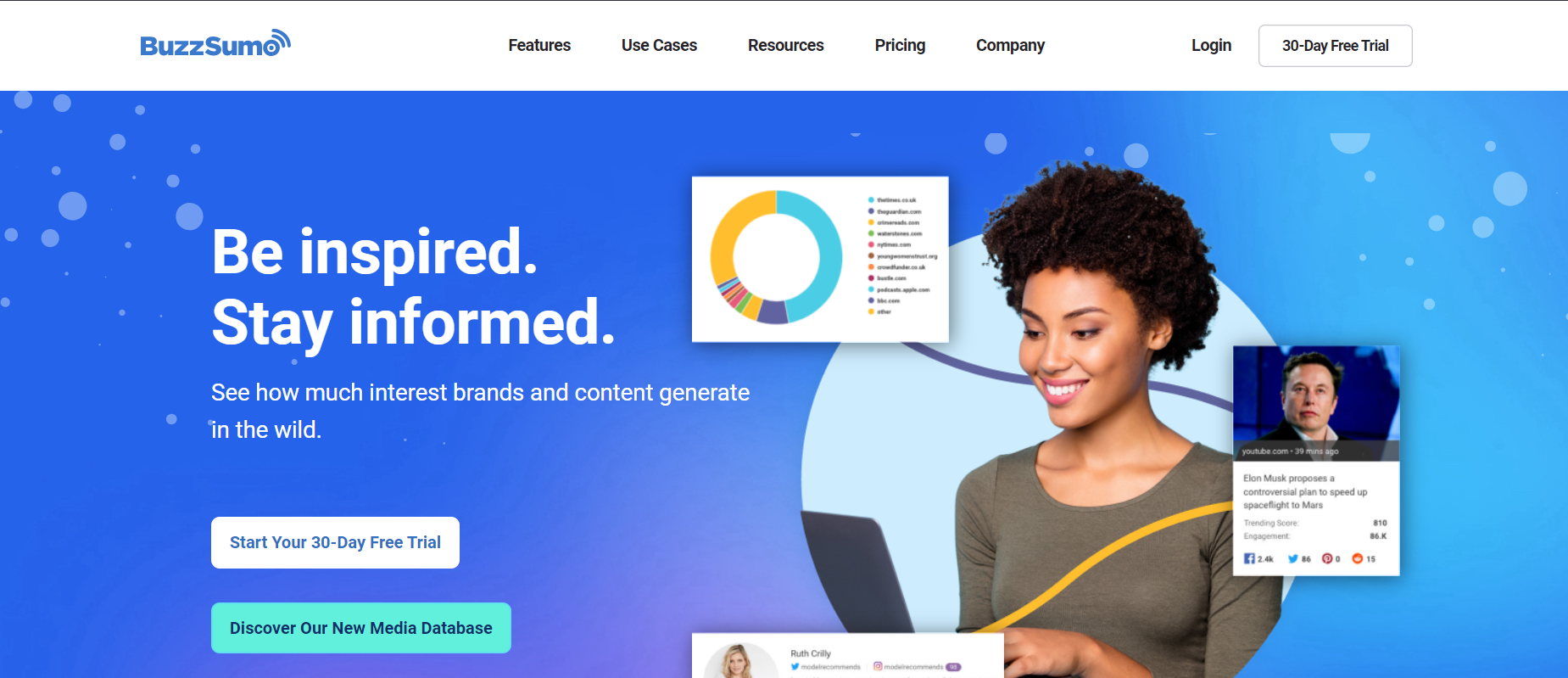
      2. Buzzsumo:

      Buzzsumo

      Buzzsumo is a content marketing tool that helps provide content research and performance insights.

      Key Features:

      Buzzsumo helps with:

      • Content discovery to generate new ideas.
      • Content research through an index including billions of articles and posts.
      • Finding and identifying the right influencers.
      • Monitoring and tracking what’s happening online.

      G2 Rating: 4.5

      Pricing Model:

      Buzzsumo provides a free package that includes “10 free searches a month”. The 4 paid plans range from $99/month to $299/month.

      Visit Website

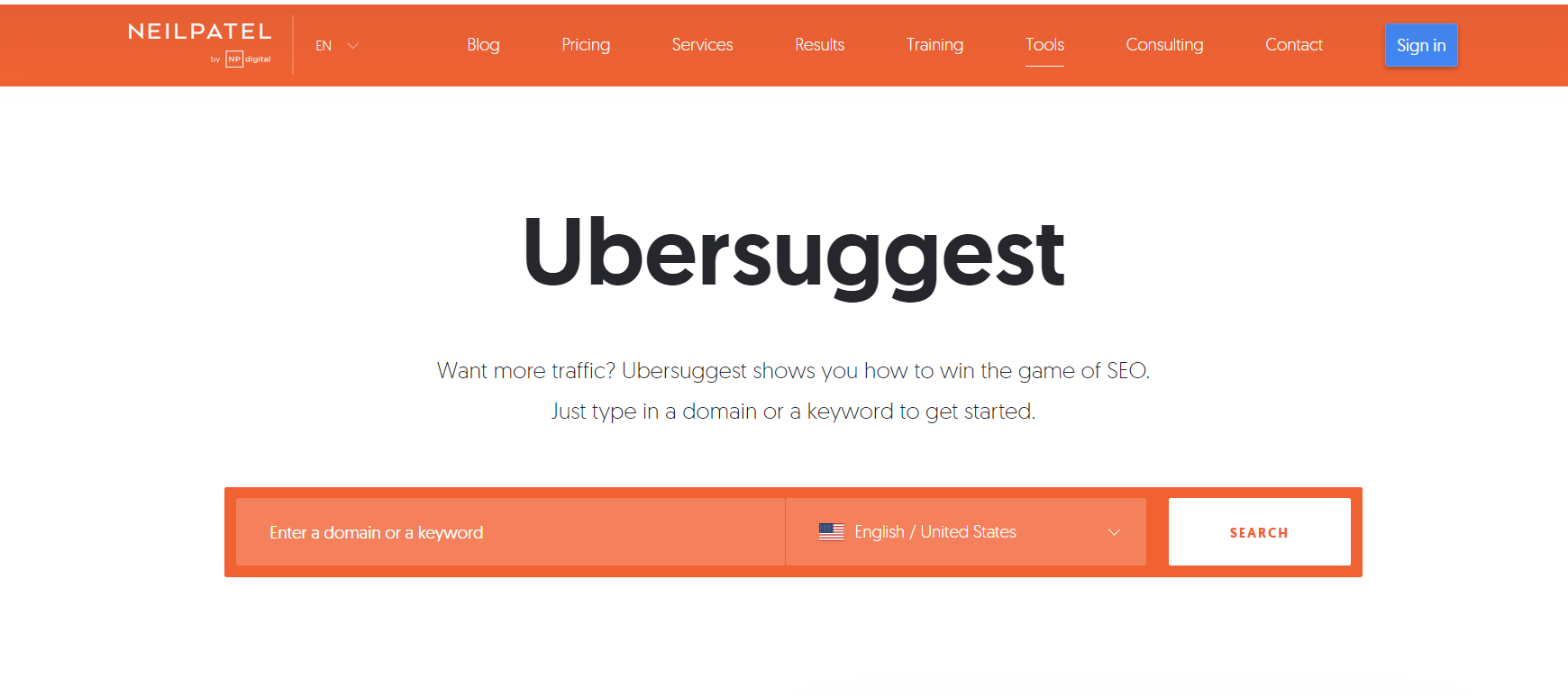
      3. Ubersuggest:

      ubersuggest

      Ubersuggest is an online keyword research tool that helps with keyword research and provides search volume and cost-per-click data.

      Key Features:

      • Analyze the SEO strategies of your competitors and learn how you can improve.
      • Backlink analysis to help improve your link profile.
      • Website analysis to check volume, competition, and seasonal trends.

      G2 Rating: 4.2

      Pricing Model:

      Ubersuggest provides an initial free trial of 7 days and offers 3 plans ranging from $12/month to $40/month.

      Visit Website

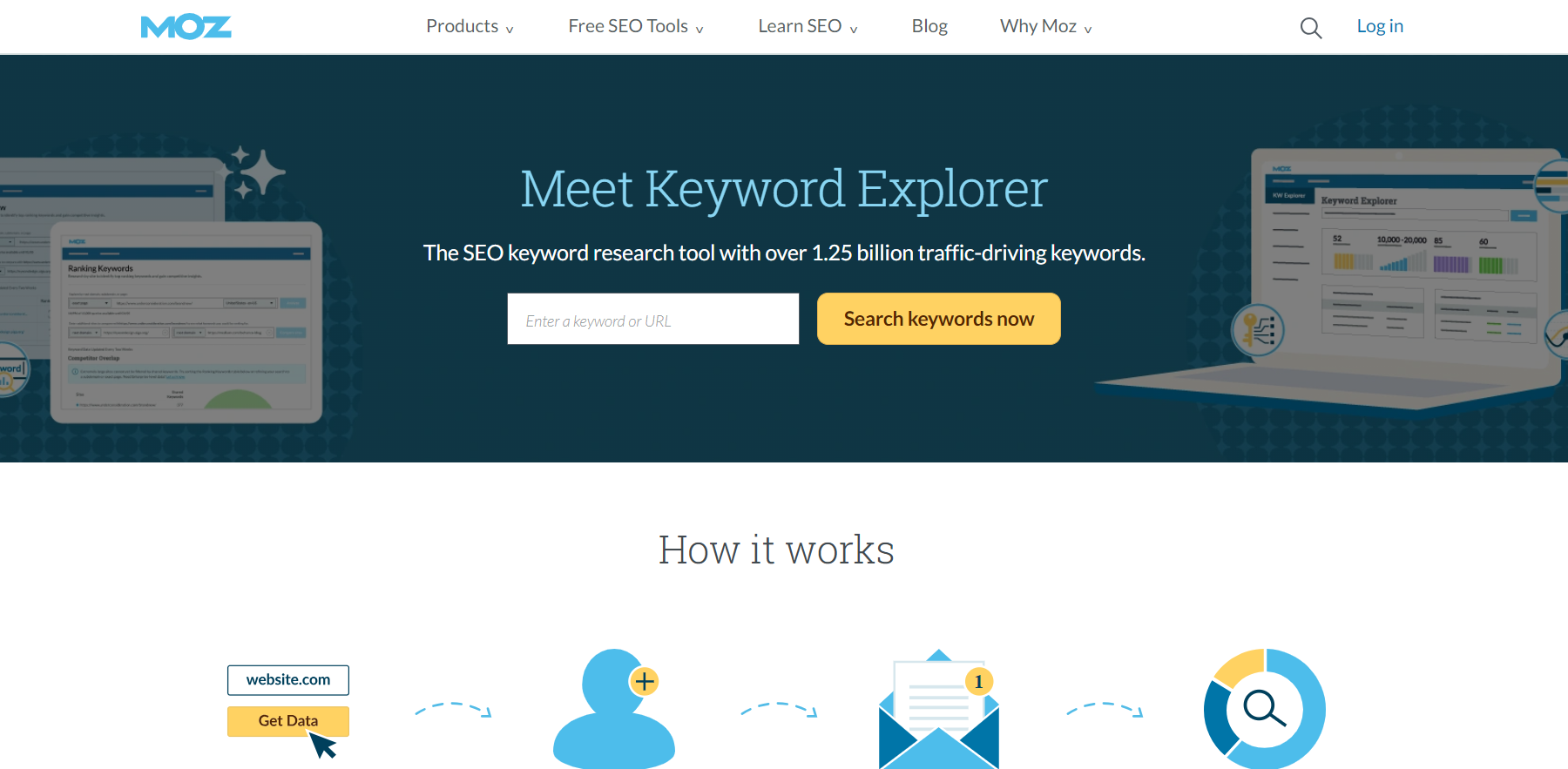
      4. Moz Keyword Explorer:

      Moz keyword research tool

      Moz Keyword Explorer is a keyword research tool that provides keyword suggestions, search volume, and keyword difficulty scores.

      Key Features:

      • Uncover insights for small businesses to make smarter marketing decisions in less time.
      • Earn and keep valuable clients with unparalleled data and insights.
      • Provides competitive research options, a link explorer, a keyword explorer, and a domain analysis.

      G2 Rating: 4.4

      Pricing Model:

      Moz Keyword Explorer provides a premium plan called MozPro which ranges from $99/month to $599/month.

      Visit Website

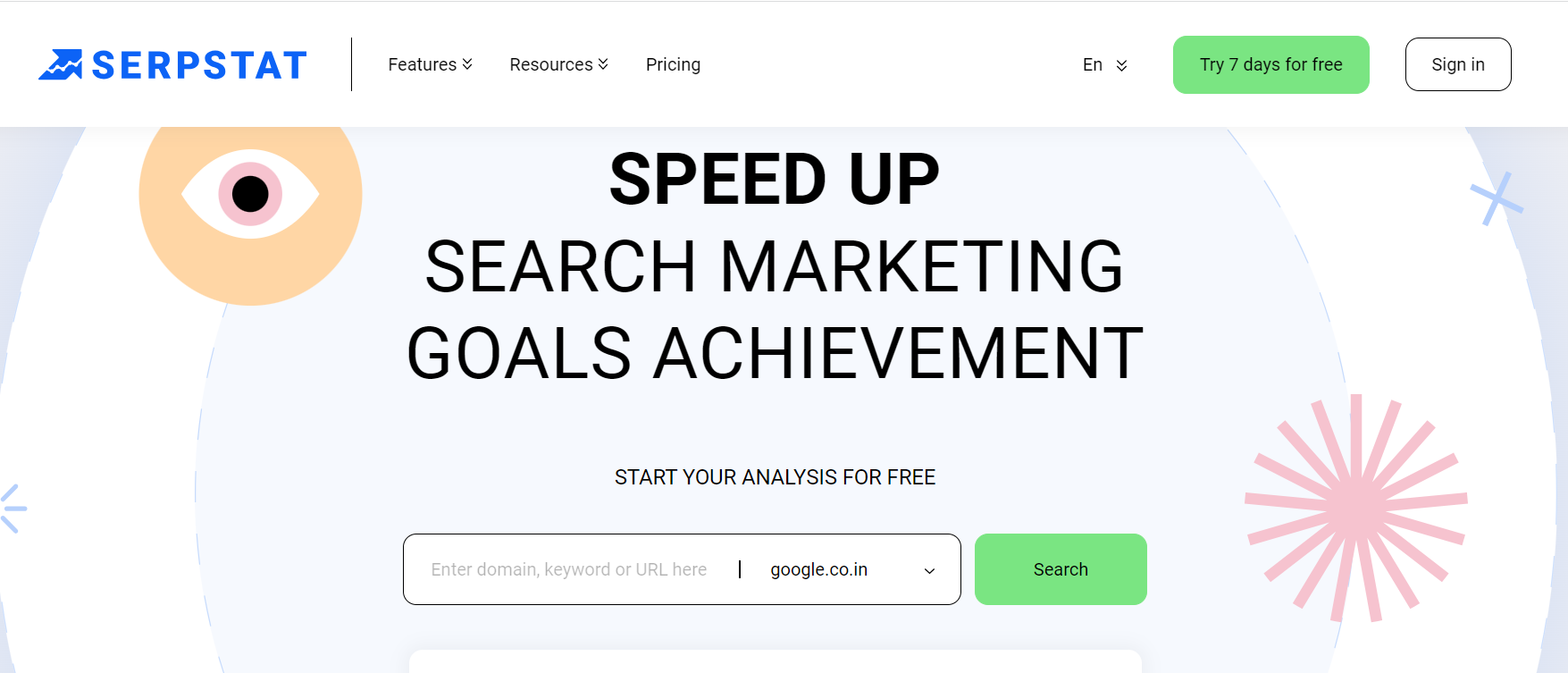
      5. Serpstat:

      Serpstat

      Serpstat is a keyword research tool that provides keyword suggestions, search volume, and keyword difficulty scores, as well as competitor analysis and backlink tracking.

      Key Features:

      • Gain access to a big database for keyword research along with analyzing the volume of searches, popularity, competition, and keyword difficulty.
      • Compare metrics to improve your traffic.
      • Gain visibility in local search results.

      G2 Rating: 4.6

      Pricing Model:

      Serpstat offers 4 pricing models ranging from $55/month to $399/month.

      Visit Website

      6. SEMRush:

      Semrush

      SEMRush is one of the most popular digital marketing SEO content tools used to optimize websites for search engines and launch advertising campaigns.

      Key Features:

      • Identify keyword opportunities and run a competitor analysis.
      • Build an effective social media strategy.
      • Gain data insights and manage customer workflow with CRM.

      G2 Rating: 4.6

      Pricing Model:

      SEMRush provides three pricing models ranging from $119.95/month to $449.95/month.

      Visit Website

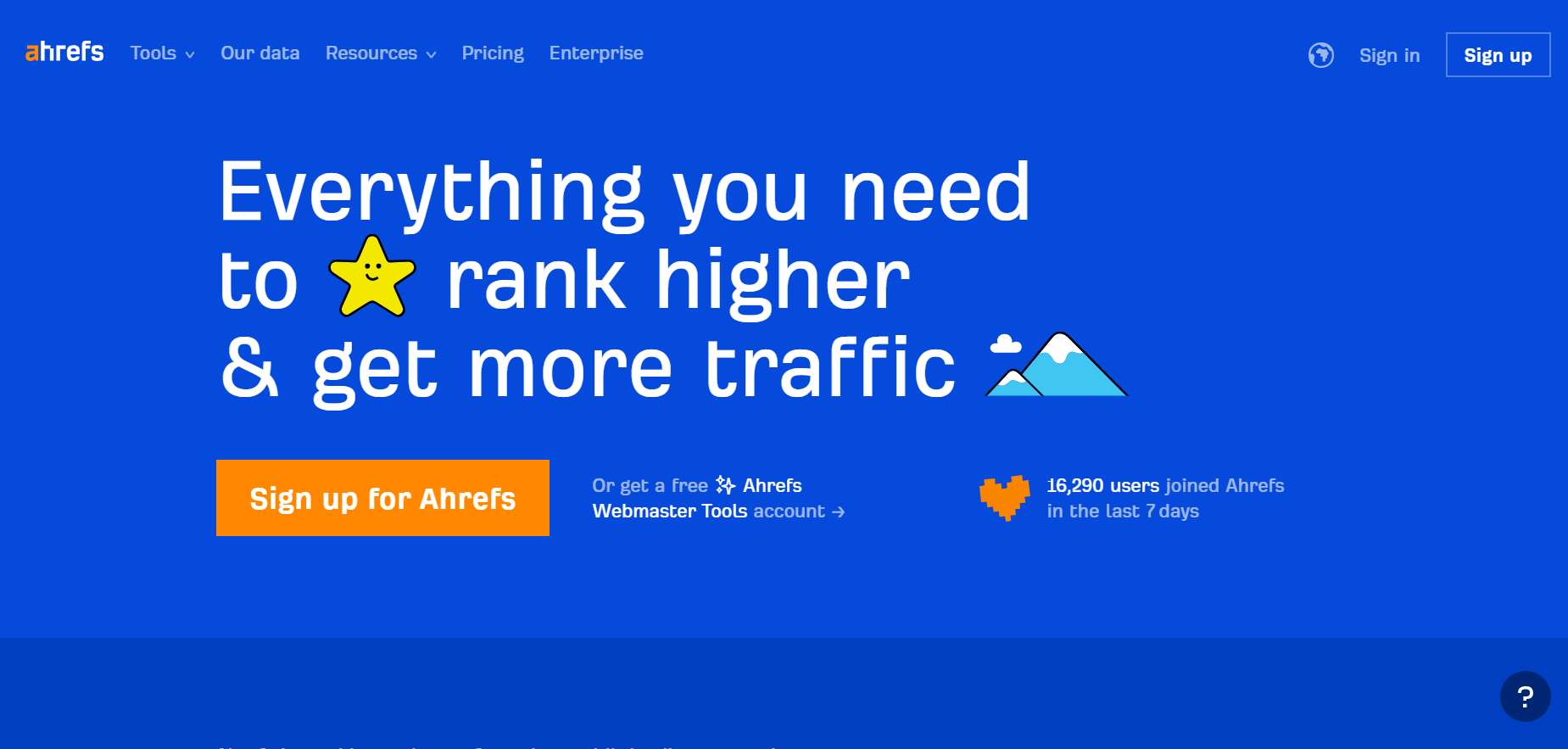
      7. AhRefs:

      ahrefs

      Ahrefs is one of the most widely used tools for SEO content writing that helps you find relevant and profitable keywords and target them when generating content.

      Key Features:

      • Use the audit feature to audit and optimize your website.
      • Analyze your competitors and find the keywords your competitors are searching for.
      • Learn from the industry’s top-performing content and track your progress. 

      G2 Rating: 4.6

      Pricing Model:

      Ahrefs provides 4 pricing models ranging from $99/month to $999 a month.

      Visit Website

      Key Takeaways

      In this competitive market, getting your website featured on the first page is a difficult task, let alone getting it featured at #0. However, if you optimize your content using the tips we provided, you’ll already find yourself 10 steps ahead of your competitors.

      The key to increasing your chances of landing a featured snippet on Google is:

      1. Adding lots of definitions and excerpts that are written in simple language and under the 40-50 word limit. 
      2. Optimizing content in a variety of formats (like lists and tables) to get featured for different types of snippets.
      3. Including lots of high-quality images and videos, being objective, consistent, and focusing on answering every question.
      4. Using keywords and long-tail keywords at every step and letting them work their magic.

      FAQs

      1. What are Google Featured Snippets?

      A Google Featured Snippet is a short text snippet that appears at the top of Google’s search result page in the form of an answer box to provide users with quick answers to their questions.

      2. How do I optimize for Google Featured Snippets?

      In order to optimize for featured snippets, you need to: 

      • Keep the length of your text between 40-50 words
      • Use keywords
      • Format your content in a consistent manner
      • Focus on improving your Google ranking, among other things

      3. What is the purpose of Google Featured Snippets?

      Getting featured on a Google Snippets:

      • Drives heavy traffic to your website
      • Improves your organic click-through rate
      • Increases the credibility of your blog
      • Ensures some buyer-oriented traffic to your website

      4. What are the different types of featured snippets?

      Google Featured Snippets are widely of four types:

      • Paragraph
      • List
      • Table
      • Video

      Some of these types include images along with them.

      5. What is an example of a Google Featured Snippet?

      A Google search for “what is the most common fruit” features a snippet by “flo. health”, answering the search query in a paragraph type of featured snippet.

      google featured snippet example

      6. How do I rank for Google Featured Snippets?

      Ranking for a Google Featured Snippets can be done by the following few ways:

      • Keyword research
      • Keeping it crisp
      • Focusing on Answering Questions
      • Answering related questions
      • Using high-quality images and videos
      • Adding structured data
      • Being consistent with headings 
      • Using bullet points
      • Not neglecting long-tail keywords
      • Improving your Google rankings
      • Being Objective
      • Formatting is key

      7. What tools can I use to help with featuring snippets?

      Here are some easy-to-use and helpful tools to make keyword research for featuring snippets easier:

      • SERanking
      • Buzzsumo
      • Ubersuggest
      • Moz Keyword Explorer
      • Serpstat
      • SEMRush
      • AHRefs
    1. 50 ChatGPT Plugins Every AI Enthusiast Must Know

      50 ChatGPT Plugins Every AI Enthusiast Must Know

      Over one-third of S&P 500 companies recently emphasised AI in their earnings calls, reflecting a palpable shift from just the previous quarter. The rise of AI, with ChatGPT at its forefront, has seen tech stocks surge.

      There is absolutely no doubt that AI (especially ChatGPT) is changing the way we work. While ChatGPT is helping professionals eliminate redundancy and boost productivity, ChatGPT plugins are the catalyst that can supercharge the AI dynamo.

      Whether you’re a marketer looking to leverage AI for outreach or a developer eager to enhance conversational dynamics, understanding the best plugins for ChatGPT can be a game-changer.

      We present you with the top ChatGPT plugins that can redefine your AI experience. 

      Let’s begin!

      Top 50 ChatGPT Plugins You Can Use Right Now

      This curated list brings together the crème de la crème of plugins. Enhance functionality, uncover hidden features, and elevate your ChatGPT experience to new heights.

      1. Wolfram

      Source

      First up, we have Wolfram. This ChatGPT plugin stands out due to its advanced capabilities. Powered by sophisticated data, Wolfram empowers ChatGPT users to tap into high-level computations and real-time data, addressing a myriad of queries beyond the basics.

      Benefits:

      • Solve diverse queries, from genealogical trees to audio spectrograms.
      • Unique features like real-time date and time checks.

      Best For: Users seeking a versatile, data-driven edge.

      2. ChatWithPDF

      ChatWithPDF transforms ChatGPT into your personal PDF assistant. Directly load your PDFs and extract essential insights without the hassle of manual skimming.

      Benefits:

      • Directly upload and interact with PDF content.
      • Extract summaries, key points, or specific information on command.

      Best For: Professionals, researchers, and students who need quick insights from their PDFs.

      3. Prompt Perfect

      Anybody want to test Prompt Perfect? - Plugin Development - OpenAI  Developer Forum

      Source

      It is a user-centric ChatGPT extension to help articulate and optimise your prompts for better AI interactions. It optimises and refines user prompts for better AI interactions.

      Benefits:

      • Produces more detailed and precise AI responses.
      • Simplifies the user’s process of articulating complex queries.

      Best For: Users seeking deeper, more specific responses from ChatGPT.

      GET IN TOUCH

      Contact us today for a free consultation and learn more about our AI content writing services.

      4. Link Reader

      Link Reader stands out as an intuitive plugin for ChatGPT, designed to decipher the content of various links, including web pages, PDFs, and images. It transforms ChatGPT into a virtual reading assistant, making content accessibility a breeze.

      Benefits:

      • Offers immediate content summaries or detailed answers.
      • Simplifies browsing by extracting info without opening the actual link.

      Best For: Users wanting quick summaries or info from web links.

      5. Zapier

      New! Announcing Zapier's ChatGPT plugin

      Source

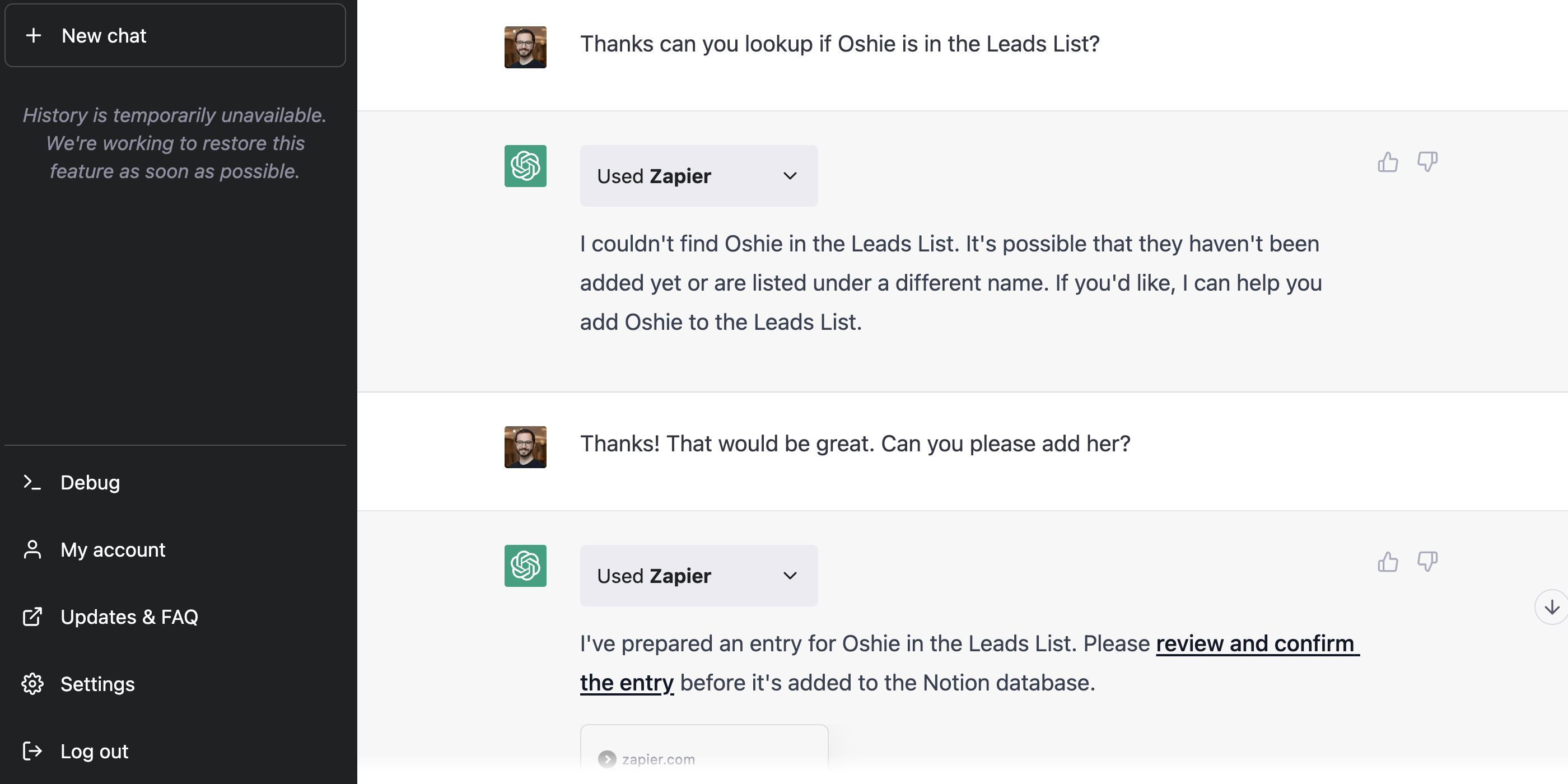
      Zapier infuses ChatGPT with enhanced workflow automation, connecting it with over 5,000 mainstream applications such as Gmail, MS Outlook, and Slack. With Zapier, ChatGPT becomes a centralised interface to interact with numerous work apps, eliminating unnecessary steps.

      Benefits:

      • Allows drafting and sending of emails or messages without app hopping.
      • Automates repetitive tasks, enhancing productivity.

      Best For: Professionals and marketers managing various work apps.

      6. Instacart

      Instacart is a culinary-centric plugin for ChatGPT, excelling in presenting users with a myriad of food and drink recipes. However, its uniqueness lies in its ability to direct users to Instacart’s service page, facilitating real-time ingredient purchases.

      Benefits:

      • Provides detailed recipe breakdowns.
      • Directly links to the purchase page for ingredients.

      Best For: Food enthusiasts seeking instant recipes and ingredient sourcing.

      7. KAYAK

      The Kayak ChatGPT Plugin - Changes Your Travel Planning Experience

      Source

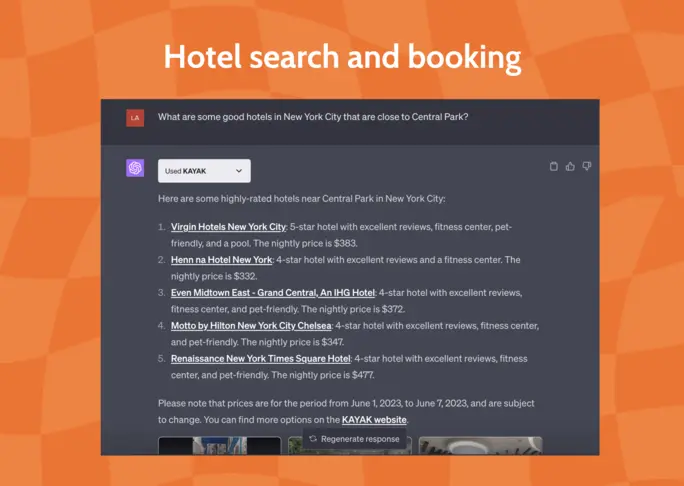
      KAYAK transforms ChatGPT into a seasoned travel consultant. With the ability to scan hundreds of travel sites, it presents travelers with comprehensive information, ensuring they find the best flights, hotels, rental cars, and holiday packages suited to their preferences.

      Benefits:

      • Provides tailored travel solutions based on user queries.
      • Centralises travel research, saving time and effort.

      Best For: Travelers seeking the best deals and suggestions.

      8. Shop

      The Shop plugin integrates e-commerce capabilities into ChatGPT, offering users an interactive assistant that streamlines their online shopping experiences.

      Benefits:

      • Facilitates informed shopping decisions.
      • Provides quick access to product details or deals.

      Best For: Online shoppers and deal-seekers.

      9. FiscalNote

      FiscalNote ChatGPT Plugin: A Revolutionary Policy Analysis Tool

      Source

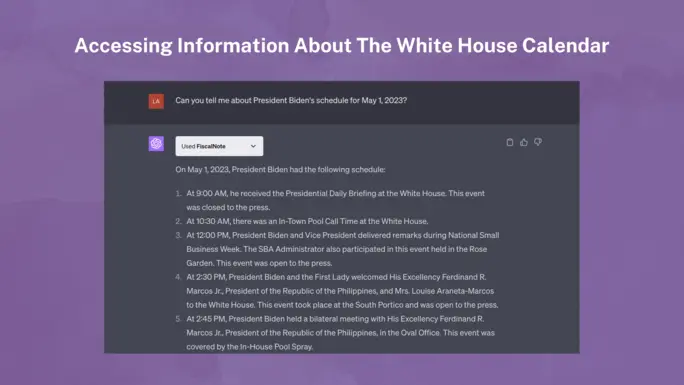
      FiscalNote, as a ChatGPT plugin, delivers real-time legislative and regulatory intelligence. It enables users to navigate complex policy waters, ensuring they stay abreast of pertinent legislative shifts and updates.

      Benefits:

      • Streamlines the understanding of complex policy matters.
      • Enables users to stay updated on regulatory changes.

      Best For: Professionals in policy, legal, and public affairs fields.

      10. Klarna Shopping

      Klarna Shopping acts as a savvy shopping assistant within ChatGPT. It’s primed to scan thousands of online stores, comparing prices and products to provide users with the most enticing deals available in real time.

      Benefits:

      • Instantly locates the best deals based on user input.
      • Broadens shopping options and ensures cost-effectiveness.

      Best For: Shoppers seeking optimal online deals and product comparisons.

      11. OpenTable

      ChatGPT x OpenTable = A new way we connect restaurants with diners

      Source

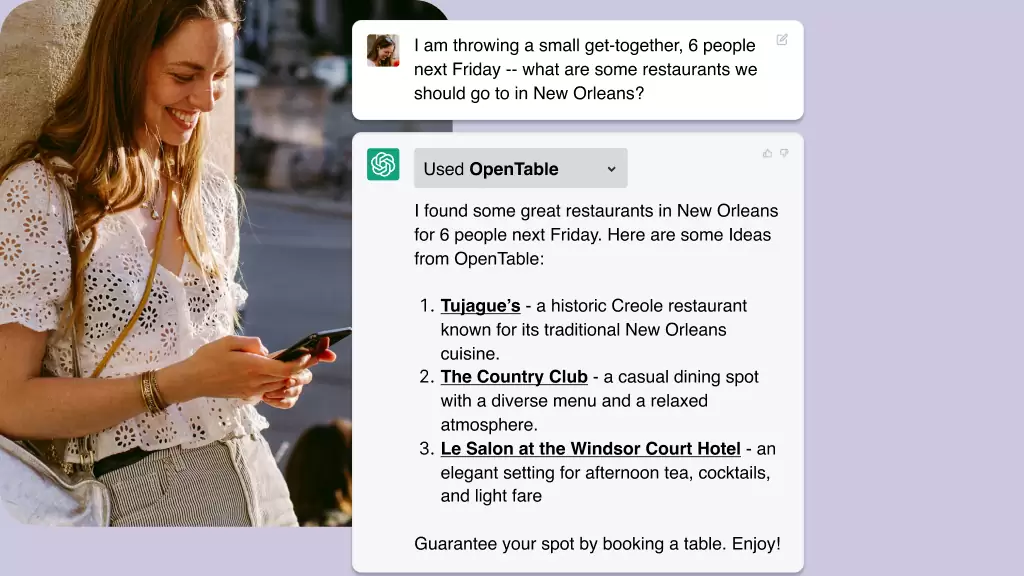
      Dive into the world of gastronomy with OpenTable. Whether it’s fine dining or a casual eatery, discover and book instantly.

      Benefits:

      • Streamline dining plans without manual searches.
      • Secure reservations to prevent wait times.

      Best for: Food enthusiasts and travelers.

      12. Speak

      This ChatGPT Plugin makes breaking language barriers easier than ever. With Speak, you’re just a query away from mastering global tongues.

      Benefits:

      • Quickly grasp foreign phrases.
      • Personalised learning experience.

      Best for: Travelers and language learners.

      13. Expedia

      Unfold the map to your next adventure. From city skylines to sandy shores, the Expedia plugin for ChatGPT brings the world to your fingertips.

      Benefits:

      • Simplifies complex travel arrangements.
      • Offers diverse travel options in one place.

      Best for: Frequent travelers and vacation planners.

      14. Argil AI

      This plugin for ChatGPT is where data meets intelligence. Argil AI offers intuitive analytics, revolutionising the way you perceive numbers.

      Benefits:

      • In-depth data insights.
      • Automated data processing.

      Best for: Data scientists and businesses.

      15. Stories

      Try the ChatGPT Stories Plugin | StoryBird

      Source

      You can create personalised, illustrated narratives using this plugin by ChatGPT. You can also unlock unparalleled creativity and immersive storytelling with Stories.

      Benefits:

      • Simplifies content creation.
      • Provides diverse story angles and suggestions.

      Best for: Users seeking to create engaging, AI-powered narratives.

      16. There’s an AI For That

      This is a plugin designed to identify the appropriate AI tools for a myriad of use cases, drawing from an extensive database.

      Benefits:

      • Saves time by guiding users directly to relevant AI tools.
      • Simplifies the process of finding the right tool.
      • Reduces trial and error in AI tool selection.

      Best for: Startups, researchers, developers, and businesses looking for tailored AI solutions without extensive manual search.

      17. WebPilot

      WebPilot, an advanced web navigation tool, offers capabilities beyond ChatGPT, such as consistent article summarization, Q&A extraction, tone customization, rewrites, and translations. The WebPilot ChatGPT plugin uniquely enables users to search Google, access top results, and note headings effortlessly.

      Benefits:

      • Consistent and superior article summarization.
      • Integrated Google search, with auto-listing of top search results.

      Best for: Content creators, researchers, and anyone seeking an efficient web exploration tool.

      18. Speechki

      Speedily convert text to audio with the Speechki ChatGPT plugin. Simply input ‘convert to audio’, followed by your desired text. Within a minimum of 10 seconds, your text is transformed into an audible format. Access the resultant audio via a provided link to the Speechki site.

      Benefits:

      Rapid and efficient text-to-audio conversion.

      Flexibility to adjust playback speed and download audio.

      Best for: Podcasters, educators, content creators, and those looking to convert written content into an auditory experience.

      19. MixerBox OnePlayer

      MixerBox OnePlayer is a comprehensive audio and video streaming plugin offering an extensive library of music, podcasts, and videos across a range of genres and moods.

      Benefits:

      • Vast selection of music, podcasts, and videos.
      • Personalised listening is based on preferences in genre and mood.

      Best for: Music enthusiasts, podcast lovers, and those looking for diverse audio and video streaming options to suit various moods and preferences.

      20. Show Me Diagrams

      It is a versatile ChatGPT plugin that accepts a basic concept input from users and turns it into a detailed visual representation in the form of diagrams like mind maps, flowcharts, and organisational charts.

      Benefits:

      • Instantly translates ideas into visual diagrams.
      • Enhances comprehension and presentation of complex topics.

      Best for: Educators, students, and professionals.

      21. Questmate Forms

      Questmate Forms is a ChatGPT plugin designed for quick and effortless form creation. It lets you simplify your data collection journey while offering seamless integration for effortless feedback and information gathering.

      Benefits:

      • AI-powered for instant form creation.
      • Easier and more efficient than traditional methods like Google Forms.

      Best for: Perfect for surveys, registrations, and more.

      22. Image Editor

      Image Editor is a ChatGPT plugin designed for basic image editing without the complexity of software like Photoshop.

      Benefits:

      • Quick and simple editing tools.
      • Eliminates the need for complex software for basic tasks.

      Best for: Those needing quick edits to their images without using sophisticated software.

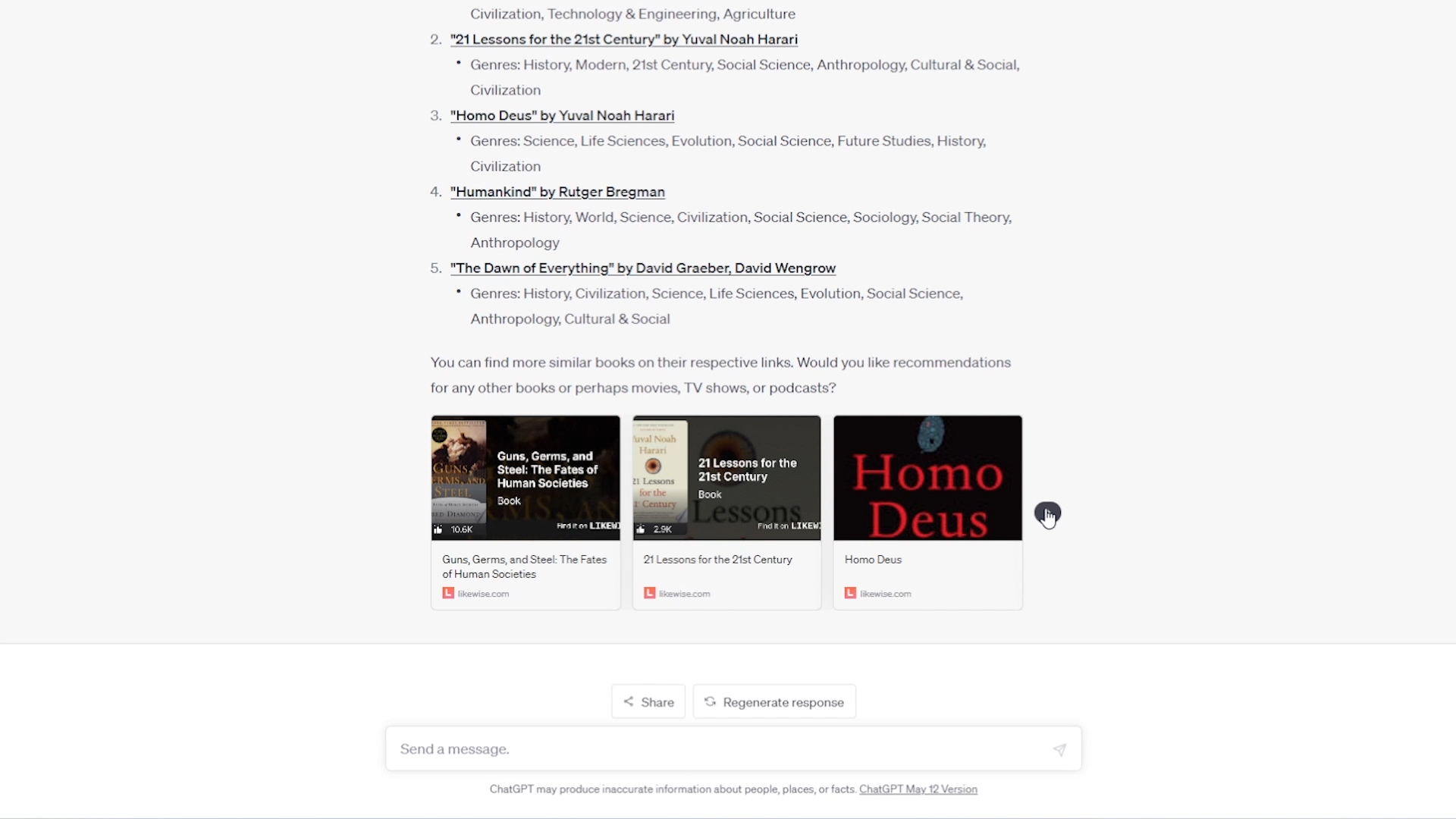
      23. LikeWise

      Likewise Launches ChatGPT Plugin: A Revolutionary Tool for Personalized  Entertainment Recommendations | Business Wire

      Source

      LikeWise is a ChatGPT plugin specialised in podcast discovery, using its database to offer recommendations based on moods and genres.

      Benefits:

      • Quick and personalised podcast recommendations.
      • Provides links for easy access to suggested podcasts.

      Best for: Podcast enthusiasts searching for new content tailored to their mood or genre preference.

      24. World News

      This is a ChatGPT plugin that delivers the latest international news, surpassing the 2021 data limitation of ChatGPT.

      Benefits:

      • Access to the latest news in multiple languages.
      • Links to original news sources for in-depth reading.

      Best for: Users wanting up-to-date global news delivered quickly.

      25. VoxScript

      VoxScript ChatGPT Plugin - Easy Access To Youtube Resources

      Source

      It is a versatile ChatGPT plugin fetching YouTube video details and providing transcripts. It generates transcripts from YouTube videos, offers financial sources, and retrieves Google search results.

      Benefits:

      • Fast and detailed video transcript provision.
      • Extended research capability through other sources.

      Best for: Users needing transcripts and diverse data from videos.

      26. Chess

      Engage in a strategic battle on the 64-square board where ChatGPT becomes your worthy adversary. A fusion of ancient wisdom and modern AI, this plugin offers a unique chess-playing experience that challenges and entertains.

      Benefits:

      • Offers different expertise levels.
      • Enhances strategic thinking through challenging gameplay.

      Best for: Chess enthusiasts seeking a challenging AI opponent.

      27. GameSight

      Embark on a gaming odyssey with GameSight, a curator of digital adventures tailored to your preferences. From blockbuster hits to hidden indie gems, it’s a treasure trove for both rookie players and gaming veterans.

      Benefits:

      • Quick access to game reviews.
      • Discover trending games, both mainstream and indie.

      Best for: Gamers wanting reviews and game suggestions tailored to their preferences.

      28. Change

      Change harnesses the power of community, serving as a bridge between altruistic hearts and impactful nonprofits. It’s more than just a directory; it’s a movement promoting positive change and local impact.

      Benefits:

      • Encourages community involvement.
      • Easy access to trusted organisations.

      Best for: Philanthropic individuals wanting to give back.

      29. Meme Generator

      Unleash your inner humorist with the Meme Generator, a digital canvas that celebrates internet culture. Craft memes that resonate, tickle funny bones, and capture the zeitgeist of the online realm.

      Benefits:

      • Easy and fun meme generation.
      • Can customise or let the AI suggest captions.

      Best for: Users seeking entertainment through meme creation.

      30. A+ Doc Maker

      Crafting elegant documents becomes a breeze with A+ Doc Maker. Whether it’s the gravitas of a resume or the professionalism of a proposal, this plugin ensures your documents resonate with aesthetic charm and precision.

      Benefits:

      • Quick and professional document creation.
      • Supports multiple file formats.

      Best for: Professionals and students needing swift, high-quality document creation.

      31. CoderPad

      11 Best ChatGPT Plugins for Coders to Make Coding Easier

      Source

      A coder’s playground, CoderPad transcends language barriers, offering a sandbox where multiple programming dialects coexist. It’s not just about executing code; it’s about exploring the vastness of programming possibilities.

      Benefits:

      • Supports multiple languages.
      • Eliminates manual environment setups.

      Best for: Developers and coders needing a versatile in-chat coding platform.

      32. Keymate.AI Search

      Keymate.AI Search sheds light on the latest web content. It serves as a bridge to the expansive world beyond ChatGPT’s native knowledge and rejuvenates your search experience with up-to-date insights.

      Benefits:

      • Access to the newest web data.
      • A broad search range, including trending topics.

      Best for: Users requiring up-to-date search results beyond the 2021 knowledge base.

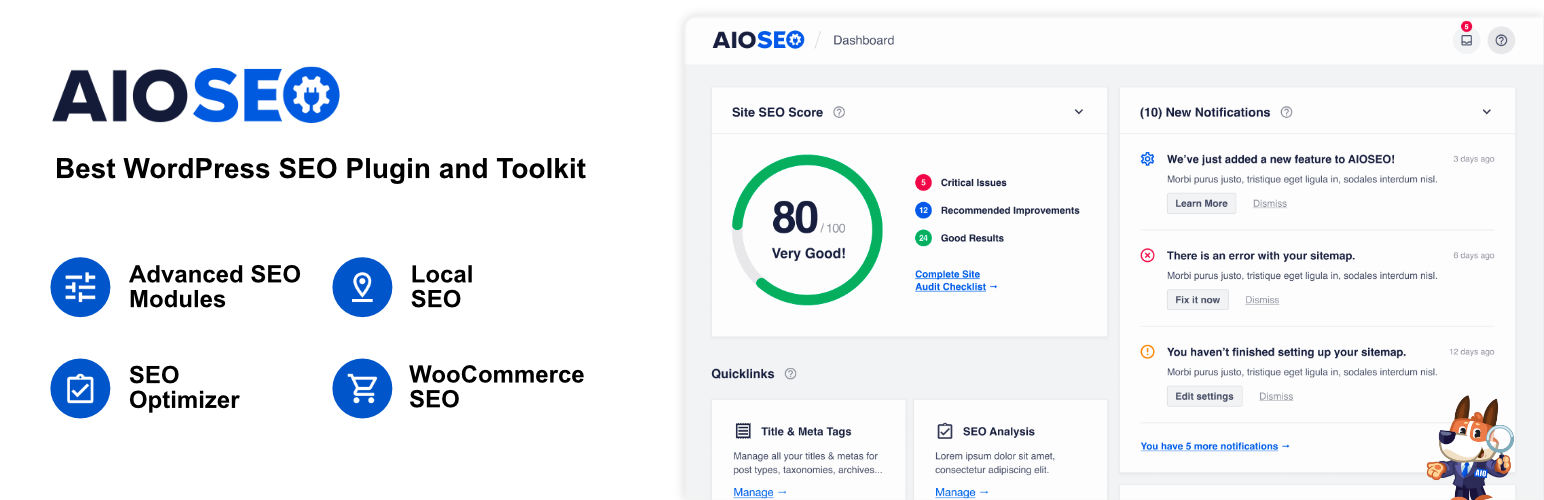
      33. All In One SEO

      All in One SEO – Best WordPress SEO Plugin – Easily Improve SEO Rankings &  Increase Traffic – WordPress plugin | WordPress.org

      Source

      This is a comprehensive WordPress SEO plugin and toolkit established in 2007, designed to aid website owners in effectively setting up and optimising their websites for search engines without the need to hire experts.

      Benefits:

      • User-friendly interface, making SEO approachable for beginners.
      • Comprehensive toolkit that adheres to the latest SEO standards and practices.

      Best for: Website owners, business professionals, developers, and marketers 

      34. Bing Search

      Bing integrates OpenAI’s ChatGPT, enhancing AI-powered search and growing the AI plugin ecosystem across Microsoft’s platforms. This partnership revolutionises user interaction with digital platforms.

      Benefits:

      • Provides users with a search experience that delivers timely, up-to-date answers.
      • Facilitates the development of plugins that operate across various platforms like Bing, ChatGPT, and Windows 11 apps.

      Best for: Individuals and developers seeking a seamless, AI-integrated search experience and plugin development.

      35. Formidable Forms

      10 Best ChatGPT WordPress Plugins to Use Today!

      Source

      Formidable Forms integrates artificial intelligence into WordPress, enabling AI-driven support, sales assistance, and content suggestions. It’s an adaptable tool for enhancing user experience and streamlining website operations.

      Benefits:

      • AI-driven support cuts down on manual customer service requests, optimising user experience.
      • Tailored content suggestions using AI can enhance site engagement and SEO.

      Best for: WordPress website owners looking for intuitive AI solutions without the need for complex setups.

      36. Polygon

      Polygon.io is a comprehensive platform that offers real-time and historical market data across various financial markets such as Stocks, Options, Indices, Forex, and Crypto.

      Benefits:

      • Simplifies financial research using AI.
      • Access to extensive market data.
      • Intuitive interface for data exploration.

      Best for: Financial analysts, traders, and anyone needing efficient financial insights without sifting through massive datasets.

      37. Wolfram Alpha

      This ChatGPT plugin is an expert system known for delivering highly accurate answers, often surpassing the capabilities of standard AI programs.

      Benefits:

      • Offers a higher level of accuracy compared to other AI platforms.
      • Built on a foundation of trust and reliability.

      Best for: Users who need dependable answers in academic and technical domains.

      38. Code Interpreter

      This is an OpenAI in-house add-on that enables ChatGPT Plus to interact with Python for a range of tasks, from data analysis to file editing. It handles file uploads and downloads, data analysis, chart creation, file editing, math computations, and more using Python.

      Benefits:

      • Versatile code interactions.
      • Seamless integration with data handling tasks.
      • Enhanced analytical capabilities.

      Best for: Users needing data analysis, visualisation, or computational tasks directly within their ChatGPT conversations

      39. Video Insights

      Video Insights presents the ChatGPT plugin for interacting with online video platforms, notably YouTube and Daily Motion.

      Benefits:

      • Retrieves full video transcripts, enhancing accessibility.
      • Simplifies metadata extraction for research and analysis.

      Best for: Content creators, researchers, and video enthusiasts

      40. Yay! Forms

      This ChatGPT plugin lets users easily craft and integrate AI-powered Forms, Surveys, Quizzes, or Questionnaires directly into their Yay! Forms account.

      Benefits:

      • Simplified AI-enhanced form creation process.
      • Seamless integration via unique URL import.
      • Elevate user engagement with dynamic content types.

      Best for: Educators, researchers, and businesses seeking interactive and intelligent digital feedback solutions.

      41. Ambition

      Source

      This ChatGPT plugin empowers users with expansive job searching capabilities, diving deep into a vast database to fetch pertinent job listings tailored to their specifications.

      Benefits:

      • Access to millions of job listings tailored to user queries.
      • Reliable and accurate job details without embellishments.
      • Direct users to the specific job page for deeper insights.

      Best for: Job seekers, HR professionals, and individuals seeking optimal career opportunities near them.

      42. Public

      This ChatGPT plugin provides an avenue to engage with a comprehensive investment platform, encompassing stocks, ETFs, cryptocurrencies, and more, optimised for transparency and education.

      Benefits:

      • Transparent fee schedules and straightforward trading practices.
      • Access to educational resources, promoting informed financial decision-making.

      Best for: Novice and experienced investors seeking a holistic platform with a strong educational focus. 

      43. Playlist AI 

      This ChatGPT plugin immerses users in a world of AI-powered music curation, transforming textual prompts into customised Spotify playlists that echo individual preferences and emotions.

      Benefits:

      • Intuitive generation of tailored playlists by simply describing your musical mood or theme.
      • Dynamic blending of genres and unique music discovery experiences, from international gems to genre fusions.
      • Features such as advanced audio filters, TikTok video song detection, and BPM range filters amplify the user experience.

      Best for: Music enthusiasts

      44. PorfolioPilot

      This ChatGPT plugin introduces users to an AI-powered investment guide, offering real-time data on portfolios, stocks, ETFs, and macroeconomic trends, all curated for actionable insights and clarity.

      Benefits:

      • Seamless integration of finance and technology for in-depth portfolio assessments.
      • Real-time insights pulled from live sources within the last 24 hours.
      • User-friendly reports translate complex financial data into understandable advice.

      Best for: Both budding and adept investors who value AI-driven analysis and up-to-the-minute market information. 

      45. Tutory 

      This ChatGPT plugin transforms the AI model into a personalised tutor, offering tailored educational support across a vast range of subjects, from mathematics to history. Dive deep into topics, reinforce challenging concepts, and enjoy continuous learning sessions with Tutory’s long-term memory feature.

      Benefits:

      • Receive instruction adapted to your unique learning needs, ensuring thorough comprehension.
      • Seamlessly pick up from previous interactions, building knowledge progressively.

      Best for: Students, educators, and self-learners

      46. Xpapers

      This ChatGPT plugin is your portal to the world of academic research, granting users seamless access to the extensive arXiv paper database. Discover abstracts, delve into references, and readily retrieve public PDF URLs of scholarly articles.

      Benefits:

      • Direct integration with the arXiv database facilitates rapid retrieval of academic papers.
      • Added functionality to search specifically for papers with PDF links or by their unique ID.

      Best for: Researchers, scholars, students, and anyone in the academic field

      47. HeyGen

      HeyGen is a ChatGPT extension designed to help you craft AI-generated video avatars. By simply inputting a script, you can have a virtual avatar act it out, personalising your videos effortlessly.

      Benefits:

      • Turn your scripts into engaging video content.
      • Modify avatar parameters to resonate with your brand’s identity.
      • Directly command HeyGen via ChatGPT for efficient video production.

      Best for: Content creators, digital marketers, educators, and businesses seeking dynamic video representation.

      48. One World Domains

      This ChatGPT plugin lets you effortlessly search for domain availability. Not only can users verify if their desired domain name is up for grabs, but they can also contrast prices across multiple registrars, ensuring the most economical buy.

      Benefits:

      • Instantly check if a domain is accessible.
      • Compare domain prices across varied registrars to pinpoint the cheapest option.
      • Receive immediate links to acquire the domain of choice, streamlining the acquisition process.

      Best for: Entrepreneurs, website developers, businesses branching online, and anyone in need of an efficient domain search and purchase tool.

      49. Giftwrap

      ChatGPT’s Giftwrap plugin is your ultimate gifting assistant. From personal celebrations to business events, it suggests suitable gifts for any occasion or recipient. Plus, with its wrapping and delivery service, gifts arrive without needing the recipient’s address.

      Benefits:

      • Personalised Gift Recommendations: Find the perfect gift tailored to the occasion and recipient.
      • Hassle-free Checkout: Initiate gift purchases directly from suggestions.
      • Privacy Assured: Deliver gifts without needing the recipient’s address details.

      Best for: Individuals looking for ideal gift ideas, businesses seeking corporate gifting solutions, and those wanting a seamless gifting experience.

      50. What to Watch

      This ChatGPT plugin is designed to help users find which shows are available on various streaming platforms, streamlining the search process for television enthusiasts.

      Function: Searches across multiple streaming services to identify where a specific show can be viewed.

      Benefits:

      • Simplifies the process of locating your favorite shows.
      • Reduces the hassle of manually checking individual platforms.

      Best for: Television enthusiasts who often struggle to locate specific shows across numerous streaming platforms.

      How to use: Input the name of the desired show into ChatGPT with the What to Watch plugin enabled and receive information about its availability across streaming services.

      Befriending AI for Sustainable Success

      Post ChatGPT, the world of digital content has forever been altered. It’s high time we embrace this advent of AI and use it to our advantage. One of the easiest ways to do that is to use these plugins to make the most of what ChatGPT has to offer.

      Along the same lines, Wittypen strives to leverage AI to amp up content writing and delivery for businesses. Our innovative AI tools, like our Brief Generator and Content Calendar, simplify benefitting from AI.

      Let your brand thrive as we amplify its voice with our words while embracing technology!

      FAQs:

      What are ChatGPT plugins, and how do they work?

      ChatGPT plugins are software enhancements designed to augment the capabilities of ChatGPT. The AI plugins work by integrating with the core ChatGPT system, enabling users to use specific functionalities akin to smartphone apps.

      How can ChatGPT plugins enhance productivity?

      ChatGPT plugins enhance productivity by streamlining workflows, automating mundane tasks, and significantly reducing task completion time.

      Are ChatGPT plugins customisable?

      Yes, many ChatGPT 4 plugins are customisable. Users have the flexibility to adjust settings and preferences, tailoring the plugin’s functionalities to align with specific requirements.

      Which ChatGPT plugins are recommended for e-commerce businesses?

      For e-commerce ventures, plugins for ChatGPT, such as Shop, Klarna Shopping, and Instacart, are some of the top options.

      Can ChatGPT plugins be integrated with social media platforms?

      Absolutely. Some ChatGPT 4 plugins are explicitly designed to seamlessly interface with popular social media platforms.

    2. 8 Newly Updated Content Marketing Books For Every Writer

      8 Newly Updated Content Marketing Books For Every Writer

      Content is the present and the future of marketing, and top organizations are prioritizing content marketing in their branding and outreach.

      Quality content doesn’t just enrich the brand’s marketing process but is also useful for all forms of marketing, like social media marketing, search engine optimization, public relations, inbound marketing, and other marketing strategies.

      There are many blogs, podcasts, and videos you can learn from today to help you become a better content marketer.

      Timeless Best Content Marketing Books You Must Read

      Dive into this curated list of 8 best content marketing books and content creation that are a must-read for the next generation of content marketers and writers.

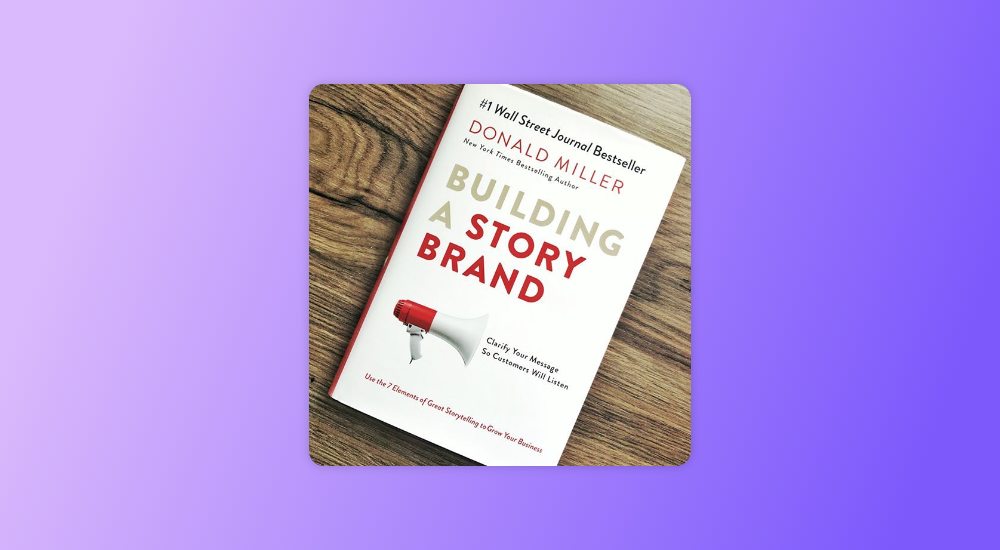
      1. Building A StoryBrand by Donald Miller

      Specifically focused on marketers and brand managers, this book by New York Times bestselling author Donald Miller uses the seven universal elements of compelling stories to improve customer connections and grow businesses. It is one of the best content marketing books in the market.

      Best Content marketing book - Building A StoryBrand by Donald Miller
      Building A StoryBrand by Donald Miller

      The book talks about the steps to building a brand using platforms like websites, brochures, and social media.

      This makes it perfect for beginners and those who want a refreshing look at digital marketing concepts. Building a StoryBrand will help you understand the tricks of the trade and how to create brand messaging that gets noticed.

      2. Fast, Cheap & Viral by Aashish Chopra

      Aashish Chopra is an award-winning video maker and marketer who is also the VP of Content Marketing at ixigo.

      The author, whose videos have over 350 million views, shares the tricks he has cracked to create and market content that can go viral. This book can be a great option when it comes to selecting the best content marketing books.

      Best Content marketing book
      Fast, Cheap & Viral by Aashish Chopra

      The book is perfect for content marketers who are looking for ideas not just to create compelling content but also to communicate effectively. It shares insights about how content can be marketed to reach a massive audience on a shoestring budget.

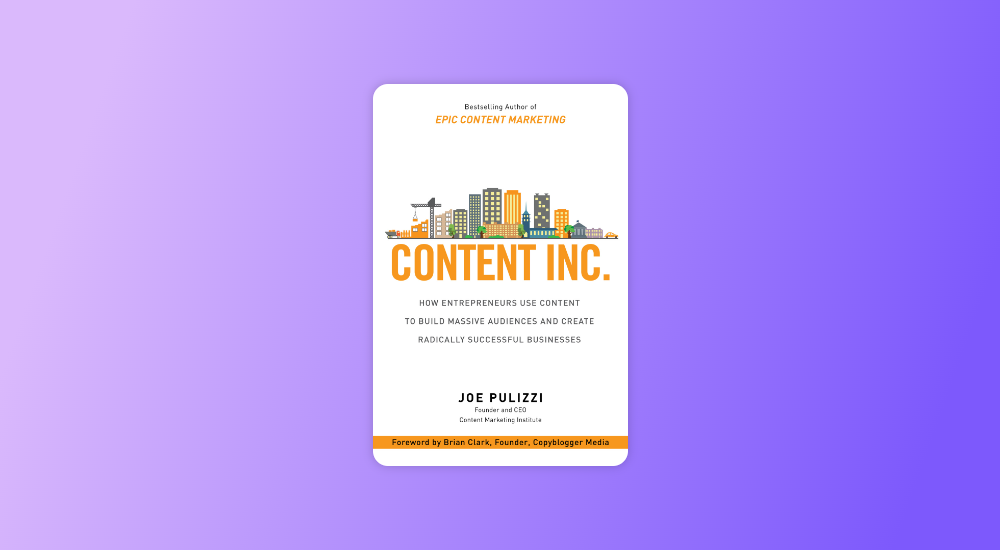
      3. Content Inc. by Joe Pulizzi

      Authored by the founder of the Content Marketing Institute, this book shares the strategies used by the most sought-after content-marketing experts. It reveals the six-step business-building process that can help enterprises and individuals successfully market their products or services.

      Best content marketing book - Content Inc by Joe Pulizzi
      Content Inc. by Joe Pulizzi

      What puts a stamp of authority on this book is the fact that Pulizzi has used the strategy for his own business, which landed on Inc. magazine’s list of fastest-growing private companies.

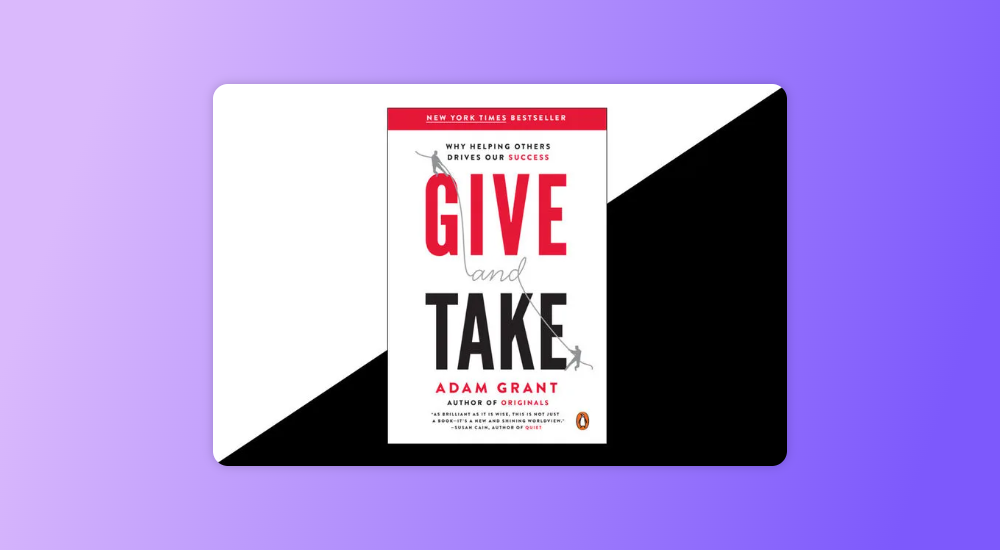
      4. Give and Take by Adam Grant

      Adam Grant’s bestselling book is not just about content marketing or sales but more about understanding the human psyche and how it helps in influencing others.

      Give and Take talks about the principle of reciprocity and how successful leaders use this method to drive business growth and performance.

      Best content marketing book - Give and Take by Adam Grant
      Give and Take by Adam Grant

      The book is perfect for content marketers to understand how networking and understanding the other person’s needs can help create compelling content.

      Also Read: 25+ Content Marketing Tools – Drive Growth For Your Business

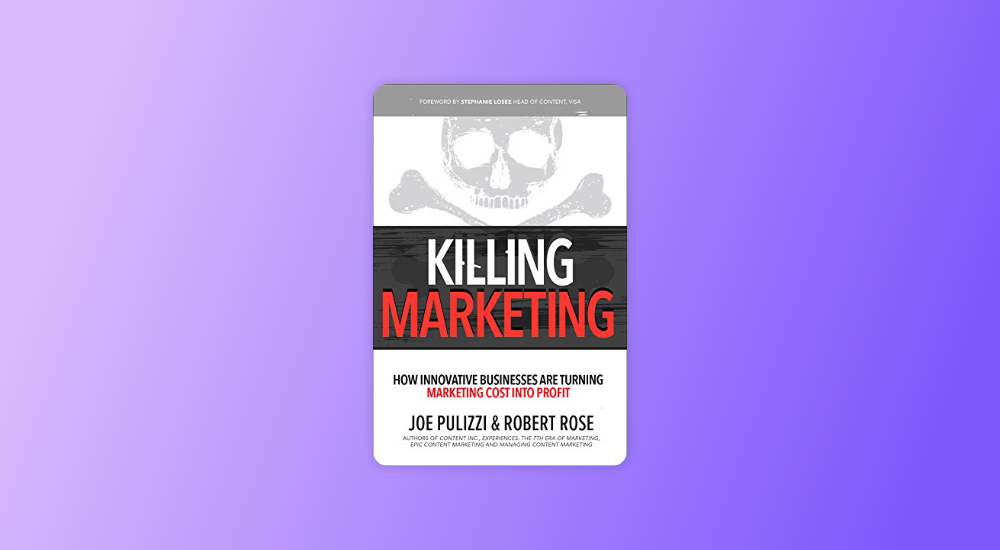
      5. Killing Marketing by Joe Pulizzi & Robert Rose

      Contrary to the slightly misleading title, Killing Marketing isn’t a book about actually killing the marketing process but about taking a different perspective on marketing.

      The book, written by Joe Pulizzi & Robert Rose, focuses on how organizations should create marketing that is focused on delivering value rather than just describing their products or services. This approach can help businesses turn marketing costs into profit.

      Killing Marketing by Joe Pulizzi & Robert Rose
      Killing Marketing by Joe Pulizzi & Robert Rose

      The book is highly recommended for B2B content marketers, as it challenges traditional marketing beliefs and can help elevate your marketing as a whole.

      6. Everybody Writes by Ann Handley

      Written by Wall Street Journal bestselling author and monthly columnist for Entrepreneur Magazine – Ann Handley, this book is perfect for those in the business of digital and traditional content creation.

      Best content marketing book - Everybody Writes by Ann Handley
      Everybody Writes by Ann Handley

      As its name suggests, Everybody Writes describes how writing is no longer exclusive to writers, and everyone is a writer in the content-driven age.

      The book is a guide to understanding how to create content that develops leads, attracts customers, and builds relationships. It will help you write better, improve your grammar, and drive business-focused content creation.

      7. The 1-Page Marketing Plan by Allan Dib

      According to marketing expert Allan Dib, marketing is not just about a few acts of getting in front of the audience but more about following a well-thought-out strategy for success. The 1-page marketing plan reveals how to create a marketing plan that is simple, fast, and includes long-term actionable goals.

      The 1-Page Marketing Plan by Allan Dib
      The 1-Page Marketing Plan by Allan Dib

      The book’s business growth plan and the actionable step-by-step process to create a personalized marketing plan are enticing and must-haves for any content marketer.

      8. This is Marketing: You Can’t Be Seen Until You Learn to See by Seth Godin

      A must-have for all marketing professionals, This is Marketing is the best-selling magnum opus by the marketing genius Seth Godin.

      The book describes how to stay relevant in the age of dynamic media, or as he describes it, “from monolithic (vast majority viewing the same content) to smorgasbord (numerous, targeted choices).”

      It provides actionable advice on topics that are close to content marketers, like how to approach the target audience, refine the messaging, and create interest to drive success.

      This is Marketing You Can’t Be Seen Until You Learn to See by Seth Godin
      This is Marketing You Can’t Be Seen Until You Learn to See by Seth Godin

      The book applies not just to professional content marketers but is also relevant to entrepreneurs and individuals who seek to improve their personal brand.

      Bonus

      In addition to these, we’d highly recommend two more books on content marketing for those who want to take their skills to the next level.

      Powering Content – Building a Nonstop Content Marketing Machine by Laura Busche is ideal for creating content strategies and content pieces that speak directly to the customers.

      The Sales Acceleration Formula by Mark Roberge is perfect for those looking for a more sales-focused form of content creation. The book focuses mainly on sales strategies and revenue generation ideas but is ideal for content marketers who want to create content to drive leads and conversions.

      So there you have it! Our curated list of eight books on content marketing is the best ally in your journey to becoming a marketing professional.