Are you tired of reading countless articles to learn new SEO concepts? If you’re someone who doesn’t like spending hours pouring through written content and also not compromising on learning, SEO podcasts are your jam.
Tuning into search engine optimization podcasts is an excellent ‘hack’ to get bite-sized insights from industry experts. Get to know what’s trending, what’s flat-out not working, and the current lay of the land with the best SEO podcasts in 2023.
Put on your headphones and listen to the best SEO podcasts listed below!
If you’re a marketing specialist looking to strengthen your technical SEO expertise, TechSEO is a go-to option. Hosted by the great conversationalist Keira Davidson, this podcast brings to you the best of technical SEO through expert insights, discussions, knowledge, and tips.
It covers a variety of technical SEO-specific topics, such as large-scale migrations, automated SEO testing, image optimization, improving page speed, and more.
Want to up your SEO and content marketing game but short on time to trawl the internet? With concise 20-minute episodes, Voices of Search is the perfect option for the busy bee.
Packed with data-driven advice, this show offers actionable strategies to help you navigate the topsy-turvy world of search engine marketing. It provides valuable insights on mobile SEO changes, optimizing how-to content, how social media impacts SEO and more.
SEO for the Rest of Us is an essential toolkit for creative and budding entrepreneurs who are ready to take on the SEO world. Spanning over 85 thought-provoking episodes, this podcast aims to demystify SEO complexities, helping rookies position their products and services better in the digital age.
Embrace the entrepreneurial spirit with this entertaining podcast hosted by SEO enthusiast Brendan Hufford.
Brace yourself for an exclusive peek into the behind-the-scenes look of Google Search, the hub of SEO, with this podcast. Brought to you by Google itself, this podcast guides you on how to use redirects, how to get a new website to rank, and topics like crawl budgets and image SEO.
Hear directly from the experts on Google’s Search Relations team as they share details on their search console features and current projects. If you’re searching for the top SEO podcasts, you’ve struck the gold with this one!
With this podcast, navigate through complex topics like leveraging ChatGPT for SEO, the role of machine learning in SEO, SEO auditing for large websites, and more, all within snackable, under-30-minute episodes.
Hosted by internationally acclaimed SEO consultant Aleyda Solis, this podcast is all you need to enter the crazy realm of SEO.
Set sail in the enchanting world of SEO with WTSPodcast, a podcast dedicated to women’s empowerment in Tech SEO. With 36 enlightening, women-centric episodes filled with incisive discussions, this podcast easily makes it to the list of the best SEO podcasts in 2023.
The podcast is focused on making SEO understandable for all. From overcoming imposter syndrome to learning how to scale an agency, amass the inspiration and knowledge you need to boost your career in SEO.
Finding it difficult to start a career in SEO? This podcast, hosted by international SEO consultant Isaline Muelhauser, explores the diversity of career paths in SEO with real stories and examples.
From discussing workplace bullying to starting an SEO career at the age of 60, Isaline delves into the nitty-gritty of the complex world of SEO and marketing.
Whether you’re a curious newcomer or a seasoned professional, this award-winning search engine optimization podcast has something for everyone.
Spanning over 680 engaging episodes, it includes comprehensive coverage of digital marketing aspects: SEO, Email marketing, search engine marketing, the latest marketing news, and much more.
The Marketing Speak podcast is a treasure chest of knowledge for those looking to boost their website traffic and business success. This isn’t just a monologue by your host, Stephan Spencer, but a dialogue featuring marketing geniuses and successful entrepreneurs sharing the tricks of the trade.
With 415 content-rich episodes, this podcast is your key to unlocking the secrets of digital marketing.
Get ready to take your marketing game to the next level with Search Live Talk Podcast. With over 17 years of experience under his belt, Robert O’Haver provides invaluable insights to bloggers and small businesses, leading them toward the path to success in the digital realm.
His wealth of experience shines through as he demystifies SEO intricacies, offering expert analysis and practical advice.
With 106 detailed episodes, this engaging podcast cuts through the noise, giving you actionable insights to generate leads, drive traffic, and build a thriving online business.
Struggling with SEO jargon and intricate theories? Journey into the realm of SEO with The Recipe for SEO Success Show, a podcast focused on augmenting your SEO understanding.
This podcast makes information accessible and understandable even for the most inexperienced listeners, making it one of the best SEO podcasts for beginners.
With a splendid line-up of 131 illuminating episodes, this podcast is a goldmine of SEO expertise for enthusiasts who are keen on learning from trustworthy experts. From link building to e-commerce and engagement, arm yourself with the insights you need to conquer the SEO world.
If you’re looking for the best SEO podcast for beginners, SEO 101 Podcast is the one for you. With a whopping 454 episodes, this podcast aims to build your fundamental knowledge, where you can start your SEO journey on the ground floor.
The podcasters at SEO 101 cover basic topics like keyword selection, understanding analytics, and more to help you establish a stronger knowledge base. Heralded as torchbearers of beginner-friendly SEO, Scott Van Achte and Ross Dunn ensure that listeners are not overwhelmed with technical information.
Immerse yourself in a treasure trove of practical tactics through this captivating Building Online Empires podcast presented by Human Proof Designs.
Whether you’re looking to gain insights into content site construction, enhance your affiliate SEO skills, or explore other valuable aspects of online business, this podcast arms you with strategies to navigate the dynamic world of digital marketing.
Unleash the marketer in you and navigate through the tough waters of SEO with this one of the best SEO podcasts.
No more scouring the web for content creation, content repurposing, content distribution, the latest SEO, social media, conversion optimisation, content marketing, and effective digital marketing strategies. With an astounding 276 episodes at your fingertips, you’ll never run out of productive content with the Seo Singh Show.
This is a podcast hosted by Karan, aka Seo Singh, a seasoned marketing expert who is committed to delivering his hard-earned wisdom to you. Nurture your brand and catalyse your personal growth as a marketer with the Seo Singh Show’s massive podcast library.
Baffled by the massive information about SEO? Look no further than the Search Engine Journal Show, one of the best SEO podcasts available. With nearly 349 insightful episodes, this podcast delves into current SEO topics and includes in-depth interviews with industry experts.
Best-suited for seasoned SEO professionals, it is your one-stop resource for learning about PPC ad compliance, Google algorithm updates, and other technical aspects of search marketing.
With “The Search Engine Journal Show,” get ready to delve deeper into digital marketing, boosting your SEO skills and staying ahead of the curve.
Take the Leap with the Best SEO Podcasts
Tuning into these SEO podcasts is a great way to build and gain the knowledge you need to develop a solid content marketing strategy. But how do you implement it?
If you’ve done your homework, you know consistency in any SEO content strategy is the pivotal condition for success.
Here’s when outsourcing your content creation will guarantee your consistency. With a team of dedicated writers, editors, and managers, Wittypen takes care of your SEO content writing needs while you focus on the technical nitty-gritty of SEO.
Want to accelerate and streamline SEO content creation? Explore our annual Content Growth Packages, powered with human expertise, featuring AI tools!
FAQs
How can I find SEO podcasts that are relevant to my business?
The easiest and quickest way to find podcasts is to perform a discovery Google search. Just select your niche and type in “business podcasts,” and you’re done!
Are SEO podcasts suitable for beginners?
Yes, the best SEO podcasts can act as useful learning tools for beginners. They can be your on-the-go hub of information and inspiration, helping you explore every nook and cranny of the SEO world.
How often should I listen to SEO podcasts?
Avoid binge-listening to podcasts, as it can impede your ability to learn and remember. It is recommended to finish one podcast episode a day. This will give your mind enough downtime to absorb and synthesise what you learn.
Can I implement the tips shared on SEO podcasts without professional help?
As an SEO expert or a business owner, you can turn to SEO podcasts for the latest, most effective SEO practices. You can implement the shared techniques and strategies without seeking professional services.
Are there any SEO podcasts that focus specifically on local SEO?
There are several local SEO podcasts available that can make you a better local marketer and SEO expert. Some of these include the Local SEO Tactics podcast, Let’s Talk Local Podcast, Local SEO Today Podcast, and more.
Over one-third of S&P 500 companies recently emphasised AI in their earnings calls, reflecting a palpable shift from just the previous quarter. The rise of AI, with ChatGPT at its forefront, has seen tech stocks surge.
There is absolutely no doubt that AI (especially ChatGPT) is changing the way we work. While ChatGPT is helping professionals eliminate redundancy and boost productivity, ChatGPT plugins are the catalyst that can supercharge the AI dynamo.
Whether you’re a marketer looking to leverage AI for outreach or a developer eager to enhance conversational dynamics, understanding the best plugins for ChatGPT can be a game-changer.
We present you with the top ChatGPT plugins that can redefine your AI experience.
Let’s begin!
Top 50 ChatGPT Plugins You Can Use Right Now
This curated list brings together the crème de la crème of plugins. Enhance functionality, uncover hidden features, and elevate your ChatGPT experience to new heights.
First up, we have Wolfram. This ChatGPT plugin stands out due to its advanced capabilities. Powered by sophisticated data, Wolfram empowers ChatGPT users to tap into high-level computations and real-time data, addressing a myriad of queries beyond the basics.
Benefits:
Solve diverse queries, from genealogical trees to audio spectrograms.
Unique features like real-time date and time checks.
Best For: Users seeking a versatile, data-driven edge.
2. ChatWithPDF
ChatWithPDF transforms ChatGPT into your personal PDF assistant. Directly load your PDFs and extract essential insights without the hassle of manual skimming.
Benefits:
Directly upload and interact with PDF content.
Extract summaries, key points, or specific information on command.
Best For: Professionals, researchers, and students who need quick insights from their PDFs.
It is a user-centric ChatGPT extension to help articulate and optimise your prompts for better AI interactions. It optimises and refines user prompts for better AI interactions.
Benefits:
Produces more detailed and precise AI responses.
Simplifies the user’s process of articulating complex queries.
Best For: Users seeking deeper, more specific responses from ChatGPT.
GET IN TOUCH
Contact us today for a free consultation and learn more about our AI content writing services.
Link Reader stands out as an intuitive plugin for ChatGPT, designed to decipher the content of various links, including web pages, PDFs, and images. It transforms ChatGPT into a virtual reading assistant, making content accessibility a breeze.
Benefits:
Offers immediate content summaries or detailed answers.
Simplifies browsing by extracting info without opening the actual link.
Best For: Users wanting quick summaries or info from web links.
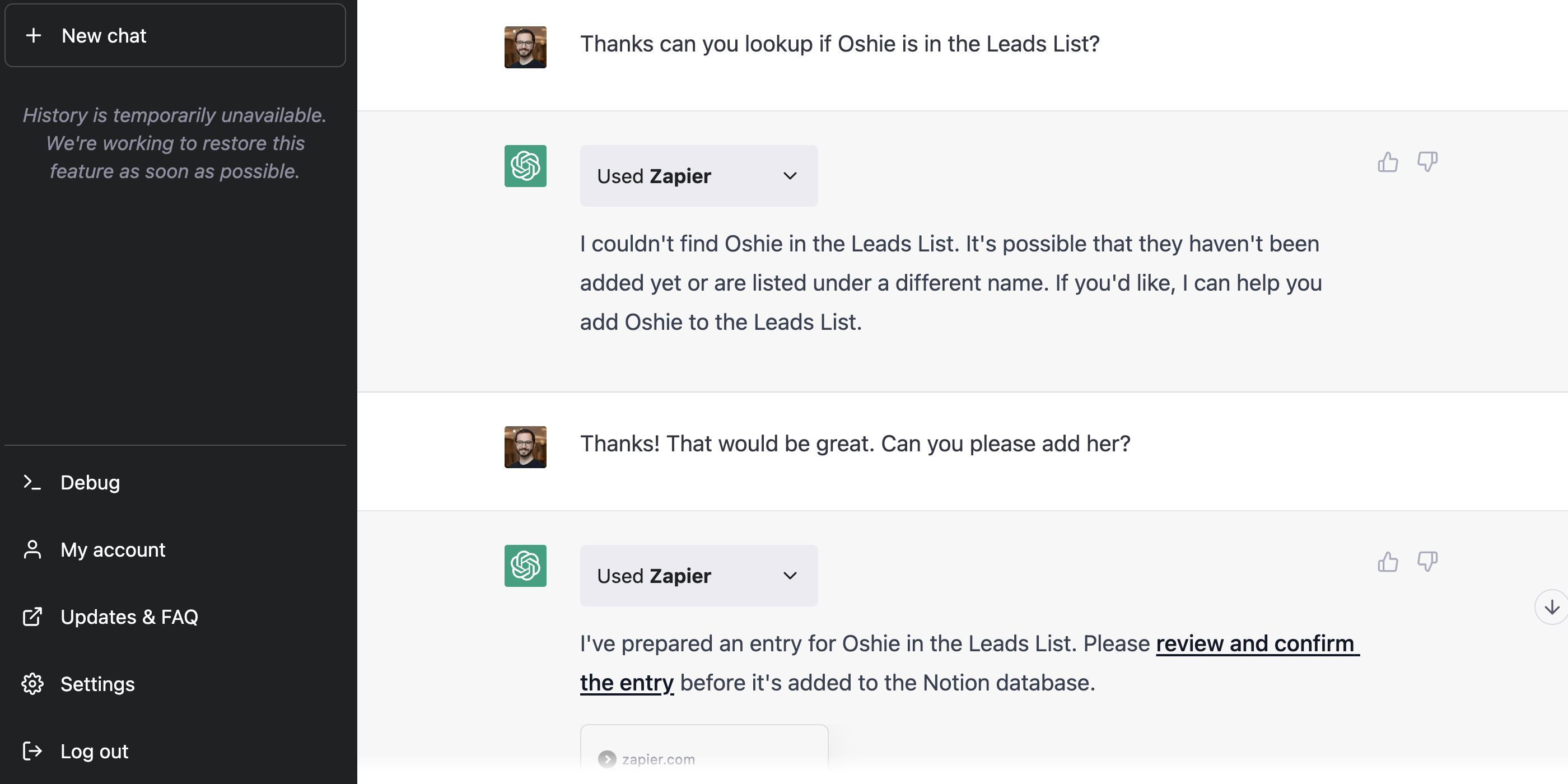
Zapier infuses ChatGPT with enhanced workflow automation, connecting it with over 5,000 mainstream applications such as Gmail, MS Outlook, and Slack. With Zapier, ChatGPT becomes a centralised interface to interact with numerous work apps, eliminating unnecessary steps.
Benefits:
Allows drafting and sending of emails or messages without app hopping.
Best For: Professionals and marketers managing various work apps.
6. Instacart
Instacart is a culinary-centric plugin for ChatGPT, excelling in presenting users with a myriad of food and drink recipes. However, its uniqueness lies in its ability to direct users to Instacart’s service page, facilitating real-time ingredient purchases.
Benefits:
Provides detailed recipe breakdowns.
Directly links to the purchase page for ingredients.
Best For: Food enthusiasts seeking instant recipes and ingredient sourcing.
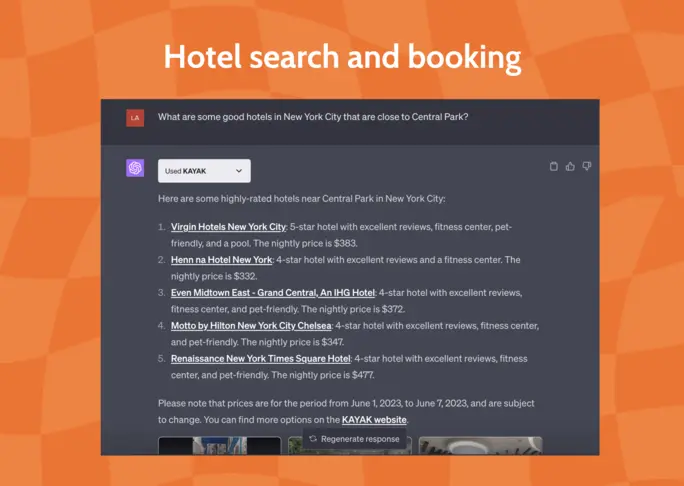
KAYAK transforms ChatGPT into a seasoned travel consultant. With the ability to scan hundreds of travel sites, it presents travelers with comprehensive information, ensuring they find the best flights, hotels, rental cars, and holiday packages suited to their preferences.
Benefits:
Provides tailored travel solutions based on user queries.
Centralises travel research, saving time and effort.
Best For: Travelers seeking the best deals and suggestions.
8. Shop
The Shop plugin integrates e-commerce capabilities into ChatGPT, offering users an interactive assistant that streamlines their online shopping experiences.
Benefits:
Facilitates informed shopping decisions.
Provides quick access to product details or deals.
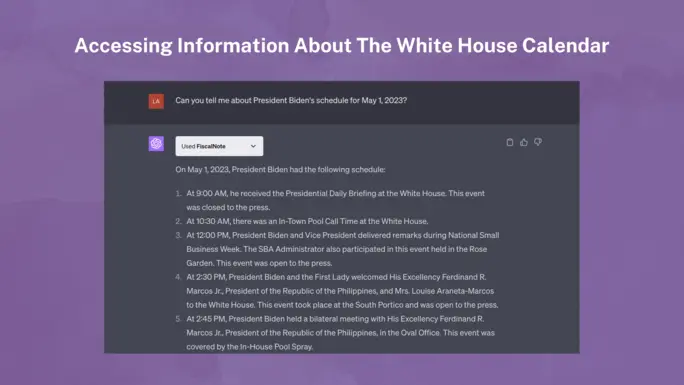
FiscalNote, as a ChatGPT plugin, delivers real-time legislative and regulatory intelligence. It enables users to navigate complex policy waters, ensuring they stay abreast of pertinent legislative shifts and updates.
Benefits:
Streamlines the understanding of complex policy matters.
Enables users to stay updated on regulatory changes.
Best For: Professionals in policy, legal, and public affairs fields.
10. Klarna Shopping
Klarna Shopping acts as a savvy shopping assistant within ChatGPT. It’s primed to scan thousands of online stores, comparing prices and products to provide users with the most enticing deals available in real time.
Benefits:
Instantly locates the best deals based on user input.
Broadens shopping options and ensures cost-effectiveness.
Best For: Shoppers seeking optimal online deals and product comparisons.
You can create personalised, illustrated narratives using this plugin by ChatGPT. You can also unlock unparalleled creativity and immersive storytelling with Stories.
Benefits:
Simplifies content creation.
Provides diverse story angles and suggestions.
Best for: Users seeking to create engaging, AI-powered narratives.
16. There’s an AI For That
This is a plugin designed to identify the appropriate AI tools for a myriad of use cases, drawing from an extensive database.
Benefits:
Saves time by guiding users directly to relevant AI tools.
Simplifies the process of finding the right tool.
Reduces trial and error in AI tool selection.
Best for: Startups, researchers, developers, and businesses looking for tailored AI solutions without extensive manual search.
17. WebPilot
WebPilot, an advanced web navigation tool, offers capabilities beyond ChatGPT, such as consistent article summarization, Q&A extraction, tone customization, rewrites, and translations. The WebPilot ChatGPT plugin uniquely enables users to search Google, access top results, and note headings effortlessly.
Benefits:
Consistent and superior article summarization.
Integrated Google search, with auto-listing of top search results.
Best for: Content creators, researchers, and anyone seeking an efficient web exploration tool.
18. Speechki
Speedily convert text to audio with the Speechki ChatGPT plugin. Simply input ‘convert to audio’, followed by your desired text. Within a minimum of 10 seconds, your text is transformed into an audible format. Access the resultant audio via a provided link to the Speechki site.
Benefits:
Rapid and efficient text-to-audio conversion.
Flexibility to adjust playback speed and download audio.
Best for: Podcasters, educators, content creators, and those looking to convert written content into an auditory experience.
19. MixerBox OnePlayer
MixerBox OnePlayer is a comprehensive audio and video streaming plugin offering an extensive library of music, podcasts, and videos across a range of genres and moods.
Benefits:
Vast selection of music, podcasts, and videos.
Personalised listening is based on preferences in genre and mood.
Best for: Music enthusiasts, podcast lovers, and those looking for diverse audio and video streaming options to suit various moods and preferences.
20. Show Me Diagrams
It is a versatile ChatGPT plugin that accepts a basic concept input from users and turns it into a detailed visual representation in the form of diagrams like mind maps, flowcharts, and organisational charts.
Benefits:
Instantly translates ideas into visual diagrams.
Enhances comprehension and presentation of complex topics.
Best for: Educators, students, and professionals.
21. Questmate Forms
Questmate Forms is a ChatGPT plugin designed for quick and effortless form creation. It lets you simplify your data collection journey while offering seamless integration for effortless feedback and information gathering.
Benefits:
AI-powered for instant form creation.
Easier and more efficient than traditional methods like Google Forms.
Best for: Perfect for surveys, registrations, and more.
22. Image Editor
Image Editor is a ChatGPT plugin designed for basic image editing without the complexity of software like Photoshop.
Benefits:
Quick and simple editing tools.
Eliminates the need for complex software for basic tasks.
Best for: Those needing quick edits to their images without using sophisticated software.
It is a versatile ChatGPT plugin fetching YouTube video details and providing transcripts. It generates transcripts from YouTube videos, offers financial sources, and retrieves Google search results.
Benefits:
Fast and detailed video transcript provision.
Extended research capability through other sources.
Best for: Users needing transcripts and diverse data from videos.
26. Chess
Engage in a strategic battle on the 64-square board where ChatGPT becomes your worthy adversary. A fusion of ancient wisdom and modern AI, this plugin offers a unique chess-playing experience that challenges and entertains.
Benefits:
Offers different expertise levels.
Enhances strategic thinking through challenging gameplay.
Best for: Chess enthusiasts seeking a challenging AI opponent.
27. GameSight
Embark on a gaming odyssey with GameSight, a curator of digital adventures tailored to your preferences. From blockbuster hits to hidden indie gems, it’s a treasure trove for both rookie players and gaming veterans.
Benefits:
Quick access to game reviews.
Discover trending games, both mainstream and indie.
Best for: Gamers wanting reviews and game suggestions tailored to their preferences.
28. Change
Change harnesses the power of community, serving as a bridge between altruistic hearts and impactful nonprofits. It’s more than just a directory; it’s a movement promoting positive change and local impact.
Benefits:
Encourages community involvement.
Easy access to trusted organisations.
Best for: Philanthropic individuals wanting to give back.
29. Meme Generator
Unleash your inner humorist with the Meme Generator, a digital canvas that celebrates internet culture. Craft memes that resonate, tickle funny bones, and capture the zeitgeist of the online realm.
Benefits:
Easy and fun meme generation.
Can customise or let the AI suggest captions.
Best for: Users seeking entertainment through meme creation.
30. A+ Doc Maker
Crafting elegant documents becomes a breeze with A+ Doc Maker. Whether it’s the gravitas of a resume or the professionalism of a proposal, this plugin ensures your documents resonate with aesthetic charm and precision.
Benefits:
Quick and professional document creation.
Supports multiple file formats.
Best for: Professionals and students needing swift, high-quality document creation.
A coder’s playground, CoderPad transcends language barriers, offering a sandbox where multiple programming dialects coexist. It’s not just about executing code; it’s about exploring the vastness of programming possibilities.
Benefits:
Supports multiple languages.
Eliminates manual environment setups.
Best for: Developers and coders needing a versatile in-chat coding platform.
32. Keymate.AI Search
Keymate.AI Search sheds light on the latest web content. It serves as a bridge to the expansive world beyond ChatGPT’s native knowledge and rejuvenates your search experience with up-to-date insights.
Benefits:
Access to the newest web data.
A broad search range, including trending topics.
Best for: Users requiring up-to-date search results beyond the 2021 knowledge base.
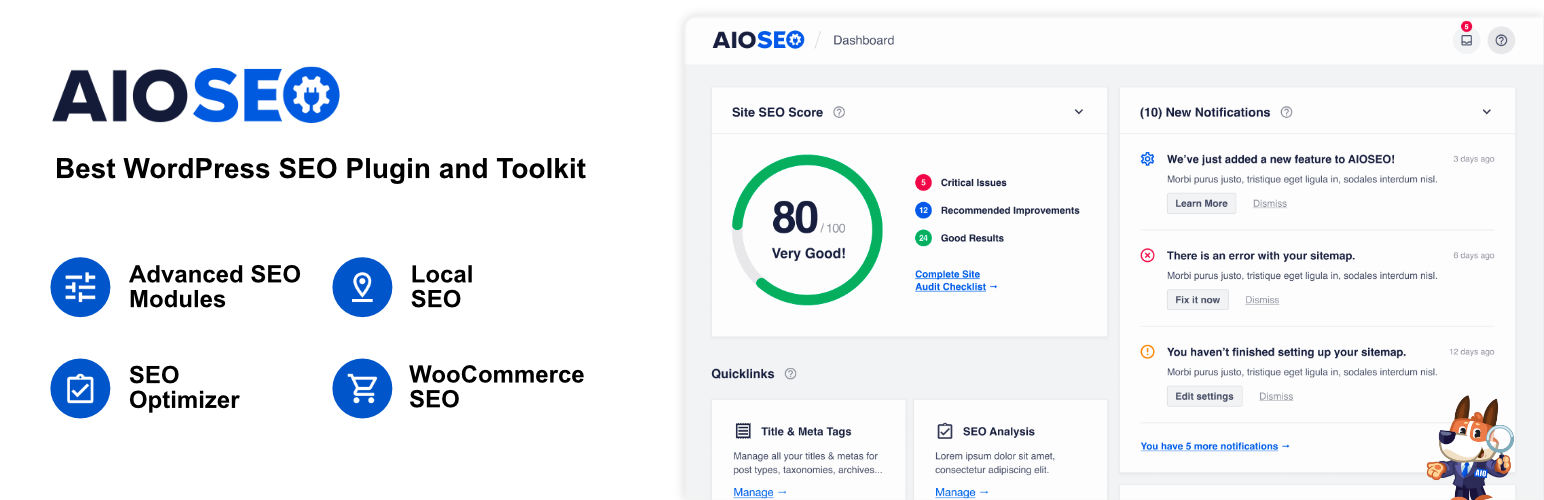
This is a comprehensive WordPress SEO plugin and toolkit established in 2007, designed to aid website owners in effectively setting up and optimising their websites for search engines without the need to hire experts.
Benefits:
User-friendly interface, making SEO approachable for beginners.
Comprehensive toolkit that adheres to the latest SEO standards and practices.
Best for: Website owners, business professionals, developers, and marketers
34. Bing Search
Bing integrates OpenAI’s ChatGPT, enhancing AI-powered search and growing the AI plugin ecosystem across Microsoft’s platforms. This partnership revolutionises user interaction with digital platforms.
Benefits:
Provides users with a search experience that delivers timely, up-to-date answers.
Facilitates the development of plugins that operate across various platforms like Bing, ChatGPT, and Windows 11 apps.
Best for: Individuals and developers seeking a seamless, AI-integrated search experience and plugin development.
Formidable Forms integrates artificial intelligence into WordPress, enabling AI-driven support, sales assistance, and content suggestions. It’s an adaptable tool for enhancing user experience and streamlining website operations.
Benefits:
AI-driven support cuts down on manual customer service requests, optimising user experience.
Tailored content suggestions using AI can enhance site engagement and SEO.
Best for: WordPress website owners looking for intuitive AI solutions without the need for complex setups.
36. Polygon
Polygon.io is a comprehensive platform that offers real-time and historical market data across various financial markets such as Stocks, Options, Indices, Forex, and Crypto.
Benefits:
Simplifies financial research using AI.
Access to extensive market data.
Intuitive interface for data exploration.
Best for: Financial analysts, traders, and anyone needing efficient financial insights without sifting through massive datasets.
37. Wolfram Alpha
This ChatGPT plugin is an expert system known for delivering highly accurate answers, often surpassing the capabilities of standard AI programs.
Benefits:
Offers a higher level of accuracy compared to other AI platforms.
Built on a foundation of trust and reliability.
Best for: Users who need dependable answers in academic and technical domains.
38. Code Interpreter
This is an OpenAI in-house add-on that enables ChatGPT Plus to interact with Python for a range of tasks, from data analysis to file editing. It handles file uploads and downloads, data analysis, chart creation, file editing, math computations, and more using Python.
Benefits:
Versatile code interactions.
Seamless integration with data handling tasks.
Enhanced analytical capabilities.
Best for: Users needing data analysis, visualisation, or computational tasks directly within their ChatGPT conversations
39. Video Insights
Video Insights presents the ChatGPT plugin for interacting with online video platforms, notably YouTube and Daily Motion.
Benefits:
Retrieves full video transcripts, enhancing accessibility.
Simplifies metadata extraction for research and analysis.
Best for: Content creators, researchers, and video enthusiasts
40. Yay! Forms
This ChatGPT plugin lets users easily craft and integrate AI-powered Forms, Surveys, Quizzes, or Questionnaires directly into their Yay! Forms account.
Benefits:
Simplified AI-enhanced form creation process.
Seamless integration via unique URL import.
Elevate user engagement with dynamic content types.
Best for: Educators, researchers, and businesses seeking interactive and intelligent digital feedback solutions.
This ChatGPT plugin empowers users with expansive job searching capabilities, diving deep into a vast database to fetch pertinent job listings tailored to their specifications.
Benefits:
Access to millions of job listings tailored to user queries.
Reliable and accurate job details without embellishments.
Direct users to the specific job page for deeper insights.
Best for: Job seekers, HR professionals, and individuals seeking optimal career opportunities near them.
42. Public
This ChatGPT plugin provides an avenue to engage with a comprehensive investment platform, encompassing stocks, ETFs, cryptocurrencies, and more, optimised for transparency and education.
Benefits:
Transparent fee schedules and straightforward trading practices.
Access to educational resources, promoting informed financial decision-making.
Best for: Novice and experienced investors seeking a holistic platform with a strong educational focus.
43. Playlist AI
This ChatGPT plugin immerses users in a world of AI-powered music curation, transforming textual prompts into customised Spotify playlists that echo individual preferences and emotions.
Benefits:
Intuitive generation of tailored playlists by simply describing your musical mood or theme.
Dynamic blending of genres and unique music discovery experiences, from international gems to genre fusions.
Features such as advanced audio filters, TikTok video song detection, and BPM range filters amplify the user experience.
Best for: Music enthusiasts
44. PorfolioPilot
This ChatGPT plugin introduces users to an AI-powered investment guide, offering real-time data on portfolios, stocks, ETFs, and macroeconomic trends, all curated for actionable insights and clarity.
Benefits:
Seamless integration of finance and technology for in-depth portfolio assessments.
Real-time insights pulled from live sources within the last 24 hours.
User-friendly reports translate complex financial data into understandable advice.
Best for: Both budding and adept investors who value AI-driven analysis and up-to-the-minute market information.
45. Tutory
This ChatGPT plugin transforms the AI model into a personalised tutor, offering tailored educational support across a vast range of subjects, from mathematics to history. Dive deep into topics, reinforce challenging concepts, and enjoy continuous learning sessions with Tutory’s long-term memory feature.
Benefits:
Receive instruction adapted to your unique learning needs, ensuring thorough comprehension.
Seamlessly pick up from previous interactions, building knowledge progressively.
Best for: Students, educators, and self-learners
46. Xpapers
This ChatGPT plugin is your portal to the world of academic research, granting users seamless access to the extensive arXiv paper database. Discover abstracts, delve into references, and readily retrieve public PDF URLs of scholarly articles.
Benefits:
Direct integration with the arXiv database facilitates rapid retrieval of academic papers.
Added functionality to search specifically for papers with PDF links or by their unique ID.
Best for: Researchers, scholars, students, and anyone in the academic field
47. HeyGen
HeyGen is a ChatGPT extension designed to help you craft AI-generated video avatars. By simply inputting a script, you can have a virtual avatar act it out, personalising your videos effortlessly.
Benefits:
Turn your scripts into engaging video content.
Modify avatar parameters to resonate with your brand’s identity.
Directly command HeyGen via ChatGPT for efficient video production.
Best for: Content creators, digital marketers, educators, and businesses seeking dynamic video representation.
48. One World Domains
This ChatGPT plugin lets you effortlessly search for domain availability. Not only can users verify if their desired domain name is up for grabs, but they can also contrast prices across multiple registrars, ensuring the most economical buy.
Benefits:
Instantly check if a domain is accessible.
Compare domain prices across varied registrars to pinpoint the cheapest option.
Receive immediate links to acquire the domain of choice, streamlining the acquisition process.
Best for: Entrepreneurs, website developers, businesses branching online, and anyone in need of an efficient domain search and purchase tool.
49. Giftwrap
ChatGPT’s Giftwrap plugin is your ultimate gifting assistant. From personal celebrations to business events, it suggests suitable gifts for any occasion or recipient. Plus, with its wrapping and delivery service, gifts arrive without needing the recipient’s address.
Benefits:
Personalised Gift Recommendations: Find the perfect gift tailored to the occasion and recipient.
Hassle-free Checkout: Initiate gift purchases directly from suggestions.
Privacy Assured: Deliver gifts without needing the recipient’s address details.
Best for: Individuals looking for ideal gift ideas, businesses seeking corporate gifting solutions, and those wanting a seamless gifting experience.
50. What to Watch
This ChatGPT plugin is designed to help users find which shows are available on various streaming platforms, streamlining the search process for television enthusiasts.
Function: Searches across multiple streaming services to identify where a specific show can be viewed.
Benefits:
Simplifies the process of locating your favorite shows.
Reduces the hassle of manually checking individual platforms.
Best for: Television enthusiasts who often struggle to locate specific shows across numerous streaming platforms.
How to use: Input the name of the desired show into ChatGPT with the What to Watch plugin enabled and receive information about its availability across streaming services.
Befriending AI for Sustainable Success
Post ChatGPT, the world of digital content has forever been altered. It’s high time we embrace this advent of AI and use it to our advantage. One of the easiest ways to do that is to use these plugins to make the most of what ChatGPT has to offer.
Along the same lines, Wittypen strives to leverage AI to amp up content writing and delivery for businesses. Our innovative AI tools, like our Brief Generator and Content Calendar, simplify benefitting from AI.
Let your brand thrive as we amplify its voice with our words while embracing technology!
FAQs:
What are ChatGPT plugins, and how do they work?
ChatGPT plugins are software enhancements designed to augment the capabilities of ChatGPT. The AI plugins work by integrating with the core ChatGPT system, enabling users to use specific functionalities akin to smartphone apps.
How can ChatGPT plugins enhance productivity?
ChatGPT plugins enhance productivity by streamlining workflows, automating mundane tasks, and significantly reducing task completion time.
Are ChatGPT plugins customisable?
Yes, many ChatGPT 4 plugins are customisable. Users have the flexibility to adjust settings and preferences, tailoring the plugin’s functionalities to align with specific requirements.
Which ChatGPT plugins are recommended for e-commerce businesses?
For e-commerce ventures, plugins for ChatGPT, such as Shop, Klarna Shopping, and Instacart, are some of the top options.
Can ChatGPT plugins be integrated with social media platforms?
Absolutely. Some ChatGPT 4 plugins are explicitly designed to seamlessly interface with popular social media platforms.
Content is the present and the future of marketing, and top organizations are prioritizing content marketing in their branding and outreach.
Quality content doesn’t just enrich the brand’s marketing process but is also useful for all forms of marketing, like social media marketing, search engine optimization, public relations, inbound marketing, and other marketing strategies.
There are many blogs, podcasts, and videos you can learn from today to help you become a better content marketer.
Timeless Best Content Marketing Books You Must Read
Dive into this curated list of 8 best content marketing books and content creation that are a must-read for the next generation of content marketers and writers.
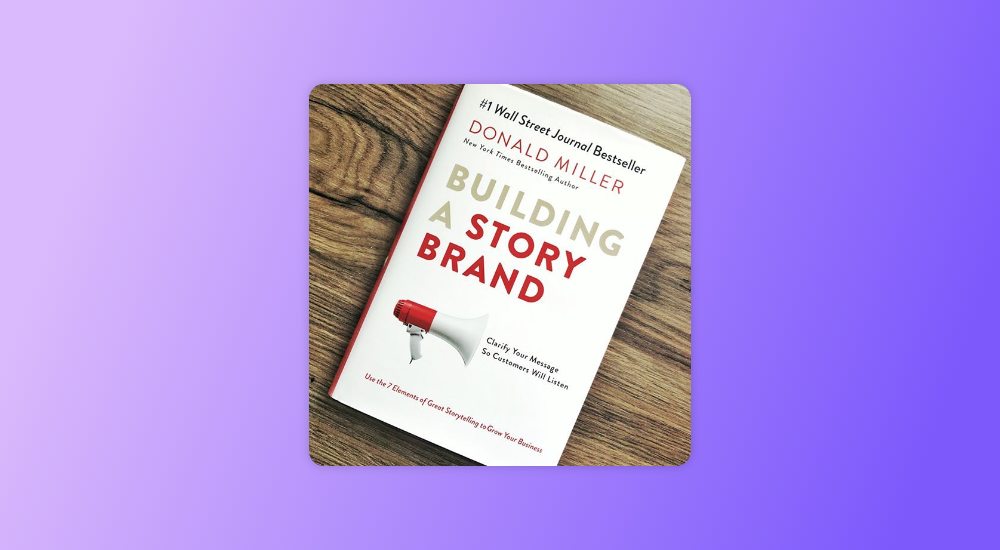
1. Building A StoryBrand by Donald Miller
Specifically focused on marketers and brand managers, this book by New York Times bestselling author Donald Miller uses the seven universal elements of compelling stories to improve customer connections and grow businesses. It is one of the best content marketing books in the market.
Building A StoryBrand by Donald Miller
The book talks about the steps to building a brand using platforms like websites, brochures, and social media.
This makes it perfect for beginners and those who want a refreshing look at digital marketing concepts. Building a StoryBrand will help you understand the tricks of the trade and how to create brand messaging that gets noticed.
2. Fast, Cheap & Viral by Aashish Chopra
Aashish Chopra is an award-winning video maker and marketer who is also the VP of Content Marketing at ixigo.
The author, whose videos have over 350 million views, shares the tricks he has cracked to create and market content that can go viral. This book can be a great option when it comes to selecting the best content marketing books.
Fast, Cheap & Viral by Aashish Chopra
The book is perfect for content marketers who are looking for ideas not just to create compelling content but also to communicate effectively. It shares insights about how content can be marketed to reach a massive audience on a shoestring budget.
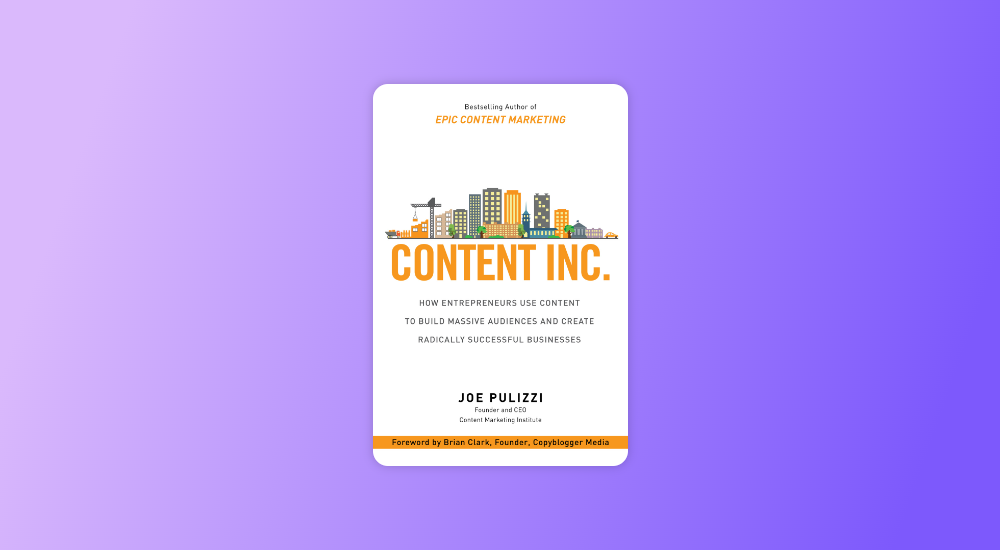
3. Content Inc. by Joe Pulizzi
Authored by the founder of the Content Marketing Institute, this book shares the strategies used by the most sought-after content-marketing experts. It reveals the six-step business-building process that can help enterprises and individuals successfully market their products or services.
Content Inc. by Joe Pulizzi
What puts a stamp of authority on this book is the fact that Pulizzi has used the strategy for his own business, which landed on Inc. magazine’s list of fastest-growing private companies.
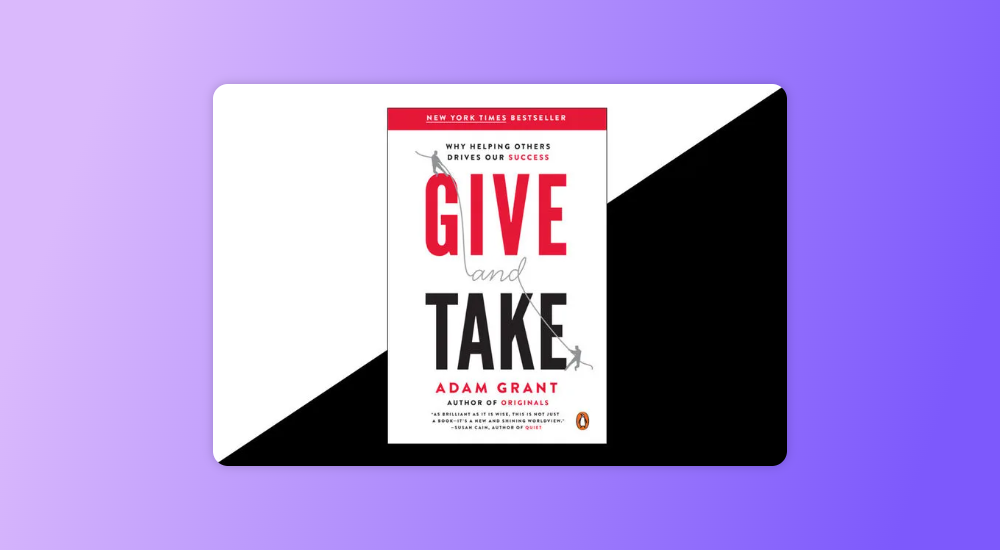
4. Give and Take by Adam Grant
Adam Grant’s bestselling book is not just about content marketing or sales but more about understanding the human psyche and how it helps in influencing others.
Give and Take talks about the principle of reciprocity and how successful leaders use this method to drive business growth and performance.
Give and Take by Adam Grant
The book is perfect for content marketers to understand how networking and understanding the other person’s needs can help create compelling content.
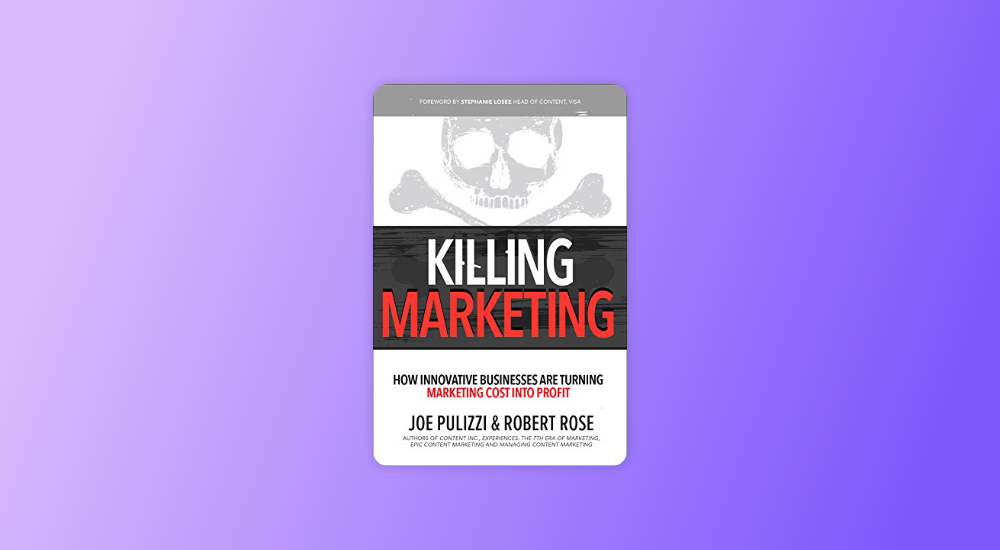
Contrary to the slightly misleading title, Killing Marketing isn’t a book about actually killing the marketing process but about taking a different perspective on marketing.
The book, written by Joe Pulizzi & Robert Rose, focuses on how organizations should create marketing that is focused on delivering value rather than just describing their products or services. This approach can help businesses turn marketing costs into profit.
Killing Marketing by Joe Pulizzi & Robert Rose
The book is highly recommended for B2B content marketers, as it challenges traditional marketing beliefs and can help elevate your marketing as a whole.
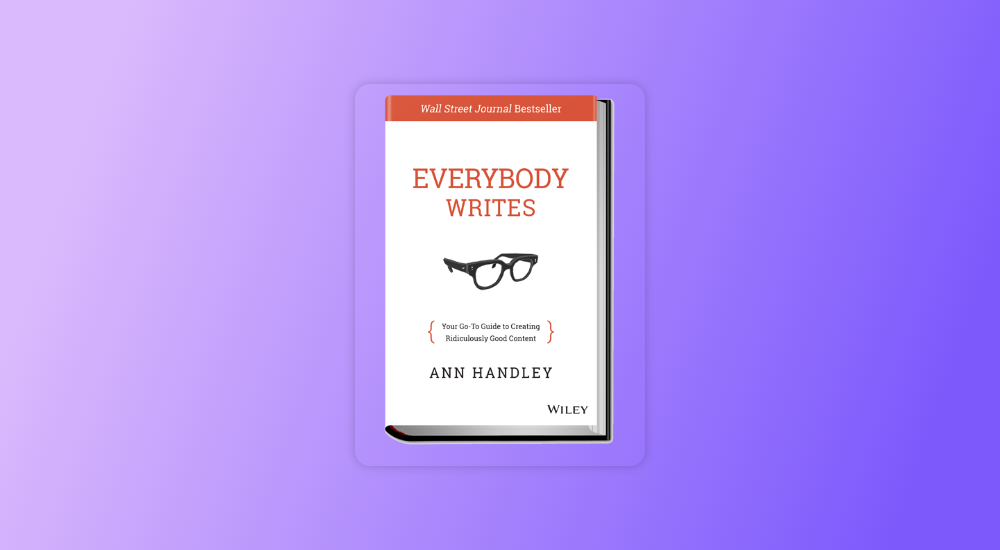
6. Everybody Writes by Ann Handley
Written by Wall Street Journal bestselling author and monthly columnist for Entrepreneur Magazine – Ann Handley, this book is perfect for those in the business of digital and traditional content creation.
Everybody Writes by Ann Handley
As its name suggests, Everybody Writes describes how writing is no longer exclusive to writers, and everyone is a writer in the content-driven age.
The book is a guide to understanding how to create content that develops leads, attracts customers, and builds relationships. It will help you write better, improve your grammar, and drive business-focused content creation.
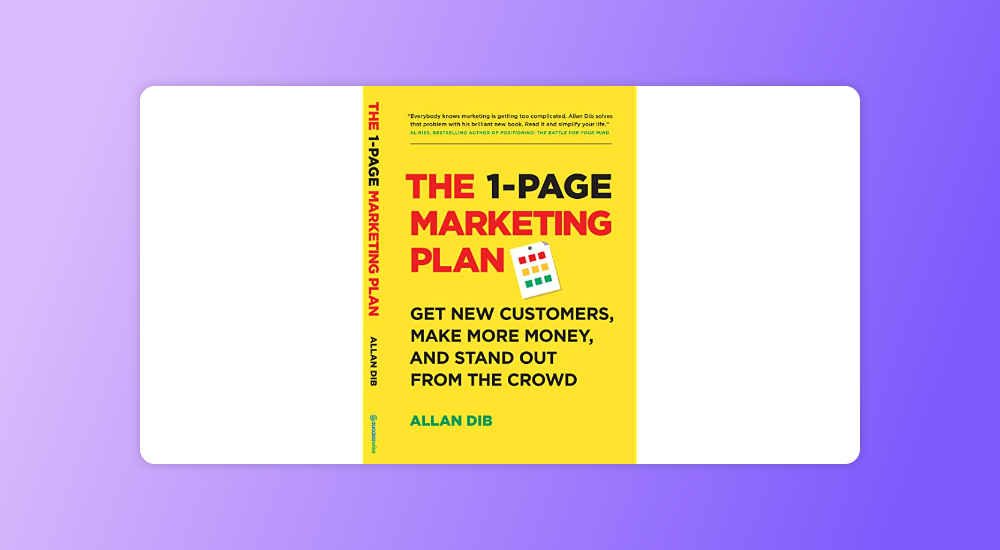
7. The 1-Page Marketing Plan by Allan Dib
According to marketing expert Allan Dib, marketing is not just about a few acts of getting in front of the audience but more about following a well-thought-out strategy for success. The 1-page marketing plan reveals how to create a marketing plan that is simple, fast, and includes long-term actionable goals.
The 1-Page Marketing Plan by Allan Dib
The book’s business growth plan and the actionable step-by-step process to create a personalized marketing plan are enticing and must-haves for any content marketer.
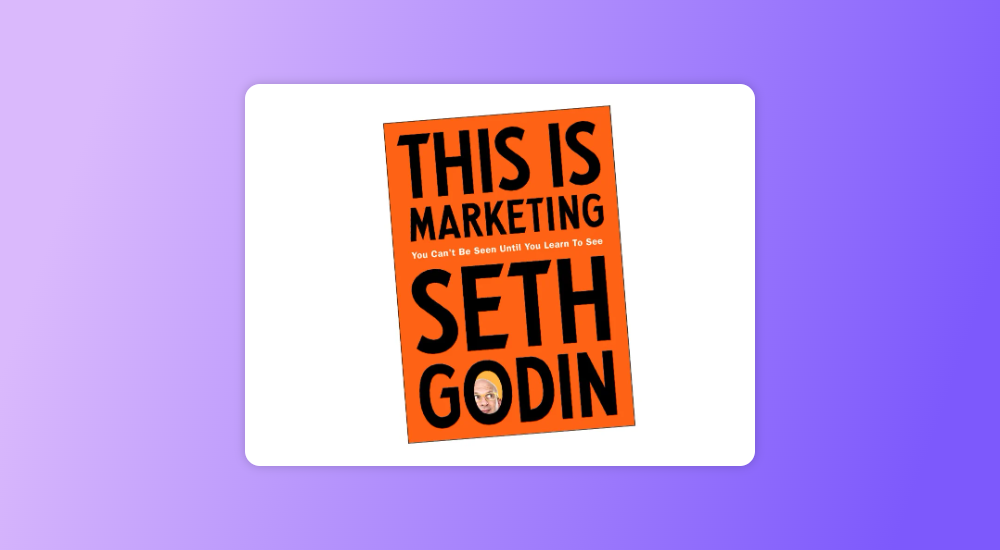
8. This is Marketing: You Can’t Be Seen Until You Learn to See by Seth Godin
A must-have for all marketing professionals, This is Marketing is the best-selling magnum opus by the marketing genius Seth Godin.
The book describes how to stay relevant in the age of dynamic media, or as he describes it, “from monolithic (vast majority viewing the same content) to smorgasbord (numerous, targeted choices).”
It provides actionable advice on topics that are close to content marketers, like how to approach the target audience, refine the messaging, and create interest to drive success.
This is Marketing You Can’t Be Seen Until You Learn to See by Seth Godin
The book applies not just to professional content marketers but is also relevant to entrepreneurs and individuals who seek to improve their personal brand.
Bonus
In addition to these, we’d highly recommend two more books on content marketing for those who want to take their skills to the next level.
Powering Content – Building a Nonstop Content Marketing Machine by Laura Busche is ideal for creating content strategies and content pieces that speak directly to the customers.
The Sales Acceleration Formula by Mark Roberge is perfect for those looking for a more sales-focused form of content creation. The book focuses mainly on sales strategies and revenue generation ideas but is ideal for content marketers who want to create content to drive leads and conversions.
So there you have it! Our curated list of eight books on content marketing is the best ally in your journey to becoming a marketing professional.
Have you ever noticed how Shopify has promoted a huge amount of useful and in-depth content, blogs, and guides that are full of tips, recommendations, and tricks from well-known influencers?
Its information center is packed with content, comprehensive guides to starting and growing an e-commerce store, videos, Podcasts, Case studies, and success stories.
Such content not only generates leads but also helps build trust between the brand and its users.
This is where content marketing features when it comes to SaaS businesses!
The web is full of generic sales flyers posed as white papers and promotional blogs that aren’t so subtly designed to boost sales.
However, even today, 88% of businesses use content marketing in SaaS because of the umpteen benefits it has brought to the business and the consumer. SaaS organizations need to create content that focuses on customer buying decisions, enhances qualified leads, improves organic search results, increases inbound links, and drives them to sales.
This shows that content marketing in SaaS is an extremely powerful tool for a lead generation without looking “commercial.” 85% of the largest SaaS companies use content marketing, and that number seems to be growing every year. However, not all content is capable of producing leads and conversions!
The goal of SaaS content marketing is to create content that stands out in its technical world of jargon, complex procedures, mathematical code, and complicated algorithms. Content is king, especially for SaaS businesses
that help in building brand sentiment, building brand credibility, and eventually enhancing sales.
Still not convinced! Let’s look at some facts, figures, and examples!
82% of consumers have a more positive view of a business after reading personalized content, and 90% find personalized content useful.
The number of backlinks is one of the key factors for top-ranking websites.
Let us take another example that has developed top-notch content marketing in SaaS.
Moz has diversified its approach to creating and promoting content. Rand Fishkin’s Whiteboard Sessions have been an integral part of the offering for years. Moz’s unique content strategy has skyrocketed brand visibility in the B2B world and positioned Moz as the go-to place for SEO tools.
In addition to its wide range of workshops, training courses, blog posts, and informative guides, Moz regularly produces a massive amount of content. Along with tips from the internal team and influencers adding extra credibility with guest content, Moz has built a thriving community that keeps the brand in the spotlight with B2B customers.
Key takeaways so far
Because SaaS content marketing require a long-term relationship with the customer, the content is essential to shape that relationship.
The content marketing strategy for SaaS increases brand awareness and improves ROI.
SaaS brands can drive education around their products using content.
What’s Different About SaaS Content Marketing?
Each company needs content marketing to grow organically – and this also applies to brands that offer SaaS products. The SaaS and Tech sectors are unique. Your audience is constantly trying to learn and grow professionally. SaaS content marketing strategy can be sometimes a little complicated because of it:
Requires a certain level of engagement, because of which building reputation and trust is essential
Involvement of decision makers and influencers because of longer sales cycles
Digital platforms contain technology, which can be difficult to understand at first.
Therefore, the Content marketing strategy for SaaS helps customers hone their skills which further builds a loyal community, and creates a sustainable revenue stream for the brand.
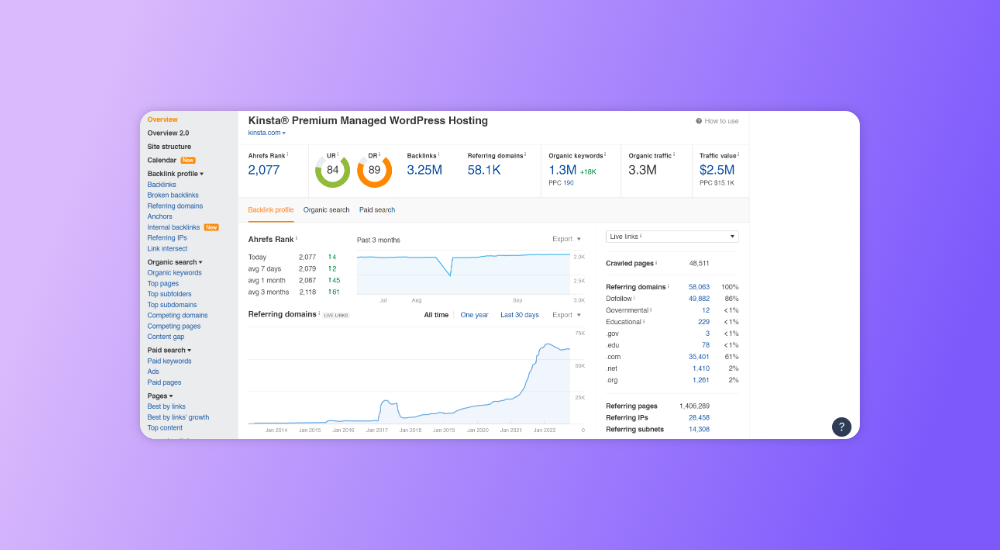
Let’s take another example – Kinsta, a premium WordPress hosting provider, has created valuable educational content and achieved a massive increase in website visitors. Kinsta talks about topics not directly related to the company’s hosting services but focuses on customers’ pain points and challenges.
Their blog covers broad topics relevant to WordPress developers and website owners. As of June 2022, they are attracting over 672,000 organic views per month.
How Content Marketing In SaaS Works
In the global report on the state of content marketing, IT and SaaS companies were asked how their SaaS content strategywas performing. Some of the key takeaways are:
65% of SaaS companies have a moderately advanced B2B SaaS content marketing strategy
92% of SaaS companies have some success in their content marketing activities
75% of SaaS companies plan to increase their content marketing budget by 2022
What Is The Need For An Effective SaaS Content Marketing Strategy
SaaS content marketing is more than just a way for users to learn about your product; it is an opportunity for them to contact you. By interacting with your content, they know your brand, your product, and what problems they have that you can solve.
Without content marketing in the SaaS strategy, it will be harder to meet consumer expectations. Consistent, high-quality content is no longer an option when competing with other brands for the top spot on Google – it’s a necessity. Content marketing builds brand awareness.
For small and medium SaaS businesses, content marketing is cost-effective and can generate more revenue than traditional marketing strategies. According to DemandMetric, it costs 62% less and generates 3X more leads than other marketing strategies. Informative content helps customers see the value your business can bring to their lives.
15 Essential Strategies For Content Marketing In SaaS
Content marketing conquers it and is responsible for various successful SaaS B2B companies around the world. Follow these strategies and strive to reach your organizational goals:
1. Identify Your Strategic Objectives For Content Marketing In SaaS
A strategic objective is not a measurement or a number. Setting appropriate strategic goals will help you optimize your SaaS content which plays an important role in your business structure and processes. Your business goals could be to:
Increase brand awareness with leads higher in the sales funnel than you previously targeted
Develop a reciprocal relationship with your audience to strengthen your business as a SaaS content marketer and encourage network effects
Create a contact list, with information helpful in determining which contacts are most likely to make the switch from lead to customer
Increase a cumulative flow of monthly leads for your sales force
Provide a steady flow of leads to automated systems
Encourage advocacy and customer loyalty
Content marketing built on SEO principles will encourage brand awareness and enhance the organic search visits which will eventually develop, fester, or decrease based on your B2B SaaS content marketing efforts. If the list structure is stopped, the number of contacts only drops as slowly as the unsubscribe rate.
Therefore, it is important to consider the cumulative nature of content marketing in SaaS when developing your strategic goals.
Let’s take this example.
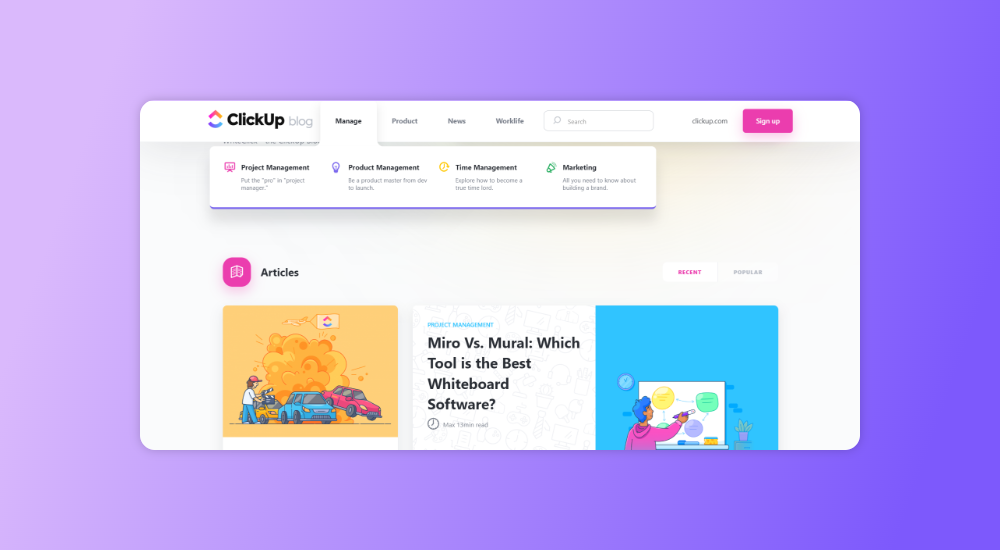
ClickUp is a project management tool that caters to different audiences, from different teams to different types of companies. It is essential to develop differentiated approaches to content. For example, when you land on the ClickUp blog, you can choose content based on the type of work you do and the type of challenges you have.
2. Define Your Stats
Once you have clear strategic goals, it’s time to define some beneficial performance metrics when marketing content for SaaS:
Increase in monthly visits per dollar invested
Percentage of new and repeat visitors
Sign-ups per visitor
The average LTV of each unique lead.
Increase in the number of subscribers
The first-touch attribution and the last-touch attribution.
SaaS companies ignore these metrics which can provide interesting insights into the quality of keyword choices, building funnels and lists, and customer longevity. Follow up on financially relevant and strategically relevant metrics that could potentially indicate opportunities, customer feedback, strengths, and weaknesses, of the business
3. Map your funnel
A content marketing in SaaS strategy must include three main strategic goals:
Place the funnel and locate your leads
Expand the funnel
Run leads through the funnel
Consider how natural funnels might be optimized, what other shapes potential sales funnels might take, and how these existing funnels interact with the brand identity you are trying to create. Let us look at a simple step-by-step example of how a funnel can be created at each level:
Step 1 – The lead discovers a blog article about a problem that is useful enough to keep the user’s attention at the end. The blog article naturally directs him to a resource that continues to support the problem or with a more important problem
Step 2 – The blog post has strengthened enough confidence, and the problem dealt with the resource is shared with him via the e-mail list
Step 3 – Satisfaction with the solutions presented in emails forms confidence in leadership. Leadership is informed of a problem that is solved by its SaaS or your awareness and your interest in this problem are improved
Step 4 – The lead visits a page on your website, which is often visited shortly before buying prospects. A marketing automation event is triggered which sends a special offer to the line
Step 5 – The visitor receives constant content on useful information on how SaaS is used to solve various problems
Finally, the lead uses the SaaS solution!
It is important to create these funnel models, make calculated hypotheses and measure them to improve their efficiency.
4. Strengthen Your Thoughts And Become Creative With Content Ideas
To design an effective SaaS content strategy, focus on the following elements:
Find out your key area, your experience, and your knowledge
Stick to your brand story, the values, and beliefs you want to promote
Identify leaders, stakeholders, and subject matter experts within your organization.
Use your product data to show usage trends, ad management strategies, and more.
Survey your users who have a wealth of information and data ready for thought leadership content
Collaborate with SMEs to bring new perspectives to your content. Employ tools like WittyPen for best results.
Collaborate with brands, other market players, and influencers to bring many great ideas to the table
Do some research and enhance your content with original data and facts.
5. Use Unique Content
Understand customer pain points and create SaaS content that meets these customer pain points.
Not many companies spend enough time creating parts of niche instruments that will appreciate their clients. Look at the creation of things such as business managers, host statistics, and articles that involve people – more than these generic articles that try to respond to keyword research. Find the balance, and use content that’s valuable, unique, and educational.
6. Develop A Keyword Conversion Strategy
Many SaaS companies choose keywords that are relevant to their audience, but they don’t go any further.
Keywords have the power to resonate with the customer’s journey and the buyer’s intent. Identify your conversion keywords by collaborating with an effective PPC team to conduct all of your keyword research. The PPC team has great datasets on what they’re bidding on and what queries they’re converting for the business.
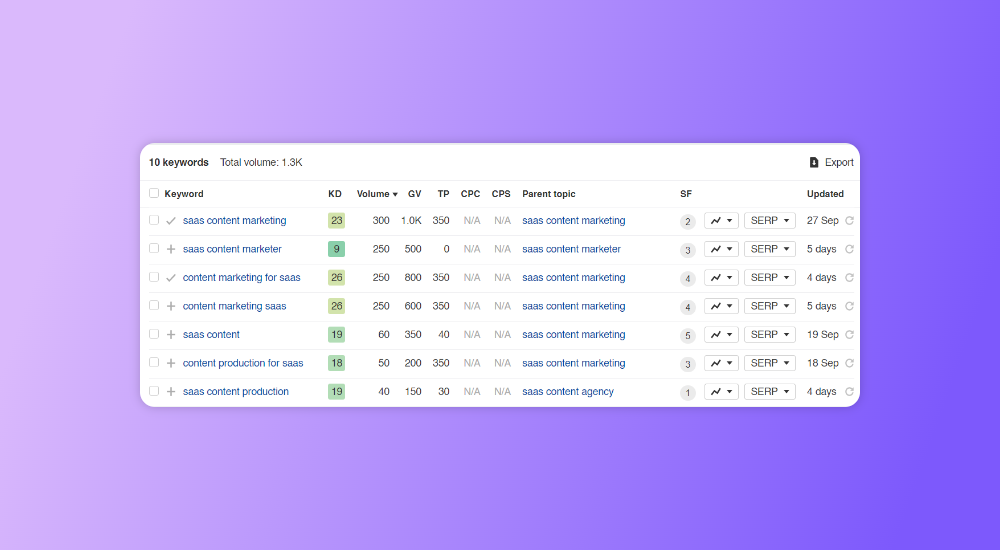
A common business mistake is looking at keyword volume rather than focusing on things closer to the people making the purchase decision. Focus on intent-based low-volume keywords. For example, for “SaaS content marketing”, some long tail keywords are
Content marketing in SaaS campaigns
SaaS content marketing strategy
Content development for Saas
SaaS content marketing
You can rely on tools like Google AdWords Keyword Planner, Ahrefs, or KeywordTool.io for competitive research. Pay attention to search terms on popular platforms to see what your target audience wants.
Keywords matter less when you’re producing content to distribute on platforms you don’t personally own and have a constant flow of its traffic. Avoid targeting “commercial” search terms for your content and showing interest in buying a product unless you are selling it yourself. Search engines are very good at reading user intent. So, if someone types in “buy SaaS”, Google won’t return your blog post titled “How to buy SaaS”.
Try focusing on keywords that indicate you want something deeper than a blog post, like an e-book, a white paper, or a case study to increase subscribers. Avoid cluttering your content with variations of the same keyword.
7. Develop a List Building Strategy
Your email list is the lifeline of your content marketing in SaaS efforts. There is no other
One of the most fundamental ways to stress the importance of a strong list-building strategy is building a robust email list, which is the lifeline of an effective SaaS content marketing strategy.
Most list-building strategies focus on compelling prospects to subscribe. The important thing is to ensure a transparent yet simple connection with your audience through CTAs, blog posts, and your SaaS itself. You can use:
Electronic books
Videos and Images
White papers
Training Courses
30 Day Challenge
Webinars
Original research like data-oriented content, case studies, and surveys
8. Develop An Awareness Strategy
Your awareness of SaaS content strategy can be through publishing and promotion of content. It consequently drives traffic to your site. Here are some recommended steps you can take to enhance awareness of your business, as a SaaS content marketer through content:
Send relevant outreach emails to your subscribers
Include influencers and ask them for an offer to quote them as experts. Let them know once the content is published.
Connect with influencers who want to share the type of content and also mention influencers in your content and let them know when the post is live.
Develop content with specific resource lists.
Add your content to the newsletter, which was organized by known influencers with a large broadcast list
Contact websites connected to similar content. Always provide them with context, don’t ask for anything if you don’t offer anything, and always initiate the conversation via e-mail
9. Focus On Effective Content Formatting
Regular content production for SaaS is important for Search engines to give an advantage to websites that regularly publish new and updated content. That being said, it’s not that hard to produce a lot of new content, especially when you have tools like WittyPen on board. If your content isn’t formatted correctly, your audience will struggle to comprehend it.
Here are some tips you can consider for formatting your content appropriately:
Keep your content paragraphs short as people have a short attention span online and short content makes it easier to retain information.
Break your content into smaller chunks using subheadings or even bulleted lists.
Leave white space in your content
Don’t overload with too much SaaS content that could overwhelm your readers.
Don’t forget to add visual images that can improve learning by 400% and can also be processed 60,000 times quicker than text.
Make the content scannable as most readers prefer not to read the entire content but to browse the content to get relevant information.
Put important stages and terms in bold, and don’t be afraid to use bullets and underlines to make your content easily scannable.
Provide Valuable and well-researched Information, whether short or long.
You can choose to write short content, but if you don’t include relevant information, your content may not rank in search engines like Google.
10. Publish The Content At The Right Places
Go with the 80/20 rule for content production for SaaS and promotion. Creating content is the job half done. It is the promotion that should take up more research and effort. If you spend 20% of your efforts and investment on writing content, you should be spending 80% of your time promoting it.
Getting your content ranked on Google isn’t easy these days. Back then, a 700-word you wrote would rank on Google within hours. But with immense competition, this has become impossible. Google now prefers to only rank relevant and useful content. You will need to put a lot of time and effort into creating and promoting content. Promote your well-researched, optimized, unique, and structured content, massively by:
Making your content SEO-friendly to get organic reach
Using paid marketing channels such as Facebook ads or google ads
Publishing content on social media platforms and in relevant social groups
Sharing your content on forums like Reddit and Quora email marketing
Contacting other relevant websites to request backlinks
You will have to put in a lot of effort to promote your SaaS content.
11. Choose Your SaaS Content Creators Wisely
Once you’ve established your keywords and topics, you should start producing keyword-focused content. To simplify content production for SaaS, you need to set up some procedures like:
Formulating a content calendar with a list of research topics to cover
Make sure the content you want to create is relevant to your target audience
Hire professionals like WittyPen who can help you with content production for SaaS, correction, and modification of content, and publishing or scheduling content. The experts and experienced writers at WittyPen will create a healthy mix of short and long-form SaaS content that will help your business attract a wider audience.
Another reason to pick a professional product is that they charge you less and save you a lot on local costs. Make sure you set a goal for each piece when sharing your content requirements with them. Keep a checklist handy with important points like:
What is your ultimate goal in creating the content?
Do you want to increase brand awareness, get more leads or just inform your target audience about your SaaS business?
When creating your content requirements, research your audience’s pain points to make sure your content solves their problems. When planning content, you need to make sure that you focus on consistency and post content often.
Don’t focus on a small or large audience. Instead, do thorough research and look behind the keywords to know the needs of your audience.
Concentrate on:
What questions do they ask on the forums?
What kind of questions seems to be constantly being evaded?
What kind of searches will these leads search for in Google?
Who do they follow on social media?
Which social networks, message boards, discussion groups, and newsletters do they actively visit?
Which YouTube channels do they watch?
What magazines, blogs, and newspapers do they read?
How far can you expand use cases to cover these audiences without being cynical?
Focus on reaching leads who are not yet interested in the business, and create effective and educational SaaS content that can reach a relevant audience for your brand.
While it’s nearly impossible to position yourself directly on every platform, you need to know which platforms your audience cares about. This gives you many options to post content, better understand your audience’s interests, and identify influencers.
13. Analyze Your Competition
Do a thorough analysis of your direct competitor’s backlinks to see where they are mentioned. Analyze their content on keywords and topics and on the platforms on which they concentrate. Use all these data in combination with intuitive navigation to find out how their content marketing in SaaS strategy appears.
Ultimately, these data must help you identify the weak points you can overcome in their content strategy. This can be integrated into a strong USP! Most of them are likely not to have particularly strong strategies for B2B SaaS content marketing. Focussed research will help you outperform them in some areas and discover several new opportunities.
Taking this approach makes it easier to identify your USP as a content provider, and gauge your audience and your competition. You can start formulating consistent SaaS content that resolves the problem and identify ways to promote it on multiple channels
14. Conversion
Customers are looking for offers, prices, specific applications – and everything that helps them make the final decision. Take a look at how web Zendesk copy, white papers, and case studies combine to share tangible results. This can help several decision-makers understand how the service can apply to them before sales discussions.
As soon as you have a distribution list, it is important to promote your users with precious content. While you can talk about your product, offers, and referral programs, you still need to value your audience more than you expect them to.
When your emails are helpful, practical, insightful, or refreshing, people keep reading, subscribing, and being happy.
15. When Creating Content, Focus On Quality, Not Quantity
The B2B SaaS content marketing should focus on search engine optimization and improving the quality of our content. You must focus on
Providing useful, practical, and innovative information while being relevant to the audience’s intent
Genuine content based on your expertise covering all potential questions and delivering an excellent user experience.
The written content should match the level of comprehension of the target audience. It should contain visual elements, short and easy-to-read sentences, and help the user to navigate the titles.
Always base your content on the 4 pillars of content writing – enhancing SEO, consistent readability, appropriate tone of voice, and novelty.
Conclusion
Solid content marketing for SaaS accounts for swelling growth, targets varied audiences from all ends of the globe, considers strategic objectives before metrics, uses a cumulative sales funnel as a foundation, thrives on selected keywords, and adheres to a strict but productive cycle.
B2B SaaS Content marketing takes your SaaS business to the next level and maps the entire customer journey.
The SaaS content marketing strategy should be such that it deals with the SaaS industry’s biggest challenges like solution complexity, longer purchase cycles, and urgent training needs.
WittyPen easily guides you through the entire process, enhances your online visibility, reaches new customers, and grows your business with organized and result-oriented content marketing.
If you’ve chosen WordPress for your website’s CMS (Content Management System), part of the reason would be its SEO-friendly, out-of-the-box features, right?
After all, search engine optimization in WordPress is a breeze, especially for individuals or those new to the digital marketing space. But merely using WordPress isn’t a replacement for a good SEO strategy, and there’s some effort you need to take to rank your website on Google and other search engines. This is where an SEO basics checklist adds tremendous value.
SEO is a continuous process that website owners need to follow and work on to help retain and increase their website’s ranking, using “natural,” “organic,” or “earned” results.
In this in-depth guide on WordPress SEO, we touch upon all the major steps you can take to improve SEO on WordPress and create a long-term WordPress SEO strategy.
The Ultimate WordPress SEO Checklist to Boost Traffic
If you have a WordPress website or are planning to create one, here’s an SEO basics checklist that will tell you how to implement SEO for WordPress and master WordPress SEO fairly quickly.
Think of this as a first step for improving SEO on WordPress, and use it as the base for your amazing website. Some of our essential WordPress SEO tips include:
1. Setting Up Google Analytics and Google Search Console
Google Search Console and Google Analytics are the very basics that you need to improve SEO on WordPress. Search Console is a tool to understand Google search results and keyword analytics. It needs to be connected to your Google Analytics account and WordPress website.
To do this, follow the steps below:
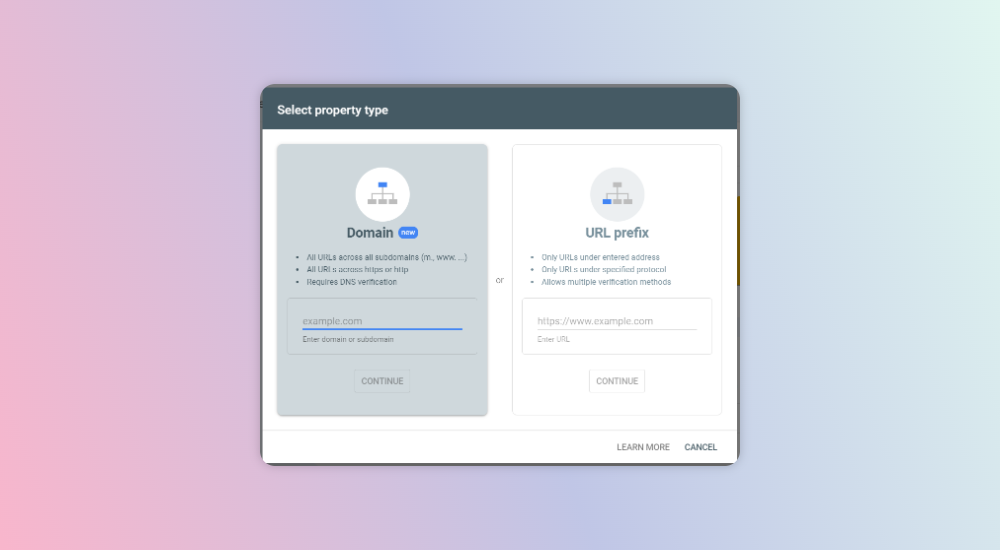
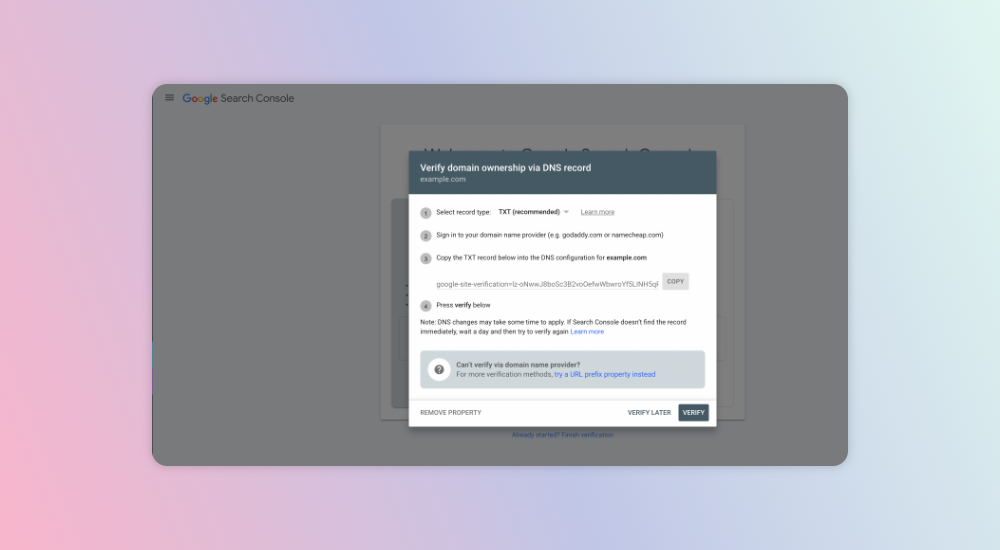
To start, go to Google Search Console and log in with your Google Analytics account. You will be taken to this Welcome screen once you have input your Google Analytics login details.
Once you’re on this page, you need to verify ownership using the Domain method or URL prefix method. We recommend using the Domain method, where once you input your domain or subdomain, you’ll be taken to the verification via DNS records.
Here, copy the TXT record and paste it into your DNS. Once this is done, you can easily go back to Search Console and click Verify—you’ll get a success message. For more assistance, visit Search Console Help.
And that’s it! Your website is connected to Google Search Console. Now, you’ll need to connect Google Search Console and Google Analytics.
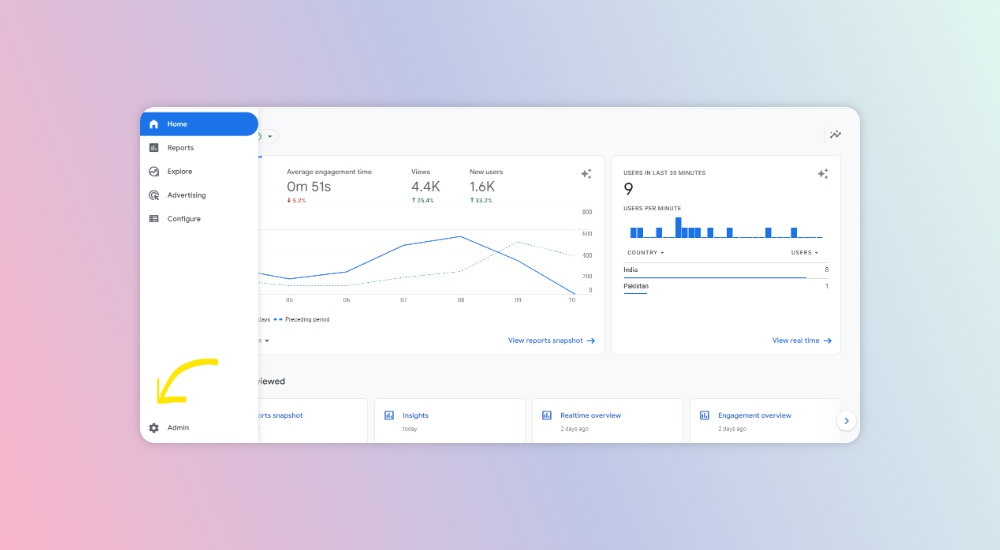
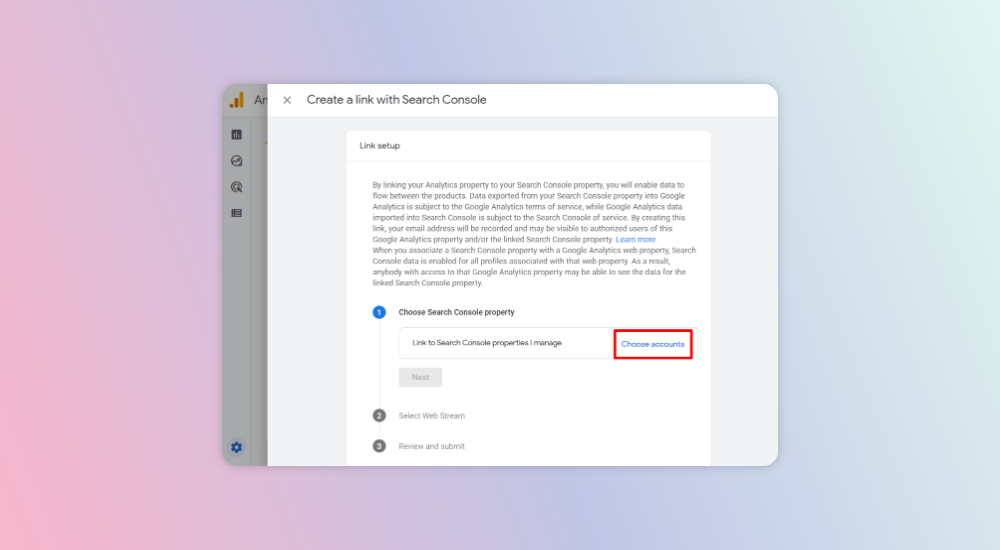
Next, log in to Google Analytics and click on the ‘Admin’ tab on the left-side panel.
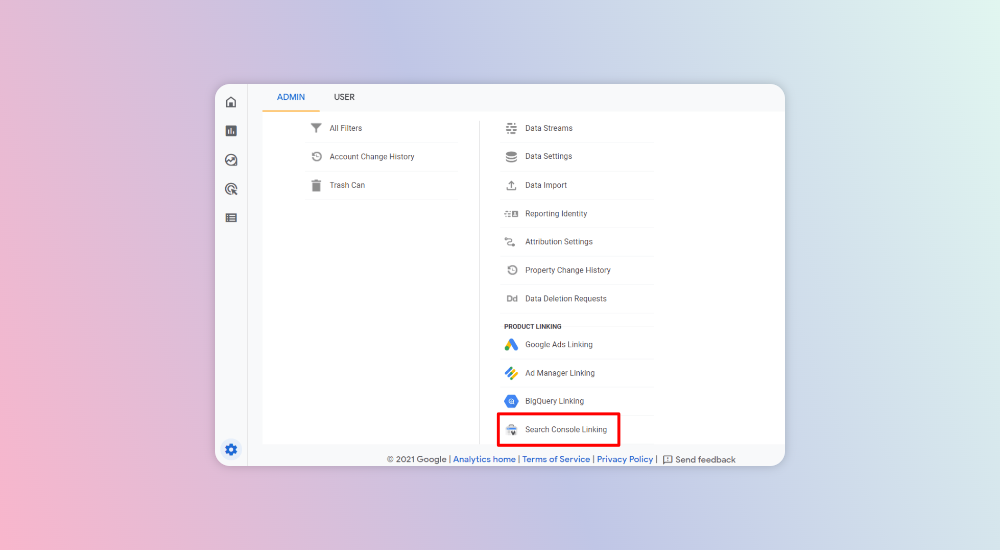
Here, click on ‘Search Console Linking’ under the Property column.
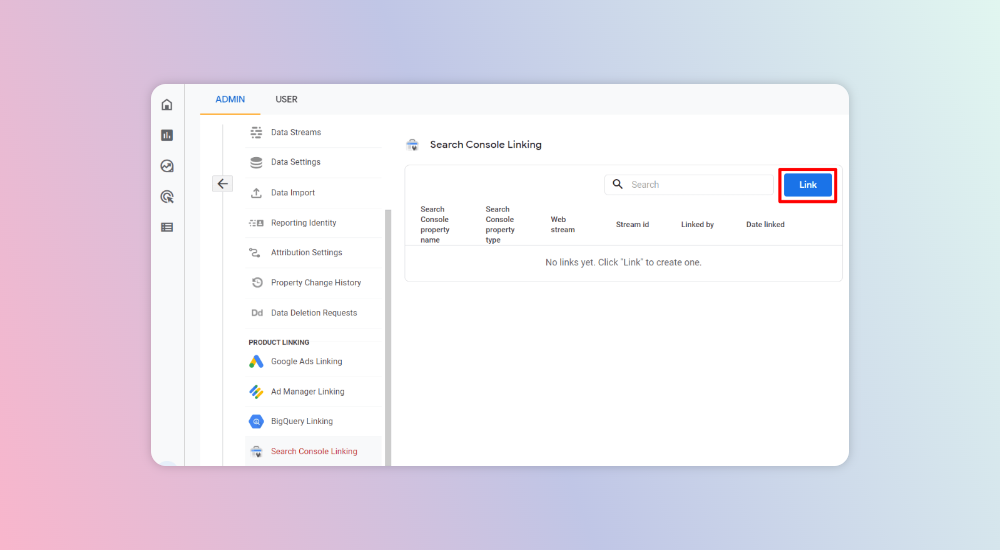
Next, go to the ‘Link’ button.
Click ‘Choose Accounts.’
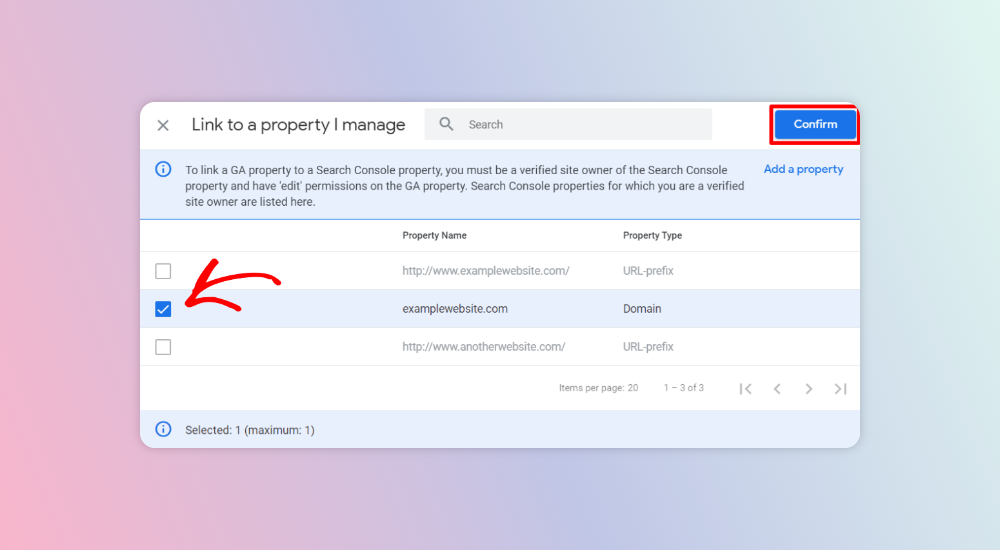
Click ‘Checkbox’ next to your domain and click ‘Confirm.’
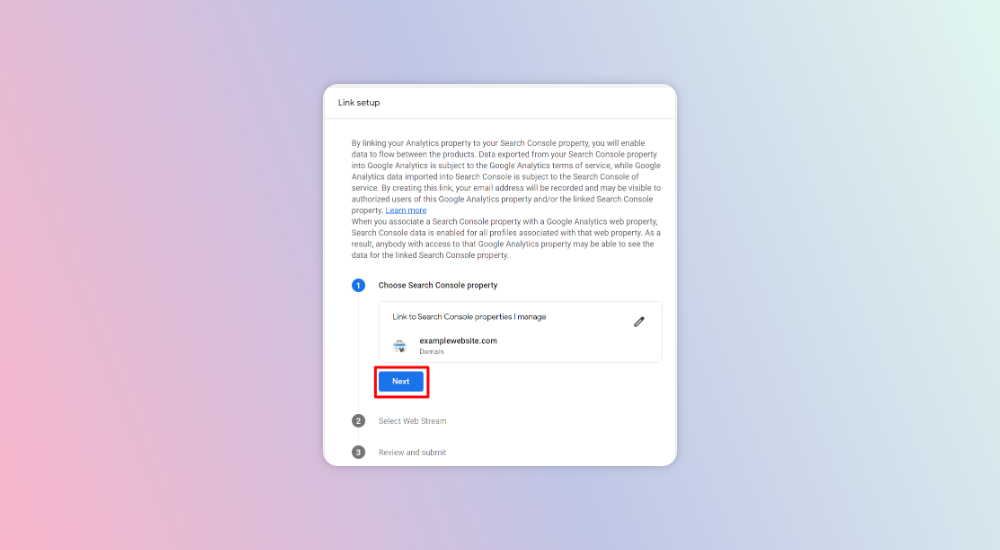
Click ‘Next.’
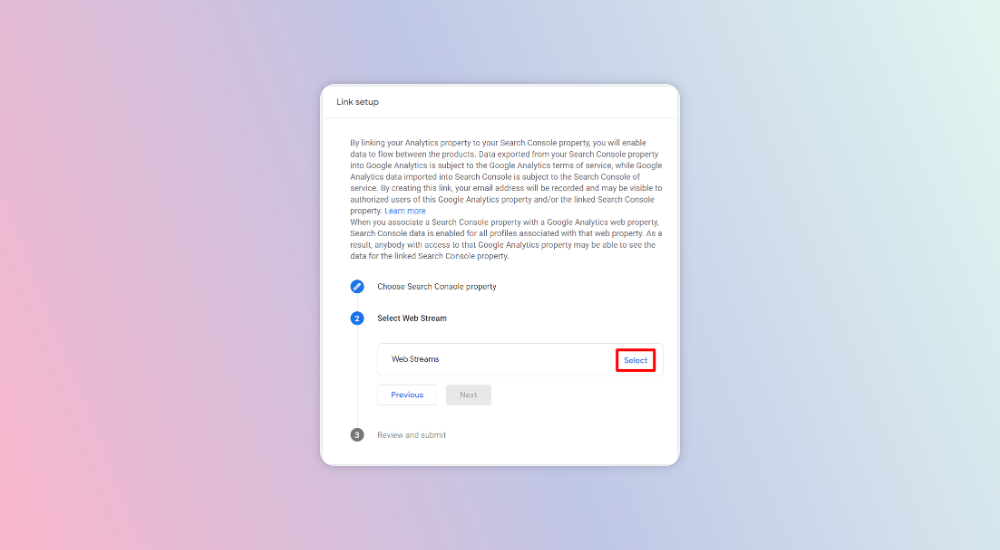
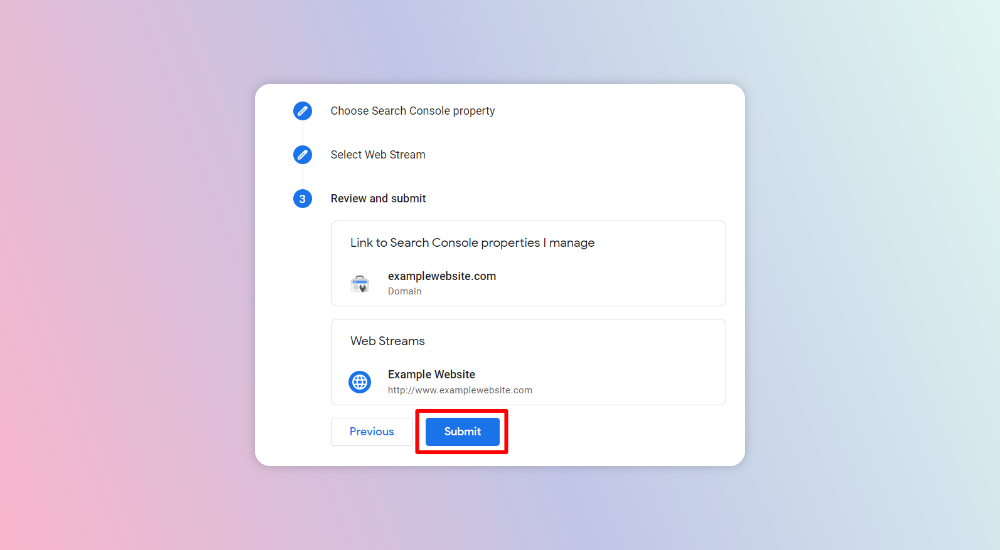
Select ‘Web Streams’ by clicking on ‘Choose.’
Check that everything is correct and hit ‘Submit.’
And you’re done!
2. Set 301 Redirects to Old Pages
If your WordPress website has a huge content repository, especially migrated from another older website, you’ll notice many broken links that need fixing.
Broken links on a website are bad not just for your SEO but also for your visitors since they give a wrong impression. The easiest way to fix this issue is by:
Deleting old links if the content is not relevant
Applying 301 redirects for internal links
Updating old content and refreshing the link
Correcting any links in case they have changed/have typos
To identify these broken links, you can use the Google Search Console—it has a crawling feature to find such anomalies and add a 301 redirect from the broken link URL to its correct URL.
3. Install SEO-friendly Plugins
WordPress SEO out-of-the-box is pretty good, but it’ll only get you to do stuff everyone else is doing. WordPress SEO plugins are a great way to take complete control over optimizing your website and take your SEO optimization for WordPress up a notch!
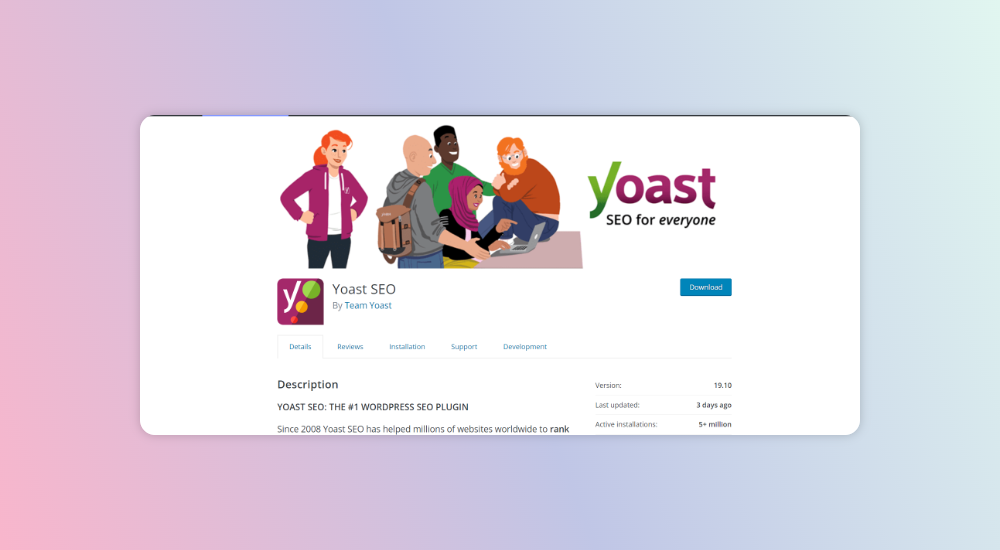
While there are multiple tools and free plugins that you can consider, we highly recommend starting with Yoast SEO. It has over 5+ million installations, can be downloaded free from the WordPress repository, and is extremely easy to use.
To install Yoast SEO or any other WordPress SEO plugin, you need to follow these simple steps:
Visit the Plugins page within your WordPress dashboard and select the ‘Add New’ option.
Search for the plugin you want. In this example, search for ‘Yoast SEO.’
Activate the plugin from your Plugins Page.
Now, you will see it in your ‘Plugins’ menu on WordPress, where you can go through its configuration and set up the plugin for your site.
Done! You can start using the plugin and explore more features.
4. Appropriately Place Keywords, Titles, and Descriptions
Keywords form the crux of your content and WordPress SEO, but stuffing keywords randomly will no longer help. In fact, it’ll put off your reader and may not get you the results you expect with search engines. Instead, use your keywords strategically, and leverage a combination of the right keywords at the right place.
This includes using short-tail and long-tail keywords and placing them appropriately by:
Including the primary keyword in the titles
Including the primary keyword in the H1 tags and descriptions
Including the primary keyword in the website URL
Finding and using question-based keywords and answers to help rank higher
5. Start Creating Quality Content
Creating high-quality content is not just a great way to optimize your WordPress SEO; it’ll help you get the right kind of readers and interest. The more attention your pages get, the higher the engagement and time spent on them, and the better they rank in SERPs.
Gone are the days when simple usage of the right keyword and its variations helped you rank your content on SERPs. Today, it takes a lot more to get search engines to understand your content and get into their good books. Creating high-quality, value-driven, and relevant content is the simplest and most powerful way to do this.
6. Keep an Eye on Keyword Density
Keywords still matter, but it’s not just about how frequently or how much they are used; it’s more about how well your SEO best practices are followed when using keywords. A simple rule of thumb for any content you create is to create content for humans, not search engines.
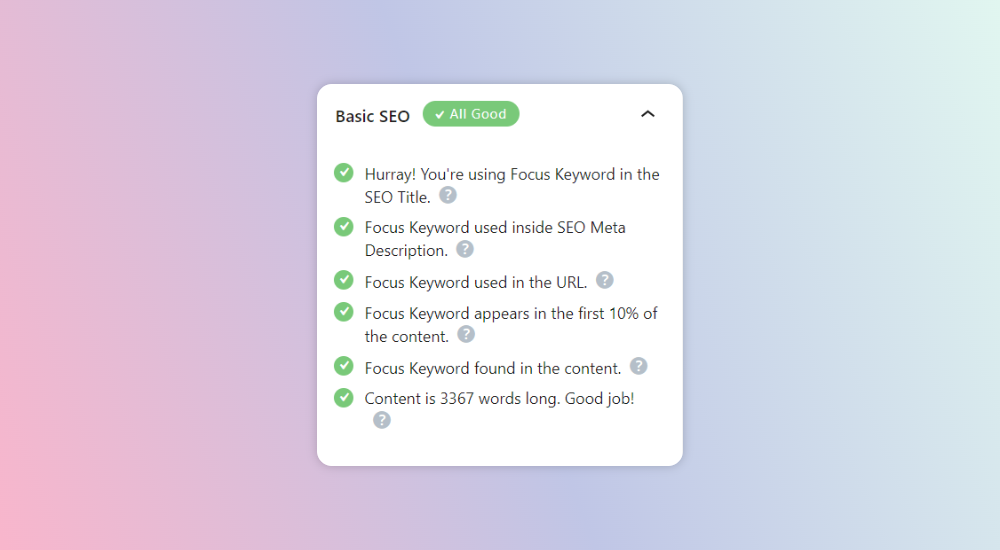
When using keywords, make sure you’re using them in the right way, and focus on keyword density to get it right. The Yoast SEO plugin for WordPress is a great tool for analyzing keyword density and other analytics, helping you create a highly-optimized page that is ideal for both search engines and your readers.
7. Proper Image Optimization
Using images for your website doesn’t just add a visual element and help you optimize your design; it’s also essential for your website’s SERPs. Photos with the right alt-txt and name tags can improve your chances of getting noticed.
Some steps you need to undertake for your image optimization include the following:
Naming your image files wisely
Adding alt-txt for your images to help search engines know what it is about
Using high-quality but optimized images
Making sure your images are using CDN
8. Add Videos to Increase Dwell Time
Since 2020, a wide range of users prefers to consume content that is in multimedia format, i.e., videos, images, GIFs, or interactive content instead of plain and simple text. Adding videos or audio support to your content will help widen your reach and ensure your audience spends more time on your page.
Plus, multimedia content allows you to inject keywords as alt-tags, which will be displayed when a user searches for that content.
9. Nail Your Headline
One of the first things your reader notices on your website is the headline. If the headline’s not appealing enough to convince the reader to delve deeper into the topic, they may switch to the next search result, resulting in you losing a potential lead.
Your headline should have elements that:
Encourages readers to click on it
Contains keywords that help search engines identify the topic
Satisfies user intent
Is short enough to rank but long enough to be self-explanatory
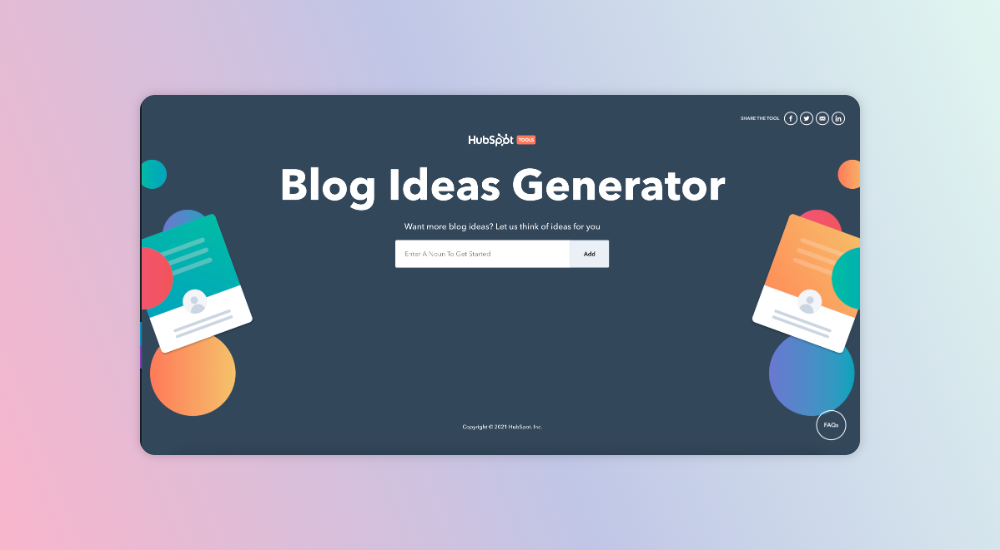
A great source to find and explore headline options is the Hubspot Idea Generator, where you can add your keyword and get ideas or themes for your blogs or website titles.
10. Build Internal Links Strategically
Similar to external links, internal links also play a crucial role in your SEO strategy. They help search engines understand the relationship between your website structure and its pages while enabling users to find and discover similar content on your website. For using internal links strategically:
Create a highly simplified yet easy-to-navigate website sitemap
Determine the most important pages and make sure these are easy to find
Prioritize linking these pages to other high-value pages
11. Don’t Forget Tags and Categories
Tags and categories are often overlooked, even when working on on-page aspects of your website. However, they offer a way to help your website group similar content and make it easy for your users to find and discover it. These tags or categories don’t just help readers navigate to similar topics; they also help crawlers and search engines find similar pages, helping you rank higher in SERPs.
12. Page URLs Should Be Structured
Your website or page URL is not just an address that helps users navigate to your page; it also has great value in SEO. On WordPress, the URLs of your new pages or blogs can be customized, allowing you to provide the right name to the link.
A good practice when structuring your website URLs is to include the primary keyword and use it to give a clear context. Make sure it follows a set pattern, as it helps boost your SEO and clickthrough rates.
13. Use HTML Tags to Improve On-page SEO
Search engine crawlers will use HTML header tags to understand the relevance of your site’s content, and it’s a good practice to have the H1 tag as the most crucial header, supplementing H2 and H3 tags to add more value. The more interlinked these tags are, the better it’ll be for your SEO.
For example, if your H1 uses a crucial focus keyword, the additional headers can include your short-tail or long-tail keywords or variations, giving a strong boost to your WordPress site and helping it rank better.
14. Set up XML Sitemap for Better Insights
For those who love plans or blueprints, the XML sitemap is the blueprint for your website and is loved by search engines. It helps them understand your WordPress website’s navigation and includes information on any changes the search engines need to understand your website’s structure.
The most significant advantage of the XML sitemap for your WordPress SEO is that it makes navigating easier for your users and is like an index to your website. This helps search engines and users navigate to orphan pages and ensure these get ranked if a relevant search is performed.
15. Boost Your Site Speed
If a website takes longer than 3-5 seconds to load, it’s bound to lose a potential visitor—this is true even for WordPress sites. WordPress websites are preferred as they load faster and usually fare well in this department.
However, it’s always a good practice to check page speeds and eliminate factors hindering pages from loading faster. This includes optimizing images, graphics, code, or other intensive activities that may affect your page speed.
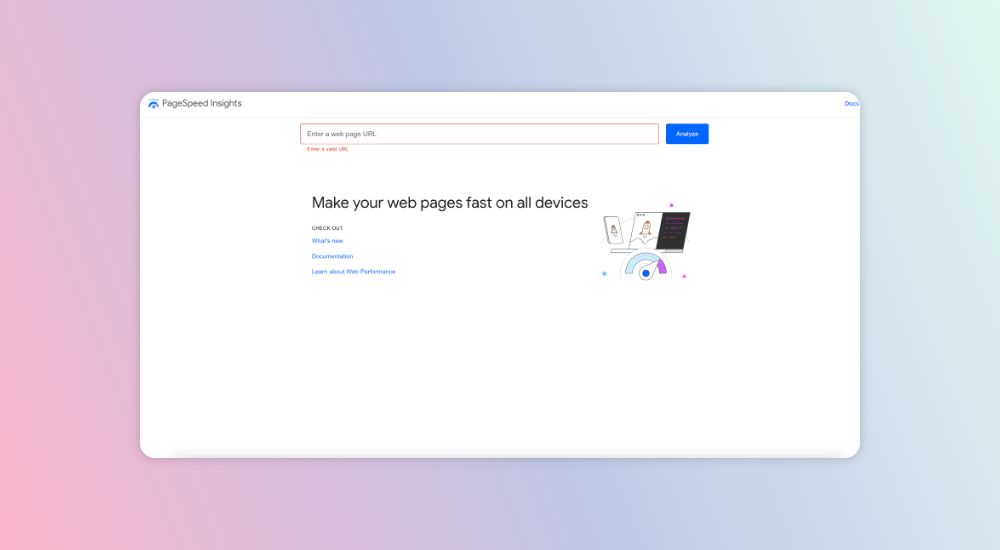
Google’s PageSpeed Insights is the easiest and most efficient way to find your page’s performance and identify gaps that can help optimize it. Faster load times even help with your rankings since the search engine is more likely to suggest it to users with slower internet bandwidth.
16. Focus on User Intent
When users feed in a search term, the context and intent of the searchers play a huge role in defining the kind of results they’ll get. Search intent is defined in four categories:
Informational: Where the searchers are looking for specific questions or general information Example: How to write a blog
Navigational: Where searchers intend to find a specific website or page Example: Blogging websites/blogging platforms
Commercial: Where searchers want to research something, be it brands, products, or services, before they buy something or take an action Example: Best blogging service providers
Transactional: Where searchers are intending to complete the buy action Example: Hire blog writers online
If you use SEMrush for your SEO, you can see search intent being highlighted as well—this can go a long way in ensuring you rank for the right search results.
17. Evaluate Your Backlink Profile
Backlinks are vital for WordPress SEO, as they are used in Google’s recent E-A-T principles to determine your relevance and expertise.
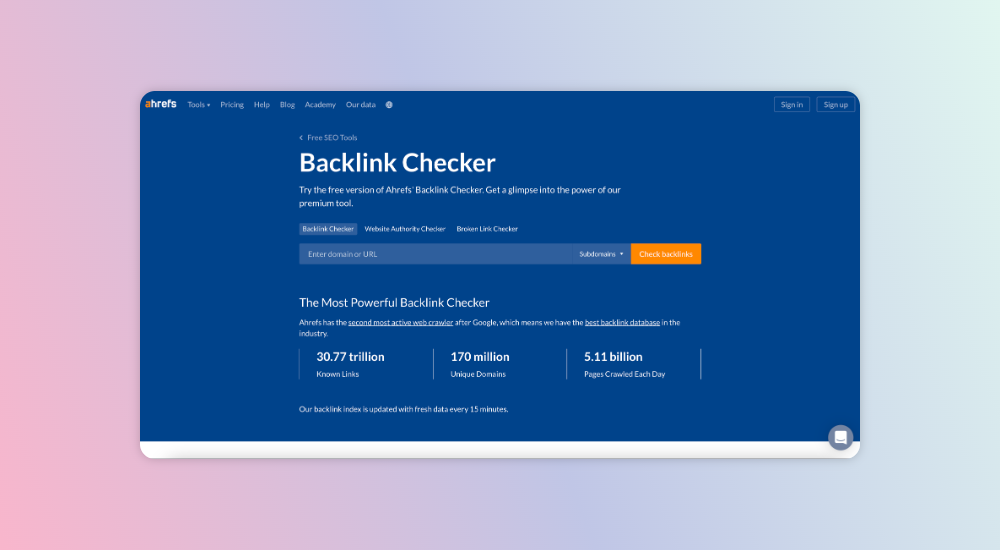
To understand how well your WordPress site fares in terms of getting the right backlinks, you can use ahrefs’ Backlink Checker to get the right tips and recommendations, as well as other details about your website.
18. Use PR to Boost SEO
Public Relations (PR) helps build awareness and a positive image of your brand, while SEO helps improve your company’s website ranking on search engine results pages.
Since the objective of both SEO and PR is the same, they’re often used hand in hand, given the diverse channels they need to focus on. A simple way to integrate PR and SEO activities is by:
Focusing on gaining high-authority links from top publications and portals with high brand/domain authority. This improves your website’s SERP rankings since it gives your website more credibility, authenticity, and expertise.
Requesting links when your brand, product, service, event, or other entity is mentioned on a third-party website. If your PR team knows which pages (especially landing pages or specific product pages) they can promote for backlinks, you can focus your SEO on these pages and create a win-win combination.
Crawling is the process where a search engine will move from the pages of your website and discover the elements that your website is using.
Sometimes, if there are broken links or improper linking, the crawling process can get hindered and lead to your website pages not showing up on SERPs despite having the relevant keywords.
To identify crawl errors, go to the ‘Coverage’ report in Google Search Console and fix any issues that may be listed there.
20. Ensure Your Website is Responsive
Your website is no longer accessed primarily from computers or laptops—devices like smartphones and tablets are also being used to search and find your page.
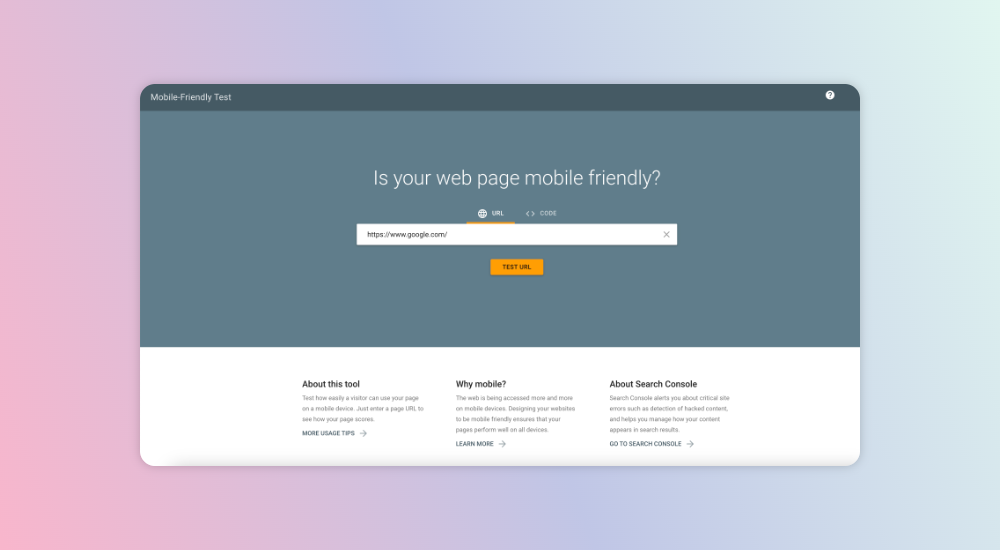
Although WordPress websites inherently use responsive design, if it’s not responsive enough, it’ll lead to your content getting cropped, taking time to load on mobile, or other issues, eventually leading to a negative SERP for your page.
21. Inspect Your Website for Redirect Chains and Loops
A redirect is when you forward one URL to another. For example, if you have two pages, with titles ‘Data Analytics’ and ‘Big Data Analytics,’ having very similar content structures, it’s best to merge or use the most relevant page when users search for any of these terms.
Redirect chains help the search engine know when to redirect the user from the requested URL to the destination URL and assist in:
Ranking new content
Making it easier for your website to crawl
Improving page load speed
22. Fix Any Duplicate Content Issues
Although this may sound silly to a new website creator, duplicate pages are one of the most common reasons why your website or a particular page might not rank.
Search engines can’t determine which page to rank if you have two identical pieces of content or similar titles for your page, so de-indexing or redirecting these pages is the only way to ensure that this situation is avoided.
23. Create/Optimize Your Robots.txt File
Robot.txt is an instruction that’ll tell your search engine which page it can crawl to and which ones it should avoid. This ensures that search engine crawlers can focus on the right pages and prevents server overload or crawl wastage if you have many on your website.
To create the robot.txt files on your pages, you can download the ‘All in one SEO’ plugin and follow these instructions:
24. Conduct a Content Gap Analysis
Content is king, but if it doesn’t have a strategic approach, you’ll discover that multiple opportunities are not getting converted.
A content gap analysis involves assessing your website’s content to identify missing pieces to help create a strategic approach for your target customer. It enables you to ensure you create targeted content that’s aligned with your buyer journey so that it:
Gets higher engagement
Meets user expectations
Generates more traffic
Search engines love top-notch content and are focused on buyer intent, so conducting a content gap analysis on a timely basis is always recommended.
25. Implement Schema Markup
Schema markup is a kind of code that enables search engines to understand and describe your page’s content. Implementing it in your website helps create more descriptive and visually appealing snippets on SERPs, which makes it easy for search engines to know what it is and where it can be displayed.
A great way to implement schema markup is by using technicalseo, which enables you to do this in a few easy steps without knowing any coding.
26. Publish Content Regularly
Many WordPress websites have fantastic content, but the site is not updated regularly or has content published months ago. This isn’t good for anyone visiting your page or search engines. It’s crucial to publish regularly and even update your existing content or repurpose it to meet the needs of today’s users.
Make sure you post frequently and have a content calendar to dish out valuable content regularly. Recently updated and high-value content consistently gets the topmost rankings on any search engine.
Conclusion
Wow! That was exhaustive!
With these WordPress SEO tips, we’re sure you’ll have a well-rounded understanding of how to do SEO for WordPress. As with any other subject or topic, the deeper you dig in, you’ll uncover a new world waiting to be explored.
Since improving SEO on WordPress is a long game, we suggest keeping this SEO basics checklist handy and discovering more ways to optimize SEO for WordPress websites.
We’re at the end of this blog but undoubtedly not the end of your SEO journey—there’s a lot you can keep doing to help your website rank high and ensure it stays there for the long run.
Keep learning, and don’t forget to focus on quality content. While content is the ruler of the digital realm, it’s SEO that will ensure that the ruler stays on its throne for longer.
FAQs
1. What is SEO?
Search engine optimization (SEO) is the process of increasing the visibility of a website or webpage in search engine results pages (SERPs).
2. How is SEO important for writing blogs on WordPress?
Your WordPress blog/website content contains highly valuable insights and information that can create a vital channel for generating leads and optimizing your brand’s reach. Following a blog SEO checklist helps you optimize your blog content and keep it structured for easy readability.
3. Does the SEO checklist help in ranking on search engines?
An SEO checklist helps you create authoritative, relevant, and highly compelling content—the primary driver for search engine rankings and conversions. Content quality is crucial for improving SEO; readers are more likely to interact with your page and stay longer if the content matches their primary requirements when searching a particular keyword.
4. What are the best SEO plugins on WordPress?
Some of the best plugins for SEO optimization for WordPress include: